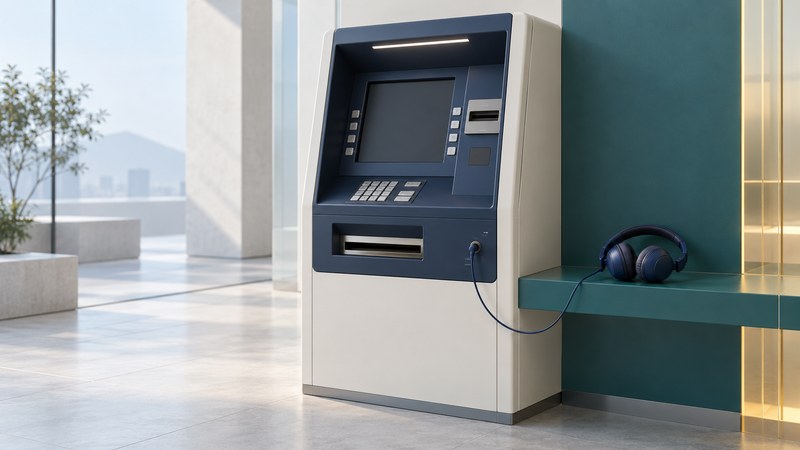
An accessible ATM should let a customer locate the controls, follow the transaction and confirm the result with suitable privacy. For a first audio-guided visit, check the bank's instructions for its machines and prepare the required earphones before traveling.
This guide uses U.S. accessibility standards and one bank's documented example. ATM designs and transaction menus vary. Follow the actual machine's orientation and prompts rather than a memorized key sequence from another model.
Prepare for the particular location
Use the bank's official locator and accessibility contact to ask about a suitable machine, approach route, opening/access hours and the transaction you need. A machine inside a locked lobby or behind an obstacle can be unusable even when its controls are accessible. If you use a wheelchair or mobility device, include the approach and reach in the question.
Ask how speech output is started, which earphone connector is supported, and whether the bank provides orientation or assistance. Wireless headphones that work with your phone may not connect to the ATM. Bring the appropriate wired earphone or other supported equipment, your card if required, and a private way to contact the bank.
As one documented example, Wells Fargo's Talking ATM overview describes voice instructions through an earphone jack, an earphone symbol locating the connection, and braille labels for components. Its page also provides the current assistance route. Those details describe that bank's service; verify other banks separately.
Orient before entering private information
- Check the approach. Make sure you can position yourself to reach the controls and retrieve your card and cash without obstruction.
- Start the audio mode as instructed. Listen to the orientation, volume and repeat options before proceeding.
- Locate the separate components. Establish the keypad, card reader, receipt outlet and cash dispenser. Their positions vary.
- Identify cancel and correction. Learn how the machine describes these functions before entering an amount or selecting a transaction.
- Keep the session private. Shield PIN entry as appropriate and use the bank's supported privacy options. Do not share your PIN with someone offering help.
If you cannot identify the next step confidently, use the bank's documented assistance or cancellation route. Avoid repeatedly pressing unfamiliar keys. A staff-assisted orientation during branch hours may be useful before trying a machine independently.
Understand the U.S. design requirements
The Access Board's ADA Section 707, read with the standards' scope and exceptions, addresses floor space, operable parts, privacy, speech, input and display. Speech covers transaction instructions and error information, with repeat/interruption and volume controls. The numeric 5 key must be distinguishable by touch. Both ascending and descending keypad arrangements are permitted, so confirm the layout through orientation.
The section also specifies tactile function symbols and braille instructions for starting speech mode. Requirements and exceptions should be read together; a single photograph or checklist does not establish a complete legal compliance assessment.
Follow the transaction through to its end
Listen to the account and transaction choices, enter the requested information and review the confirmation before accepting it. Use repeat or correction controls when available. A familiar sequence can change after a software update, so attend to the actual prompts.
At the end, confirm the session has finished and account for your card, cash, receipt and earphones. The order in which a machine returns these items can differ. If the result is uncertain—such as a debit without the expected cash—contact the bank through its official channel and keep the time and location for the report.
Report an access barrier
Record the bank, exact location, date/time and machine identifier if accessible. Describe the barrier—blocked approach, unreachable control, missing speech, unreadable display or another observed issue—and its effect on the task. Include the earphone type or other relevant setup without including your PIN or full card number.
Ask for a case reference, an accessible alternative for the immediate task and an expected response. Use the bank's official accessibility/customer-service contact. If you need standards interpretation, the Access Board page links to technical assistance. For the route to and through the site, the mobility assessment preparation guide offers questions about environment and equipment fit.
Explore the library
Assistive Technology: Practical Guides for Everyday Access
Source links appear beside the topics they support. Product instructions and service arrangements were reviewed on October 4, 2026. Check the linked documentation for your exact version, device and location.