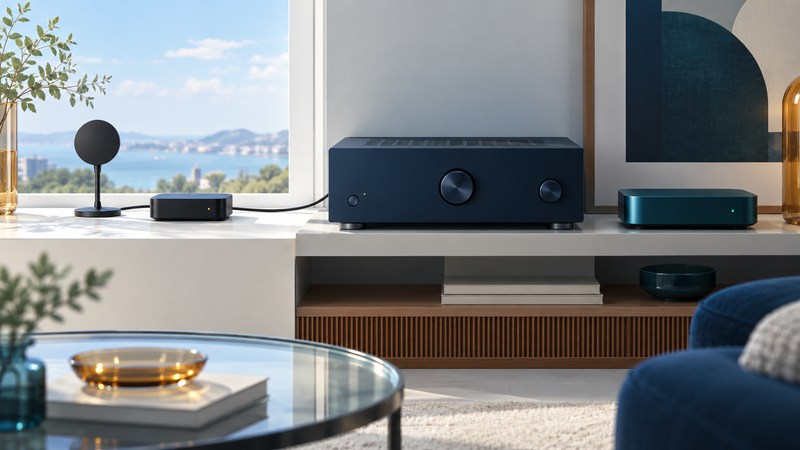
An XM-Ready label is a starting point for identifying equipment. To use an older home receiver today, establish which tuner accessory it supports, whether that accessory receives a signal, and what service is available for its exact Radio ID. Keep the hardware connection and the subscription check as separate tasks.
Understand what Connect-and-Play added
In 2005, XM Connect-and-Play brought satellite reception to compatible home audio products through an external accessory. The archived XM Connect-and-Play guide describes that accessory as an integrated receiver. The home audio system supplies the controls and plays its audio. What was often called an antenna therefore includes more of the radio than a passive aerial alone.
That guide limits the accessory to approved XM-Ready home and portable systems and specifically excludes automotive systems. Identify the exact accessory and receiver combination in the receiver manual. Later tuner families, docks, and similarly named ports need their own compatibility evidence.
Photograph the receiver’s model label, XM connector, accessory label, and cable ends. If an accessory is missing, ask a seller for its complete model designation and documented host compatibility. Include any required dock or interface in the inventory before comparing prices.
Work through three separate checks
Use the table to distinguish a missing component from a reception or account problem. Keep the exact on-screen message in your notes; a paraphrase such as “doesn’t work” loses useful evidence.
| Check | Evidence to collect | Next useful action |
|---|---|---|
| Hardware compatibility | Receiver model, tuner accessory model, and matching manual. | Confirm the specified combination and inspect the external connection. |
| Reception and identification | Displayed signal condition, error message, and Radio ID. | Follow the accessory’s placement and receiver’s display instructions. |
| Service eligibility | Provider response for this Radio ID and region. | Confirm activation, available programming, and current terms before purchase. |
Follow the manual when moving or reconnecting hardware, and retain the specified cable and accessories. For the initial test, use an accessible permitted location and change one condition at a time. Record whether the receiver recognizes the accessory before investigating subscription settings.
Check the exact Radio ID before spending
SiriusXM’s Radio ID guidance says that most radios display their ID on channel 0; use the receiver manual for its controls. Record the radio identifier separately from the AV receiver’s serial number. Provide it through the provider’s official account or support channels when checking service.
As checked in October 2026, the U.S. SiriusXM activation entry point accepts a Radio ID and offers assistance when an online request cannot be completed. That establishes a way to check a particular unit. It does not establish that every legacy accessory is eligible. Before buying used hardware, confirm whether that exact unit can be activated in your country, what programming it can receive, and which current subscription terms apply.
Ask for the answer in terms of the identified hardware. A generic promotion or an old packaging promise leaves the central question unresolved. Keep the date of the check with the reply. Use the provider for your region; the archived Canadian-hosted manual explains hardware history, while current regional service information governs a new subscription.
Separate reception from a service decision
Illustrative diagnostic sequence
An owner has the specified receiver and accessory, but the receiver reports a signal problem. They first follow the manual’s placement check and record whether the message changes. Once a stable signal and Radio ID are available, they ask the provider about service for that ID. Buying another AV receiver before completing these checks would leave the accessory and service questions unanswered.
If the receiver never identifies the tuner, return to the model match, connector, and manual’s troubleshooting procedure. If it identifies the tuner but reception varies, compare permitted antenna positions while holding equipment and settings fixed. If reception works but desired programming is unavailable, check the account, channel support, and provider’s current guidance.
Compare a separate streaming path
SiriusXM’s home-audio information describes internet listening on supported devices with an appropriate app subscription. A supported player can feed an available audio input on a receiver. In that arrangement, the player handles the service and the receiver handles playback; the old XM port is outside the signal path.
Compare the experience you want: controls on the receiver, an app, a remote, or voice controls on a supported device. Check internet availability, the player’s audio output, supported programming, and the account’s streaming entitlement. Subscription features and device support can change, so check the current provider page before selecting equipment.
The wireless media receiver guide helps test a network player, and AV receiver setup helps assign its input. Keep the working route in the connection record and return to the Home Theater hub for related guides.