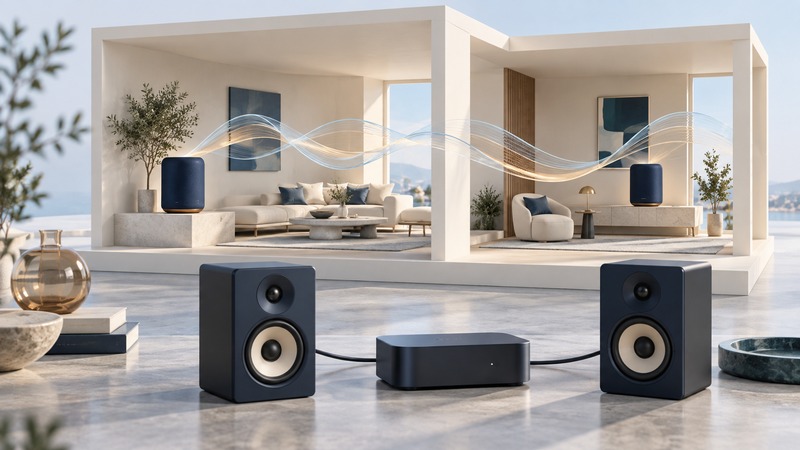
A wireless music player brings a music source to a speaker system over a network. Choosing one starts with the music you want to play, the speakers you already own and the rooms that should play together. Write those requirements down before comparing radio generations or advertised audio resolutions.
Trace music from source to speaker
The controller is the phone, tablet or computer used to select music. The playback device receives or retrieves the audio and sends it to an amplifier or built-in speakers. The controller's role varies by playback method: in one arrangement it sends the audio; in another it tells a network player what to retrieve. Test what happens when the controller leaves or sleeps using the exact app and source you intend to use.
Bluetooth, a manufacturer's network service, AirPlay and Google Cast have different device and application requirements. List the supported playback method for each source and destination. A shared Wi-Fi network provides connectivity; the devices still need a compatible way to discover one another and exchange audio.
On a narrow screen, scroll the table sideways. Keyboard: focus the table and use the arrow keys.
| What you already have | Equipment to evaluate | Decisive compatibility check |
|---|---|---|
| Passive speakers | A network amplifier or player plus suitable amplifier | Speaker and amplifier requirements in their manuals |
| Powered speakers or an existing amplifier | A network player with matching audio output | Connector, accepted signal and volume-control arrangement |
| Several network speakers | A supported grouping system | Exact models, firmware, apps and sources supported together |
| Music files on a computer or NAS | A player with documented library support | File formats, network-sharing protocol and library access |
Check the network and account requirements
Use the system's current requirements before changing router settings. For example, Sonos requires its app and products to share a subnet, and lists guest networks and portal-login networks among unsupported setups. Its Wi-Fi capabilities also vary with product and software generation. These are Sonos-specific requirements, useful for explaining why a phone can browse the web while failing to discover a player.
Confirm that the controller has the local-network permissions requested by the application and that the intended network allows the required device communication. On a managed workplace network, ask the administrator for an approved arrangement. Keep guest separation for guests; use an appropriate trusted network for a home audio system that needs local discovery.
Check music-service availability in your region, the subscription tier needed for your intended feature and the number of simultaneous streams allowed by the service. Evaluate local files separately. Identify the computer or NAS that stores them, its supported sharing configuration, account permissions and whether it stays awake during playback. Try representative files before migrating a large collection.
Separate grouping from stereo pairing
A multiroom group plays coordinated audio across selected destinations. A stereo pair assigns left and right channels within one listening arrangement. A product can support one relationship with a different set of restrictions than the other.
Google's speaker-group instructions list supported devices and current troubleshooting constraints. Its stereo-pair instructions require the two speakers to be the same supported model and in the same room. Use those specific lists instead of assuming all devices with the same voice assistant can form every kind of group.
For a fictional two-room example, a listener has an amplifier in the study and wants a kitchen speaker. First identify a player output that the amplifier accepts. Then confirm that the player and proposed speaker can group using the listener's actual music service. Finally test starting, pausing, adjusting each room's volume and removing the kitchen from the group. Those actions establish the desired everyday behavior more directly than two separate successful solo demonstrations.
Diagnose dropouts one layer at a time
Begin with one room and one known source. Record whether the device disappears from the controller, remains visible but silent, or plays with interruptions. Try a second supported source. If local files fail while the service works, inspect library availability and permissions; if one service fails across working rooms, investigate that service and account.
Next add rooms one at a time. Repeat from the usual controller location and during typical household use. When a distant room introduces interruptions, compare its connection with a nearer supported position or a manufacturer-supported Ethernet arrangement. Follow the system's wiring guidance; improvised mixed connections can introduce new network problems. The home mesh guide explains backhaul and node placement when broader coverage needs attention.
Keep a small acceptance record
Record models, software, source, playback method, group membership and the test outcome. Include local-file playback if it matters, and confirm recovery after an ordinary restart. Keep the return window open until the complete arrangement works from the rooms where it will be used. Revisit compatibility after a service integration, library-sharing system or major app version changes.