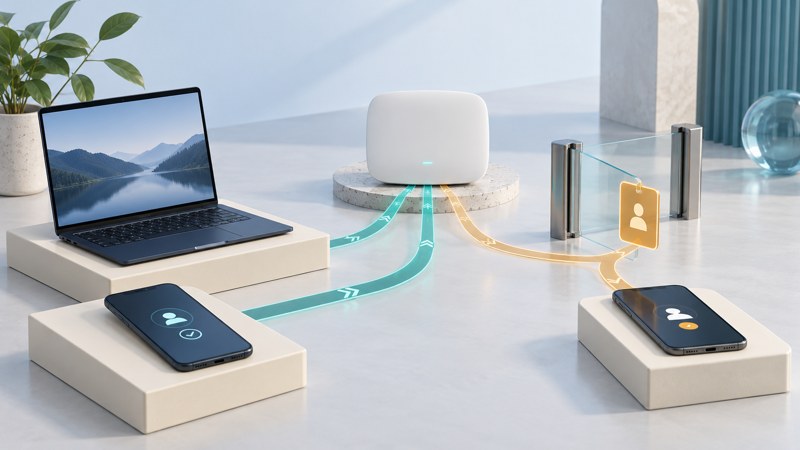
A device can move between home, public and workplace networks while keeping the same files, applications and account sessions. Wireless access therefore involves two questions: may this device connect, and which resources should it reach once connected?
During the 2003 worm outbreaks, mobile laptops brought this issue into focus for campus and enterprise WLAN operators. The durable lesson is to consider the device at the point of access and throughout its session, alongside the security of the wireless infrastructure itself.
Begin with ownership and purpose
List the kinds of devices using the network: managed staff laptops, personal phones, visitor devices, printers and equipment with limited management options. For each group, record an owner, a business purpose and the minimum resources required.
Successful wireless authentication establishes that the presented credentials or device identity were accepted under that configuration. Application permissions and device condition need their own checks. NIST’s Zero Trust Architecture guidance explicitly separates trust from network location or asset ownership and treats authentication and authorization as distinct decisions.
A useful question for a visitor is “Which service is needed?” rather than “Which internal network should this visitor join?” Internet access, a meeting-room display and a private file service are different requirements.
Define access that can be checked
- Name the resource. Identify the service and purpose instead of granting a broad network range by habit.
- Choose the enforcing control. Document where identity, device policy and network restrictions are applied.
- Verify the intended task. Use an approved, harmless check to confirm that the required service works.
- Verify the boundary. Confirm that unnecessary resources remain inaccessible through the intended policy.
- Assign review. Record who revisits the permission when the device, role or service changes.
A guest-network label alone says little about the actual boundary. Verify the configuration and observed access, including paths to management interfaces and other local devices.
Use current device information
For managed equipment, useful evidence can include supported software, successful updates, protection status and recent security events. Record how fresh that information is and what happens when a device stops reporting. For personal or visitor equipment, the organization may have less visibility; define a correspondingly limited access arrangement.
Collect only the information needed for the access decision under the organization's policies. Keep responsibility for checking the device explicit. A network operator, endpoint administrator and application owner may hold different parts of the evidence.
NIST’s WLAN security guidance describes security across client devices, access points and the network lifecycle. Its 2012 publication date matters: use it for the management framework, and use current equipment documentation for configuration and supported security modes.
Fictional example: a returning laptop
A staff laptop returns after several weeks away. Its credentials are valid, but its management record is old. The team follows its predefined process to restore current status and give access needed for approved updates. An administrator then verifies the required state before restoring the normal resource access.
If the device produces a suspicious alert instead, the team switches to its incident procedure. Repeatedly reconnecting it to see whether the alert disappears would produce little useful evidence.
Plan the response before an alert
Decide who can restrict access, contact the user and investigate the endpoint. Record the device reference, time, connection and observed action. A historical traffic filter may have reduced one worm's communication; the response still needed to address the infected computer.
Use the internal containment guide for isolation and return-to-service decisions. Review wireless permissions when staff roles, guest services, management tools or device groups change. The goal is a documented access decision with evidence, an owner and a way to revisit it.