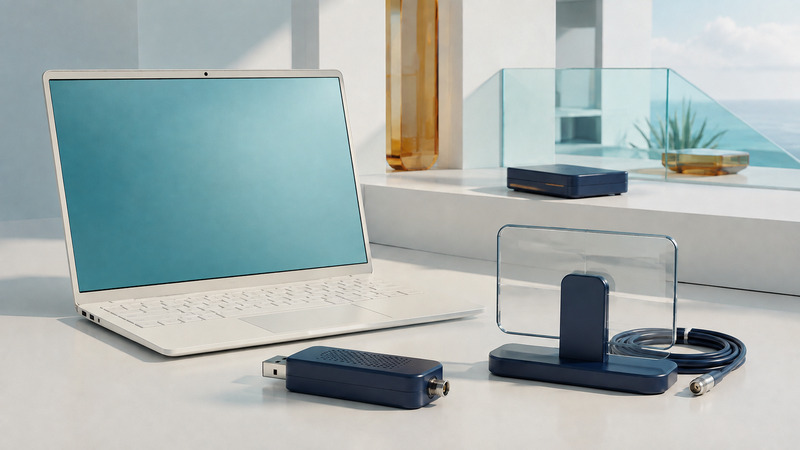
A USB TV tuner lets a compatible computer receive supported broadcast signals. It is not an antenna, a subscription to channels, or an HDMI capture device. A successful setup needs the right regional tuner, useful reception, a supported driver and application, and enough reliable storage for any recordings.
Match the signal standard and the exact product
Identify the country, source and broadcast standard before shopping. Terrestrial antenna television, cable television and satellite television are different reception problems. Within a region, generations of broadcast standards can also differ. A familiar product name sold in another market is not sufficient compatibility evidence.
For example, Hauppauge's US tuner comparison lists its model 1595 WinTV-dualHD with ATSC/QAM reception. Its UK WinTV-dualHD description instead specifies DVB-T, DVB-T2 and DVB-C. These regional specifications illustrate why the product's exact part number and supported signal formats matter.
Swipe the table sideways, or focus it and use the arrow keys.
| Check | Evidence to find | Do not assume |
|---|---|---|
| Broadcast input | Country, standard and exact model's receiver specification. | Every device labeled “digital TV” receives the same broadcasts. |
| Antenna and connector | Required frequency bands, antenna arrangement and suitable connector or adapter. | A supplied miniature antenna guarantees indoor reception. |
| Computer support | Current driver, OS version, processor architecture and USB requirements. | Windows, macOS and Linux support are interchangeable. |
| Application support | Recognition of the tuner, video/audio decoding, captions, guide data and recording features. | A detected USB device means every channel can play. |
| Recording capacity | Concurrent tuners, storage behavior, scheduling and host power-state requirements. | One successful live preview proves unattended recordings will work. |
Clear QAM support does not authorize encrypted cable channels. Likewise, RF reception, audio/video decoding and protected-channel playback are separate capabilities. For ATSC 3.0, check the complete supported hardware and application path rather than a logo alone. SiliconDust's Roku documentation, for example, identifies platform-specific protected-channel limitations; it does not describe a universal capability of all tuners.
An HDMI capture device starts with a compatible source's HDMI output, rather than tuning antenna radio frequencies. It may have its own format and content-protection limits. Choose the device category from the signal you actually have.
Check the driver and the viewing application separately
Use the manufacturer's current support page for the exact tuner and operating system. The driver lets the computer communicate with the hardware; the application supplies tuning, playback and recording functions. Some packages bundle both, while others require a separate license or supported third-party application.
Hauppauge's dualHD support page distinguishes current software and driver requirements, including Windows 11 support. Do not rely on an old installation CD or assume a driver for a similarly named product is suitable. For another operating system, verify current driver and firmware requirements with that system's supported device documentation.
Record the application version and channel-source setting before scanning. The wrong country, source type or scan plan can produce misleading results even when the hardware is functioning. Guide listings, captions and program audio may have separate dependencies; test them on the channels that matter to you.
A computer with a supported USB connector can still have power, port or bandwidth constraints. Follow the tuner maker's port requirements and test a direct connection first. Add an extension cable or hub only after you have a working baseline, using supported components.
Treat antenna placement as a measured experiment
For US reception planning, the FCC's television reception maps provide predictions based on an outdoor-antenna model. Indoor reception can differ because of terrain, building materials, nearby structures and antenna placement. Elsewhere, use the local broadcaster or regulator's coverage tools and the relevant regional standard.
Try a suitable antenna in more than one practical position, keeping a record of channel, time, orientation and playback errors. Signal-strength and signal-quality indicators are not necessarily comparable between products. A stronger reading does not always mean fewer errors, and an amplifier cannot repair a signal already spoiled by interference or severe reflections.
Do not assume a tiny supplied antenna is the best option for the location. Its convenience is separate from the installed antenna system's performance. Conversely, do not purchase a larger amplifier before testing a sensible antenna position and the integrity of its connections.
Keep tests comparable. Move one component at a time and repeat the same channel for long enough to observe intermittent errors. When rescanning, note whether the software replaces existing channel mappings or recording rules so you can verify those afterward.
Test the recording you actually need
Download the reception and recording test log (CSV). Start with a short manual recording, then a scheduled recording, then the intended simultaneous workload. Play back the saved files rather than relying only on a “completed” status.
- Confirm picture, all required audio tracks and captions on a representative channel.
- Record a short sample and inspect its duration, file size and playback continuity.
- Schedule a later recording with the host in its normal unattended power state.
- Test the combination of live viewing and recording you expect to use.
- Confirm the save location, available space, retention behavior and what happens if storage fills.
The number of tuners limits independently tuned signals. Some applications can extract more than one program from a shared multiplex, but support varies. Do not promise two arbitrary live channels from a single tuner without establishing how the hardware and application handle that combination.
For another view of bitrate and file size, see HD, 4K and HDR content. For an external recording disk, the portable storage guide covers connections, file systems and independent copies of important files.
Locate the stage where the failure begins
No device detected: investigate USB connection, power, driver and OS support. Device detected but no channels: check source selection, regional standard, antenna and scan settings. Channels listed but no usable playback: check signal quality, codecs, audio support and protection requirements. Live viewing works but recordings fail: inspect scheduling, permissions, storage and sleep behavior.
These branches narrow the investigation; none proves a particular part is defective. Save the original error message and note exactly which tests succeed before reinstalling several components at once.
A network tuner may better fit a shared household
A USB tuner attaches to one host. A network tuner can place reception near a useful antenna connection and serve compatible clients elsewhere, but it adds network and app dependencies. Remote viewing away from home and DVR storage are additional capabilities, not automatic consequences of connecting Ethernet.
Use the receiver comparison to decide which arrangement matches the household. Choose based on the supported source, clients and recording workflow rather than the number of ports on the enclosure.