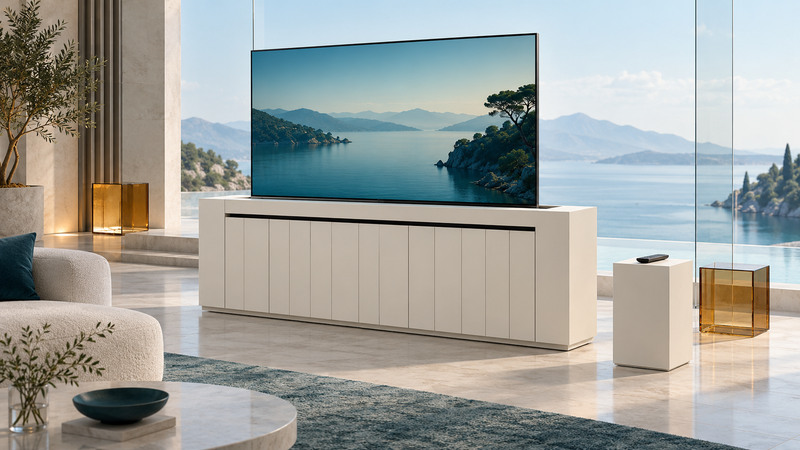
A TV lift cabinet must fit the television throughout its movement, allow the equipment to breathe and leave its controls accessible. Plan the TV, lift, lid and cabinet together. The advertised screen diagonal is only the first item in the compatibility check.
Collect the exact drawings before ordering
Obtain the TV's dimensions without its removable stand, weight, mounting pattern and required fasteners. Obtain the lift's load rating, retracted dimensions, travel, permitted mounting orientation, bracket geometry and lid requirements. Finally, obtain the cabinet's internal dimensions and opening size.
Keep the model and manual revision together. Touchstone's manual index, for example, distinguishes some lift documentation by model and purchase period. A similarly named product or an older video can describe different hardware.
Use the TV and lift manufacturers' compatibility guidance for the assembly. A mount that accepts the hole spacing still needs the correct screw engagement, load capacity and clearance. Have unresolved installation questions answered by the supplier or qualified installer before proceeding.
Measure the complete moving envelope
The moving envelope includes the panel, brackets, connectors, attached equipment and any lid that moves with the lift. Check the narrowest point in the cabinet and the opening, not only the generous space visible behind the doors. A protruding HDMI plug can matter as much as the panel's quoted thickness.
Swipe sideways, or focus the table and use the arrow keys.
| Item | Record | Question to resolve |
|---|---|---|
| TV and mount | Width, height, depth, weight, holes and fasteners. | Does the supported assembly fit within the specified rating and geometry? |
| Cabinet opening | Clear opening, internal obstructions and lid movement. | Is the complete moving assembly clear throughout travel? |
| Lift movement | Retracted and extended positions, travel and any swivel. | Can the screen reach its viewing position and return as instructed? |
| Connections | Plug projection, cable route and service access. | Can cables move freely without tension, pinching or contact with moving parts? |
| Ventilation | Each device's specified clearances and permitted operating position. | Can heat escape with the cabinet in its intended state? |
Touchstone's cabinet-planning guidance illustrates why actual panel dimensions, lift geometry and lid design must be considered together. Its numeric allowances apply to the systems described there; use the requirements for your own combination.
Treat the lid and cable route as moving parts
A hinged lid and a lid that rises with the lift behave differently. Confirm that the specified lid hardware is included and that its mass and movement are allowed. The television should never become the improvised part that pushes an incompatible lid out of the way. Touchstone's mounting guidance shows different TV positions for its roller and flat-top assemblies, reinforcing the need to follow the actual design.
Plan cable slack with the installer using the lift's routing instructions. Too little can pull on a connector; excess cable can enter the mechanism. Keep the manufacturer-specified power arrangements and avoid placing an unapproved power strip or loose component in the travel path.
The Elevate cabinet manual specifically warns about moving parts and describes cable management for that product. Keep hands and other objects away during movement. Do not test obstruction protection with a hand or disable a safety mechanism; have the installer demonstrate the approved checks.
Plan for a power failure before hiding the controls
Locate the control box, wired controller and power connection so the approved service access remains available with the TV lowered. Ask how the particular system is serviced if it loses power while closed. Avoid assuming it can be pulled up manually.
Separate the lift command from the television command. Turning on the TV, raising the lift and selecting an input may use different controllers. Test the intended routine and identify a simple recovery method if an automation misses a command. For activity-based remotes, see remote-control planning and diagnosis.
Confirm whether the TV or any hidden source is permitted to operate while lowered. Follow the ventilation instructions for every enclosed device. Put the equipment where the approved design gives it airflow and access, even if another arrangement looks tidier.
Finish with a documented demonstration
Use the TV lift planning record to track compatibility questions and their answers. It is an information checklist for the owner and installer, not a construction plan.
- Confirm model numbers, manuals, ratings and the installed mounting arrangement.
- Have the installer demonstrate permitted movement and the approved stop controls.
- Observe cable clearance from a safe position throughout the demonstrated travel.
- Test picture, sound and normal control from the viewing seat.
- Record service access, power-failure procedure and support details.
Resolve catching, unexpected motion, cable tension or unexplained noises before normal use. Keep the drawings and handover record accessible outside the cabinet. For the surrounding room and seating, use flat-panel TV placement planning.