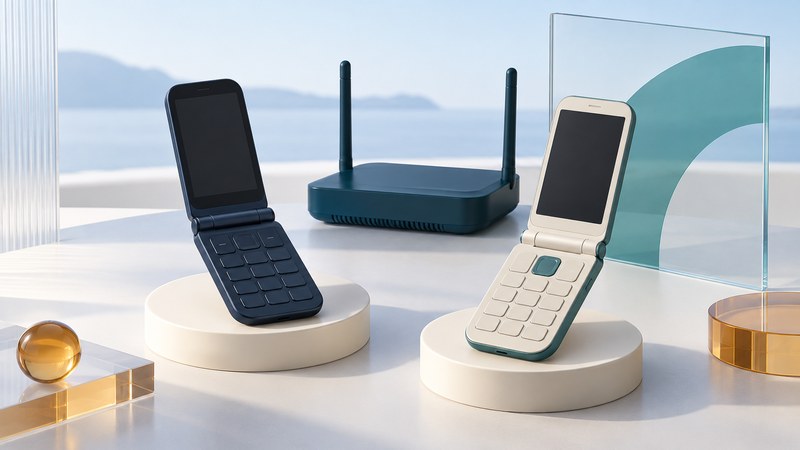
A flip phone can use Wi-Fi in different ways. A dedicated internet handset connects to a VoIP service over a wireless network. A cellular flip phone with carrier Wi-Fi calling uses a supported carrier account and its phone number. The hinge describes the shape; the service behind the handset determines what calls it can make.
The dedicated Wi-Fi handset
The D-Link DPH-540 represents an earlier approach to portable internet calling: a small clamshell phone with its own Wi-Fi connection and SIP telephony configuration. Its manufacturer’s manual (PDF) describes 802.11b/g networking, wireless profiles, SIP accounts, and a separately chosen internet phone service. This made the handset independent of a running PC while still dependent on network access and a calling provider.
That design is useful historical context for an old device, not a present-day service recommendation. Before attempting reuse, establish firmware support, the provider's acceptance of the handset, wireless-security compatibility, and the condition of its battery and charger. A manual documents the original design; it does not establish that an old account service remains available.
Identify which account supplies the call
Scroll sideways for all columns. Keyboard users can focus the table and use the arrow keys.
| Question | Dedicated Wi-Fi/SIP handset | Cellular handset with carrier Wi-Fi calling |
|---|---|---|
| Who supplies service? | A compatible VoIP provider or an authorized phone-system administrator. | The cellular provider for the active line. |
| What needs checking? | Account, registration settings, supported firmware, calling permissions, and any assigned number. | Exact device and software eligibility, active service, and required account setup. |
| What happens away from Wi-Fi? | A Wi-Fi-only handset loses its network path. | Cellular service may be available; continuity of an existing call needs separate verification. |
| Who sets charges? | The VoIP service or phone-system arrangement. | The carrier's applicable calling and roaming terms. |
T-Mobile’s Wi-Fi-calling requirements provide a carrier example: an active account, supported device, usable Wi-Fi internet connection, and an E911 address are part of setup. Its documentation also distinguishes carrier calling from calling through a separate app. Confirm the requirements for your actual provider and model before buying a flip phone for this purpose.
Wi-Fi access is one part of the service. Read destination and international-call charges, voicemail behavior, and emergency-calling arrangements. Configure the address the provider requires and review its instructions when using the service elsewhere. Use ordinary agreed numbers for testing, never emergency numbers.
Check that the handset can use this Wi-Fi network
Record the handset's supported Wi-Fi bands, security modes, and sign-in capabilities from its manual. A network that asks a browser to accept terms or sign in presents a different requirement from a home network with a password. Ask the network operator whether the particular handset can complete that process and whether calling traffic is supported.
For an old handset, compare its documented capabilities with the current network policy. Keep the network's security requirements intact; use supported equipment when the two cannot agree. In a workplace, give the phone-system and network administrators the model, firmware, calling provider, and observed error. They can check the relevant registration and media paths without exposing the handset broadly to inbound traffic.
The DPH-540 manual keeps wireless-profile configuration and SIP-account configuration distinct. That remains a useful diagnostic habit: first establish the network connection, then service registration, then a real call. A successful first step leaves the later steps to verify.
Run a small acceptance test
- Confirm the exact service, account, device model, firmware, and intended Wi-Fi network. Save the provider's setup instructions.
- Connect the handset and inspect its network and service-status indicators. Use the provider's documented meaning for those indicators.
- Call a willing contact. Exchange a few sentences, then have that person call the expected number back.
- Check both listening directions, caller ID, answering with the flip open or closed as supported, voicemail, and any required headset.
- Leave the phone idle for a representative period and repeat the incoming call. Test in the rooms where it will be used.
- If movement between access points or to cellular service matters, arrange a separate controlled test and record whether the call continues, reconnects, or drops.
Keep test conditions and results together. A desk trial establishes behavior on that network at that time. A hotel, campus, or guest network can have different access and traffic policies.
Use the failing step to guide support
For failed network association, check the supported band, credentials, and security mode. For registration failure, check the service's status and supported configuration. For missing incoming calls after idle time, record the delay and ask the administrator to examine registration persistence and network behavior. Change one setting at a time and retain the last working configuration.
For a broader equipment decision, explore VoIP guides. For a new cellular device, use the phone-selection guide; for carrying mobile calls to home handsets, see home-phone connections and compatibility.