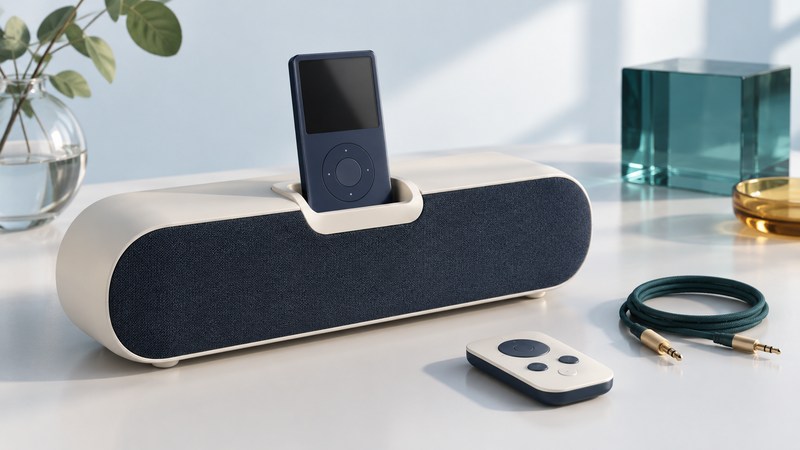
Start with the full SoundDock model name on the enclosure, then identify the music player's connector. The useful compatibility questions are separate: can this pair play audio, charge the player, and respond to the remote? A working answer to one can leave the others unresolved.
Identify the system before choosing a cable
Photograph the speaker's model label, power-supply label, dock and rear inputs. Record the player's model or generation as well. The iPod nano identification guide is useful when the player is a nano. The speaker's color and overall shape are weaker evidence than its label.
This guide compares the original SoundDock, Series II, Portable and Series III. SoundDock 10 and SoundDock XT have their own manuals. If the label names one of those, use that model's documentation before applying a source-selection sequence below.
Use the correct power supply for the identified system. A plug fitting a socket is only a mechanical observation; check the manufacturer's specified supply. For a used dock, establish this match before connecting power or putting a player into the cradle.
Match the model, input and charging requirement
| System | Audio connection | Charging and selection detail |
|---|---|---|
| Original SoundDock | 30-pin dock; the original owner’s guide provides no auxiliary audio input. | Original charging uses FireWire power through the dock connector. A serviced USB charge board changes compatibility. |
| SoundDock Series II | 30-pin dock plus rear 3.5 mm AUDIO INPUT. | Compatible docked players charge; a third-generation iPod with four buttons above the wheel can play but does not charge. |
| SoundDock Portable | 30-pin dock plus rear 3.5 mm audio input. | AC power charges the system battery and a compatible docked iPod. Remove the iPod to hear the auxiliary source. |
| SoundDock Series III | Lightning dock plus 3.5 mm AUDIO INPUT. | Designed to play and charge compatible Lightning iPods/iPhones; select auxiliary playback as its manual directs. |
Sources: Bose's original SoundDock manual, original model charging matrix, Series II manual, Portable manual and Series III manual (English PDF). These describe their respective hardware, not every later phone or adapter.
The original model's charging distinction matters particularly with later iPods. Bose also lists audio playback without charging for the Lightning adapters covered by its original-model matrix. Treat an adapter as a specific component: verify its named dock, player, audio function and power requirements. A cradle insert supports the player's shape; it does not convert the electrical connection.
Make a simple listening test
First play a familiar local track through the player's own working audio output. Then choose one of these paths. Leave other sources disconnected for the initial test so that the sound has only one possible origin.
Use a compatible player in the dock
- Place the system on a stable surface and fit the correct supporting insert where required. Check that a case or obstruction will not prevent the connector from seating.
- Seat the player gently, start the test track and raise the SoundDock volume gradually. Check that the track is actually advancing.
- Record audio, charging indication and remote response separately. Test the remote from a clear line of sight; source playback over an auxiliary cable is controlled on the source device.
Use the auxiliary input
On a model with AUDIO INPUT, connect the player's headphone output using a stereo cable with a 3.5 mm plug at the Bose end. For a newer phone, first establish a working analog output with an adapter documented for that phone. The general speaker connection guide explains that route.
Use a low speaker volume initially and follow the model manual for the source level. On Series II, holding the remote's Play/Pause button enables the auxiliary source while a docked iPod charges. The Portable manual instead requires removing the docked iPod. Series III also documents holding Play/Pause to switch to the connected auxiliary source. Use the SoundDock volume control and the source's own playback controls.
Isolate the failure before replacing anything
Auxiliary sound works, docked sound fails: you have demonstrated a working speaker path through the auxiliary input. Recheck player compatibility, dock seating and the docked player's playback state. That result narrows the investigation without proving which connector or component has failed.
Audio works, charging fails: revisit the charging column and any adapter documentation. The original model's FireWire charging and Series II's third-generation iPod exception make this an expected compatibility result for some combinations.
Remote commands fail: check the correct remote, an unobstructed path and its battery according to the model manual. Compare the speaker's own volume controls. A failed track-skip command on an auxiliary source is different from a failed speaker-volume command.
Neither input produces sound: test another known-working source and cable, verify system power, and use the exact model's reset instructions. Bose's Series II no-audio procedure provides a model-specific sequence. If the documented checks fail, keep a note of what was tested for service assessment.
Explore Music Players
Browse music-player guides and earlier reporting, or follow the offline-library setup guide. Primary documentation is linked alongside the guidance. Sources and model details checked October 7, 2026.