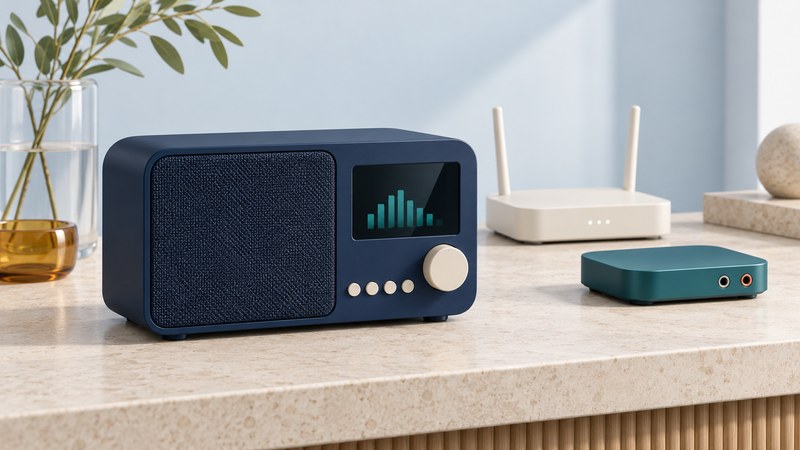
Start with three stations you want to hear and the place you will listen. A useful internet radio puts those stations within easy reach, connects reliably in that room, and has a supported way to keep finding them when services change.
A dedicated receiver can make daily listening as simple as pressing a preset. The buying decision combines a physical object—speaker, display, dial and connections—with software and station services. Check both before choosing a model.
Download the internet-radio buying and setup checklist to compare a candidate radio and record your first successful setup.
On a narrow screen, swipe a table sideways or focus its scroll region and use the arrow keys.
How an internet radio reaches a station
An internet radio plays an audio stream delivered over an internet connection. A station directory helps you find a stream by name, location or genre. The receiver then plays a format it supports through its own speaker or an audio output.
With phone audio over Bluetooth, the phone plays the program and sends sound to the radio or speaker. With a casting system, the phone may instead control a player that retrieves the stream itself; check the particular service and device. These different paths determine whether listening continues when the phone leaves.
For local broadcasts, check for the actual tuner you need: AM/FM, HD Radio or DAB/DAB+, with regional compatibility. Internet reception and broadcast reception are separate capabilities, even when they share one cabinet.
Choose the setup that fits your room
Begin with equipment you already own. Play a favourite station through its official website or supported app, then consider what would make that routine easier.
| Setup | Useful when… | Check before committing |
|---|---|---|
| Tabletop internet radio | You want one object with a speaker, visible controls and favourite-station presets. | Can you start your stations, adjust volume and return from standby with the controls you prefer? |
| Streaming adapter and existing stereo | You like your speakers and want to add online stations. | Match the adapter's output to the stereo's input and confirm how you select stations. Include any required app, cable and amplifier. |
| Smart speaker | Voice control or an existing connected-speaker system suits the household. | Test the exact station name, service, account and region. Establish a convenient alternative when a voice request finds the wrong station. |
| Phone or tablet with speakers | You want to try listening before buying another receiver. | Check the wired, Bluetooth or supported casting route, charging needs and what happens when the phone leaves or handles another task. |
For a kitchen, judge whether a familiar station can be recalled quickly. Beside a bed, check the dimmest display setting, quiet-volume adjustment and alarm controls. In a living room, the existing stereo may make a streaming adapter more useful than another small speaker. These are example decision paths; judge sound and controls in your own room.
A line output feeds a suitable line-level input or powered speaker. Passive speakers need an amplifier. Read labels such as line out, AUX in, headphones and optical for both signal direction and connection type. The home satellite-radio guide develops the choice between streaming and a satellite receiver feeding a stereo.
Check your stations before buying
- Record three must-have stations. Use each station's official name, location and listening page. Distinguish the main broadcast from a separate music stream or podcast.
- Identify the radio's directory or platform. Use the manufacturer's current documentation for the exact model. Search that directory where a public lookup is offered, or ask support about your named stations.
- Confirm the listening route. Establish whether a station plays directly on the radio, through a paid service, or only through a phone connection. Test the intended route in your region.
- Verify playback on the device. A directory entry is a useful lead. A demonstration or return-period test establishes whether that receiver actually plays it today.
For a concrete example, C. Crane's CC WiFi 3 documentation identifies Skytune as its directory and points readers to a station lookup. It also describes Bluetooth receiving, a line output and the absence of Ethernet. Those details describe that model; check other receivers individually.
When a station is missing
Check the station's own listening page first. If it plays there, contact the radio's directory provider through its official station-request or support process. Some radios also accept a personal stream address.
A webpage can contain buttons, sign-in and a browser player. A playlist points a player toward audio resources. A stream URL identifies an audio resource the receiver must be able to access and decode. Copying the page's address into a radio may therefore produce no sound. WFMU's official stream page offers a visible example of separate AAC, MP3 and direct-stream links.
The CC WiFi 3 manual (PDF, pages 15–17) documents an optional preset page reached through the radio's local IP address from a device on the same network. Its Add Channel function accepts an appropriate stream URL. This is a model-specific workflow: consult the manual and use a station-provided address where available. Stream formats, redirects, access controls and changing addresses can still affect playback.
Region and delivery route matter, too. The BBC's guidance for listeners outside the UK separates the 2025 overseas BBC Sounds closure from continuing access through other listening paths. Check the station and device combination you intend to use. A working website establishes that web route; test the radio separately.
Compare the features you will actually use
| Feature | What to establish | Useful check |
|---|---|---|
| Home network | Supported Wi-Fi bands, security modes and any Ethernet port. | Match the exact receiver to your router's supported configuration. Keep network security enabled. |
| Presets and controls | Which functions work on the radio, remote and app; which require an account. | Recall your three stations from standby using the controls you expect to use daily. |
| Display and volume | Readability, brightness range and usable low-volume adjustment. | Check the screen from your usual seat and at night; listen quietly as well as at normal volume. |
| Audio connections | Headphone, line or digital outputs and their level/control behaviour. | Try your actual headphones or stereo input. Verify whether plugging in headphones mutes the speaker. |
| Bluetooth | Receiving phone audio, transmitting to headphones, or both. | Look for the required direction in the manual and test the intended pairing. |
| Bedside functions | Alarm source, repeat days, volume, snooze, sleep timer and time-zone settings. | Run a near-term alarm test from standby and check documented behaviour if the stream is unavailable. |
| Power | Supplied adapter, any internal battery and supported backup operation. | Check the manual's power requirements. A USB power connection alone says nothing about an internal battery. |
Bluetooth direction is particularly easy to overlook. A receiver can accept music from your phone while lacking the transmitter function needed for wireless headphones. Roberts' Bluetooth support explanation documents this distinction for its equipment. Wired headphones may provide a simpler supported route where a headphone socket is present.
For travel, ask about networks with a browser sign-in page, often called a captive portal. The same Roberts FAQ explains that its radios cannot display the webpage required by some hotel or public networks. Check with the network operator and manufacturer before relying on such a connection.
Separate the costs: hardware and accessories, the internet or mobile-data connection, optional content subscriptions, and any account or portal features you require. Check current terms for the actual service. A subscription to one music service does not establish access to every station or feature on the radio.
Check service support, especially on a used radio
Before buying, record the full model number and generation, manufacturer support page, directory provider and firmware-update route. Ask which station functions remain available if an app or directory changes. A seller's demonstration should include finding and playing your required station today, as well as the controls and accessories you need.
Custom-stream support can provide another listening path, with limits. C. Crane documents local URL entry for its CC WiFi 3 if the directory becomes unavailable; the station still needs a usable, compatible stream. Other products may manage personal streams through an online account. For example, airable's portal description explains favourites and personal streams on supported devices. Verify your device's eligibility and current terms.
Keep a record of station names and official pages as well as presets. A preset may refer to a directory entry rather than preserve a permanent audio address. That record gives you a starting point for rebuilding a listening list after a service change.
Set up the radio and run an acceptance check
- Prepare the room and audio path. Use the specified power supply and a supported input on external equipment. Start with the radio near a known-good network location, then move it to the intended listening spot.
- Join the network. Follow the exact model's setup instructions. Confirm the network name and use its Wi-Fi password, keeping credentials out of the checklist. Consult support if the required band or security mode differs from your router's configuration.
- Check firmware and clock settings. Use the manufacturer's update process and keep power connected during an update. Confirm the time zone, daylight-saving setting and displayed time.
- Play the three required stations. Note the directory names and any account or phone dependence. Listen during normal household use for a useful stretch, such as half an hour; this is a practical observation, not a performance certification.
- Save and recall presets. Change stations, enter standby and resume. Check the physical controls, remote and any app you plan to use.
- Test the room-specific functions. Try headphones or the stereo, dim the screen, run the sleep timer, and set an alarm a few minutes ahead. Observe the source, repeat setting and alarm volume separately from ordinary listening volume.
- Record the result before the return deadline. Keep the model, firmware, successful audio route, date and unresolved problems. Use the seller's actual return terms to decide how long you have to evaluate it.
For an example of why menu details matter, the CC WiFi 3 manual describes storing a station as a preset before selecting it for an alarm. Other radios arrange alarms and presets differently. Follow the model's instructions and verify the result while you are awake.
Troubleshoot one part of the path at a time
| Symptom | First comparison | Next useful action |
|---|---|---|
| Every station fails | Try another internet service on a device using the same home network. | Check the radio's network status and the provider's service notices. Confirm supported network settings and firmware before contacting support. |
| One station fails | Try another station on the radio and the missing station's official player. | If other stations work, investigate that station's directory entry, region or supported stream. Report the exact station and error message. |
| Audio repeatedly buffers | Compare another station and a location closer to the router. | A location-dependent improvement points toward the local wireless path. A problem limited to one stream warrants a station/provider check. Change one variable at a time. |
| Playback appears active, speakers are silent | Check mute, volume, selected output and the stereo's selected input. | Inspect cable direction and headphone insertion. Test the built-in speaker or a documented alternative output, where available. |
| Bluetooth headphones will not pair | Check whether the radio supports Bluetooth transmission. | Use a supported headphone route. A Bluetooth receiving function serves a different direction. |
| Presets or alarms behave unexpectedly | Check the saved station, clock, repeat days, source and alarm volume. | Run a short supervised test and consult model support. Record working settings before considering a factory reset. |
If the official phone player works but the radio fails, you have established one working route. The remaining possibilities include the radio's directory entry, format support, firmware, network compatibility or service eligibility. Give support the model, firmware, station name, time of failure and exact message rather than changing several settings at once.
Keep a reliable listening routine
Retain a small station list with official listening pages and the date each worked. Check the manufacturer's support notices when a favourite stops playing or the directory changes. Preserve working presets before a reset, and keep account recovery details in your usual secure place.
Live streams can arrive later than a broadcast or another player's output because the delivery and buffering paths differ. Judge the route you use; avoid relying on different devices to play in perfect sync.
Streaming needs a working internet path. If listening through an internet outage matters, check the radio's separate broadcast tuner and its power arrangements, or keep an appropriate independent receiver. A battery in the radio supplies that device; home network equipment has its own power needs.
Use the downloadable checklist for your station shortlist, equipment comparison and acceptance results. For finding specific shows and dated episodes, continue with Internet Talk Radio: live shows, replays and podcasts.
Continue exploring
- Home satellite radio: receiver setup or internet streaming
- HD Radio: local stations, receivers and reception
- DAB and DAB+: compatibility, coverage and retuning
- All Radio listening guides and technology resources
Equipment examples are based on manufacturer documentation checked October 12, 2026. They illustrate capabilities and questions to verify; they are not hands-on sound-quality rankings.