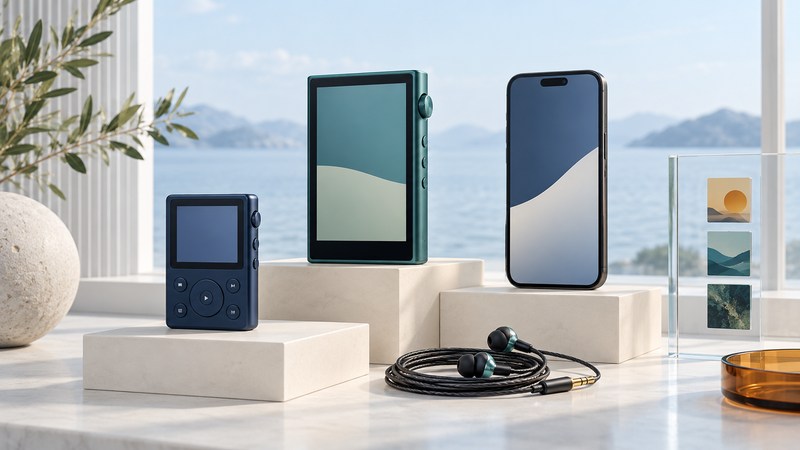
Choose a portable music player by working backward from the music you want to carry. A compact file player suits a prepared collection; an app-capable player can suit a service-based library; a phone may already meet the need. The useful comparison is the whole routine: loading music, finding it, controlling playback, connecting headphones, and keeping everything charged.
Start with the music you actually have
Write down three albums, playlists, or recordings you expect to use. For each one, establish whether you have ordinary audio files on a computer, a purchase you can download, or an offline download inside a subscription app. This small inventory often settles the biggest equipment question before you compare players.
App-managed downloads depend on the app, account, and service rules. For example, Spotify’s offline instructions require periodic reconnection, currently at least once every 30 days. A player needs a supported Spotify app and the appropriate account to use that workflow. Copying a folder from the phone to a simple MP3 player does not transfer those listening rights.
For files, check the actual encoding against the exact model’s manual. A format name is only the start: sample rate, bit depth, bitrate, protection, and sometimes file size matter. Sony’s NW-A306 supported-format table, for example, lists different limits for MP3, FLAC, WAV, and Apple Lossless. Treat that as a model-specific example, not a promise for every Walkman.
Keep the computer or backed-up drive as your master library. The player is a listening copy. Before changing formats or tags, work on copies of a few representative files so you can compare the result and keep your originals.
Compare the routine before the specification sheet
The table is a decision framework, not a ranking of products. Use the player-selection worksheet (plain text) to record the exact model, manual link, and evidence for two or three candidates.
| Your need | Evidence to obtain | Useful trial |
|---|---|---|
| A collection of local files | Supported encodings and transfer instructions for your computer | Copy one album and play it after disconnecting. |
| Subscription playlists | Exact app, operating-system support, account tier and offline rules | Download, disable networking, reopen the app and play several tracks. |
| Controls in a pocket or on clothing | Button layout, lock behavior and attachment | Pause, skip and change volume in the intended carrying position. |
| A large collection | Usable storage, supported cards and library limits | Measure a representative folder and try browsing a realistically sized library. |
| Your existing headphones | Matching wired output or supported Bluetooth connection | Check pairing or cable fit, useful volume range and reliable playback. |
| Travel between charging opportunities | Charging connector, required charger and battery-test conditions | Run your normal listening session, including screen and wireless use. |
Storage is easiest to estimate from the size of the files you intend to carry. In a hypothetical example, 250 albums averaging 120 decimal MB occupy 30,000 MB, or 30 GB. Add a 20 percent planning allowance and the target becomes 36 GB. That allowance is a chosen planning margin, not a device specification; compare it with available space after the system and existing files, not just the number printed on the box. Our offline-library storage guide explains bitrate calculations and provides reusable examples.
Three listening situations, three sensible starting points
A walking playlist
Hypothetical need: a small set of owned files, one-handed controls, and a secure clip. Begin with a simple wearable player. Test the controls where you will wear it; a small body with awkward buttons may be less convenient than a slightly larger one. See the wearable-player fit and controls guide.
A trip built around a service
Hypothetical need: playlists already maintained in a subscription app. Start by testing the phone you own. A separate app-capable player adds another account setup, update routine and battery to manage. Choose it only when its controls, separation from the phone, or other verified capabilities improve your routine.
A carefully tagged album library
Hypothetical need: a large collection with compilations and multi-disc releases. Prioritize supported formats, album-artist handling, disc order, playlist paths and browsing speed. A higher capacity solves only one part of that task.
These scenarios describe priorities, not recommendations to buy particular models. Manufacturer examples in this guide establish how to read documentation; no hands-on comparison or listening test is claimed.
Make a small test playlist that exposes problems
- Choose representative files. Include an ordinary album, a compilation, a two-disc release, a long recording and any less-common format you use.
- Load the intended way. Use your actual computer, cable and software. Follow the model’s instructions; a Windows drag-and-drop procedure may differ on a Mac.
- Check navigation. Find the compilation as one album, confirm disc and track order, and reopen a playlist after disconnecting.
- Use the intended output. Try your headphones and verify that the lowest useful volume and controls are comfortable.
- Test the disconnected routine. Restart playback without a network, stop and resume a long track, and observe battery use over a typical session.
Keep a candidate only when it passes your essential checks. A missing service, an incompatible transfer method, or unreadable controls deserves more weight than an attractive specification you rarely use. For a failed copy or library scan, use the USB transfer troubleshooting guide; Mac users can follow the Mac transfer decision path.
Explore Music Players
Browse music-player guides and earlier reporting, or use the offline-library setup guide. Primary documentation is linked where it supports the guidance. Model and software details were checked October 7, 2026.