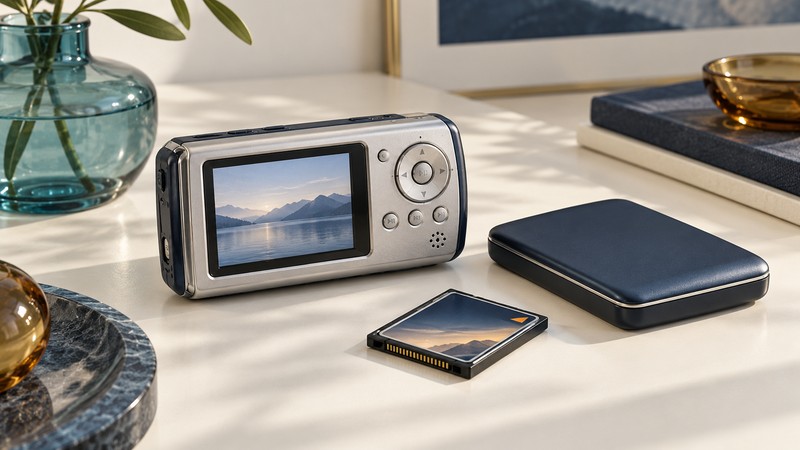
An Archos AV400 may contain recordings worth keeping even when its original computer software and online services are no longer part of your workflow. Start with an inventory and verified copies. Decide how to make convenient viewing files only after the source material is secure.
Identify the device and its contents
This guide uses the ARCHOS Pocket AV400 user manual, version 2.0, part 103090V2 (PDF mirror). It is an AV400 document, not instructions for an AV700 or Gmini. Its computer screenshots and service references describe the period in which it was written; they do not establish support on a current operating system.
Record the exact AV4xx model, displayed firmware version if available, power supply and accessories. Photograph the file listings and labels. If the device shows disk errors, repeated disconnections or unstable operation, avoid recording, deleting or repairing files in place while deciding how to recover the contents.
Inventory video, music, photographs and any other stored files. Note which recordings play on the device, their names and approximate durations. Keep those observations outside the player. A directory listing tells you what exists, while a playback check tells you what the device can currently read.
Make a copy before reorganizing
The manual’s chapter 16 describes the AV400 as a USB-connected hard disk and requires safe unmounting before disconnection. Use a computer and connection that recognize the device reliably; preserve the original power arrangement and follow the matching instructions.
- Create a uniquely named destination folder with enough free space for the complete source. Keep the player’s internal names and folders intact.
- Copy files without deleting or moving them from the AV400. Record any skipped item or read error. Decline an unexpected request to format the source.
- Compare file counts and total bytes, then use a checksum or read-back comparison to check the copied data. Save the report.
- Open representative copies, including long and important recordings. Check duration, picture, sound and the end of each sample.
- Create another verified copy on independent storage. Close applications using the player, safely eject it and then disconnect.
File verification and playback answer different questions. Matching checksums show that the compared bytes agree; successful playback checks whether your chosen software can interpret the content. Keep both results. Library of Congress guidance on preserving digital files supports retaining copies and managing them over time; the portable-media backup guide provides a broader working checklist.
Check the codec as well as the extension
The manual’s technical specifications list MPEG-4 Simple Profile in AVI, with supported DivX/XviD variants, MP3 or IMA-ADPCM stereo sound, and a maximum of 720 × 576 at 25 frames per second. “MPEG-4” or “AVI” alone is therefore insufficient evidence of compatibility.
| Question | Useful evidence |
|---|---|
| What is inside the file? | Container, video codec and profile, audio codec, dimensions and frame rate. |
| Does the original player read it? | Observed playback on this AV400, including picture and sound. |
| Does the copied file work elsewhere? | Playback application and version, duration and error messages. |
| Is a derivative needed? | A specific destination requirement, with the original retained separately. |
A modern MP4 file with H.264 video is not made compatible by renaming its extension to AVI. For viewing elsewhere, work from a copy and choose a format supported by the destination. For loading new material onto a functioning AV400, make a short compatible test first and review it on the actual device. Keep the untouched source outside the player.
Do not install an old codec bundle merely because the manual names it. Establish a supported conversion path on the computer you use and save the settings with the derivative. Changing container packaging and re-encoding video are different operations; inspect what the tool proposes before running a large batch.
Separate copying from making a new recording
The AV400’s analog recording workflow uses the appropriate audio/video connections and recording setup. Copying an existing file over USB is a different operation from recording an external signal. Before a new recording, identify the source output and the exact dock or cable needed, then run a short picture-and-sound test.
Chapter 9 documents recordings marked as protected: these can be restricted to playback on the AV400 that made them and its built-in screen. A successful file copy does not promise unrestricted playback elsewhere. Record that limitation with the file inventory and retain the originating device.
The Yahoo television scheduler and period-specific music-service integration belong to the product’s history. Plan around local material and verified equipment behavior rather than assuming an old account, download link or schedule service can be restored.
Return to the Digital Video library for tape preservation, video formats and display connections.