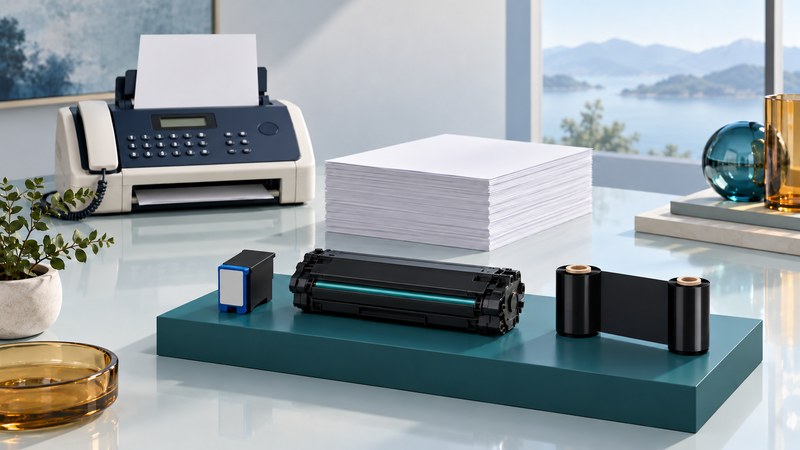
A plain-paper fax prints received documents on ordinary sheets, but the printing system and its consumables still depend on the model. Identify those first, then compare local printing with received pages. That gives you a practical basis for replenishing supplies, investigating quality or deciding to replace the machine.
Start with the full model number, regional suffix and manual. Keep supply codes and any current error message beside them. For Panasonic-specific documentation, use the Panasonic fax support guide.
Separate paper from the printing system
Paper is one input. Ink, toner or transfer film supplies the image, depending on the design. The term plain-paper fax alone does not identify which replacement to buy.
| System identified in the manual | Supplies to identify | Ownership question |
|---|---|---|
| Inkjet | Specified ink cartridge or other documented ink supply | Are supported supplies obtainable, and does the machine produce a clean local test? |
| Laser | Toner and, where separate, the imaging drum | Which item is due, and what does the manual say about its replacement? |
| Film or ribbon transfer | Exact film/ribbon type and any required holder or gears | Does the replacement match the full model and regional instructions? |
Manufacturer documents show why model matching matters. Panasonic's fax accessory list maps ink-film codes to particular machines and includes regional distinctions. The KX-FLM661/671 manual, by contrast, describes a laser system with toner and a drum. Use those as examples of different designs, not interchangeable parts.
Verify a supply before ordering it
Read the replacement code from the manual and compare it with the existing part where accessible under the documented procedure. Include the model suffix and region when checking a supplier's compatibility list. A similar cartridge shape or a broad brand label is weak evidence of a match.
Check whether an offer includes the complete assembly or only a refill component, and what must be retained from the old part. Confirm the seller's current availability and return terms. Historical manufacturer listings establish intended compatibility; they do not establish today's stock.
For paper, follow the specified size, weight and loading limits. Keep the stack within the tray marks and use the documented guide positions. Choosing office paper explains size and weight terminology when comparing packages.
Compare local and received output
Use a clean dummy original containing ordinary text, a few thin lines and page numbers. Keep confidential material out of troubleshooting jobs. Where the machine provides an internal report or print test, use the documented procedure to produce one.
| Observation | Useful next comparison | Where to investigate |
|---|---|---|
| Internal report is poor | Repeat with specified paper and inspect the displayed status | Printing system, supplies and documented maintenance |
| Internal report is clean; local copy is poor | Try the same original through another supported capture path | Scanner glass, feeder, orientation and capture settings |
| Local copy is clean; remote recipient gets poor pages | Ask for the received sample and transmission report | Sending settings, transmission and recipient output |
| Incoming pages are poor from one sender | Compare another consenting sender's dummy job | Sender's original/capture as well as the receiving setup |
These comparisons narrow the next question; a single sample does not diagnose a failed component. Follow the exact model's cleaning and jam-removal instructions. Avoid pulling paper against the documented path or experimenting with cleaning chemicals and internal assemblies.
Example: a line appears only in feeder copies
In a fictional test, an internal report prints cleanly and a flatbed copy is clean, while the same original fed through the document feeder shows a vertical line. If the model has both capture paths, that pattern points toward checking the feeder's scanning path and its documented cleaning procedure before replacing a printing consumable.
Keep the samples and repeat the same comparison after the approved maintenance step. A changed symptom is more useful than replacing several parts at once.
Make a keep-or-replace decision
Continued use is reasonable when the machine produces readable pages, the connection is supported, supplies can be verified and the office can handle incoming documents reliably. Replacement becomes worth investigating when an essential part or supported connection is unavailable, faults recur, or staff time exceeds the value of keeping the device.
Use actual quotations for the decision. Include a required drum or service visit separately from toner, and compare the same period and workload. For a fictional illustration, a $45 supply expected to produce 300 usable pages contributes $0.15 per page before paper, service, power and staff time. This is arithmetic, not a quoted price or promised yield; substitute your documented costs and results.
Before transferring or disposing of a machine, consult its instructions for stored jobs, address books and settings. The Panasonic laser manual cited above specifically addresses clearing private information before transfer. Keep any required records under the office's retention procedure, then use the model's documented process.
Verify the result in both directions
A clean copy establishes a useful local result. Finish by sending and receiving dummy faxes, checking page count, order, legibility and the final report. Keep the model, supply code, maintenance action and test outcome together. Repeat after a supply change that affects output, a device repair or a telephone-service change.