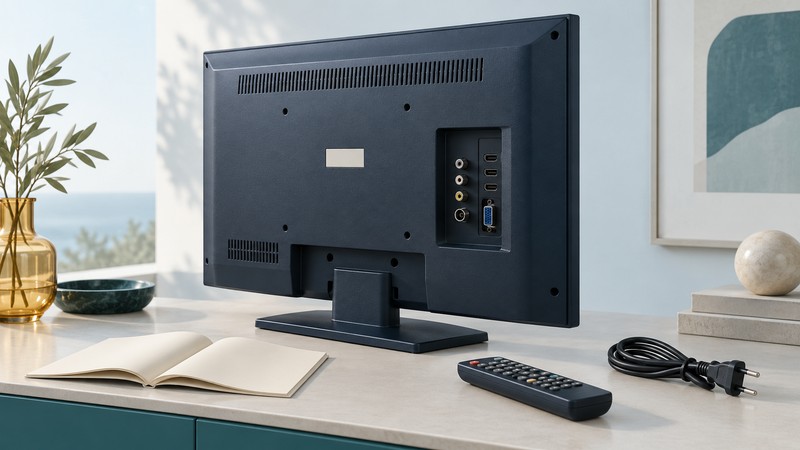
An older Sanyo LCD television is easiest to assess by its full model number and actual connections. Find the matching documentation, identify how the source reaches the screen, and test picture and sound before buying adapters or changing saved settings.
Start with the complete model code
Photograph the rear identification label and the input panel where they are accessible. Record the model exactly, including suffixes, plus the country of purchase and remote-control model. Keep serial numbers private. A screen size or the Sanyo name alone is too broad to select firmware, a remote or a manual.
The U.S. Sanyo AV support directory separates contact routes for models ending in F or FC from models ending in T or purchased before 2014. Its accessory routes use another grouping that includes E. Follow the wording appropriate to the task and model. These directory entries establish where to look; confirm any actual service or parts availability before relying on it.
Use the manual download search, then compare the document’s cover, model list and connection drawing with the set. If an early model is absent, retain the full code in a support inquiry or archive search. A similar-looking model’s manual is a lead to investigate, especially when suffixes or regions differ.
- Owner’s manual: input selection, supported signals, tuning and everyday controls.
- Specification sheet: panel resolution, port inventory and dimensions.
- Firmware instructions: exact compatible model and revision, with the manufacturer’s installation procedure.
Keep the original settings and document revision together. Apply firmware only when the official instructions explicitly match the set; an unknown model should remain an identification problem.
Read each port by its job
The television’s tuner receives a particular broadcast system. An external receiver or streaming player supplies a separate video signal through an input. Consequently, a working HDMI source and a successful antenna channel scan are different tests.
Swipe or focus the table and use the arrow keys to see all columns.
| Connection | Useful check |
|---|---|
| Antenna/RF | Broadcast standard and the correct antenna/cable tuning mode. The connector’s shape alone does not identify the tuner. |
| HDMI | Supported input resolutions and audio, then select that numbered input on the TV. |
| Component or composite | Follow the labeled video sockets and their associated audio inputs. Some models share sockets between input types. |
| USB | Read the supported function and file formats. A USB socket may be intended for photos or service tasks. |
| Audio output | Match optical, headphone or other documented output to the sound device’s actual input and supported format. |
For a concrete model-specific example, Sanyo’s FW43D25F documentation lists a 1920 × 1080 panel, an ATSC/NTSC tuner, three HDMI inputs and a USB JPEG photo viewer. Those details belong to the FW43D25F. They illustrate why an input list is more useful than assuming every Sanyo LCD shares the same capabilities.
Test one documented connection
- Write down the path. For example: player HDMI output → cable → television HDMI 1. Include a receiver or soundbar if one is in the path.
- Select the matching input. Use the TV’s own input control. A remote controlling the player may leave the TV on a different source.
- Use a supported output mode. Match the source’s setting to the television manual. If a change makes the picture disappear, use the source manufacturer’s documented recovery procedure.
- Play a known program. Check motion, speech, captions and the edges of the picture. Menus alone provide an incomplete playback test.
- Compare one variable. Try another known-working cable or another supported source on the same input. Record the result before moving on.
A clear TV menu with a missing source picture makes the selected input and external signal path useful places to investigate. Missing menus as well as missing video calls for a different diagnosis. Keep troubleshooting external; use a qualified service route for internal faults.
Finish with a small owner record: full model, manual link, source and port, working output mode, sound route, test date and remaining problem. See LCD television picture checks for the next stage once a reliable signal is established.