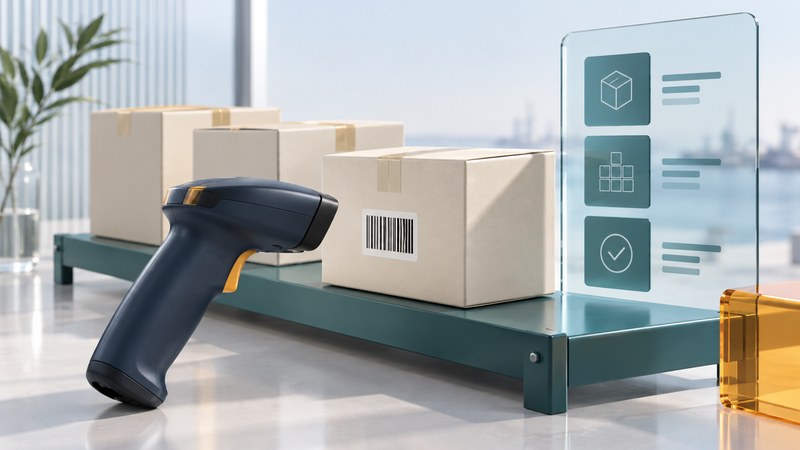
An industrial handheld earns its place when it turns a physical action into the correct business record. Choose the capture method, define what the application must validate, and test the entire transaction from the worker's scan to the back-end result.
This guide helps warehouse, retail and field-service teams plan a data-capture workflow. Bring a sample of real labels or tags, a description of the transaction and a test environment. For enclosure ratings, batteries and procurement evidence, start with choosing a rugged handheld.
Choose a capture method for the action
Scroll the table horizontally to see every column. Keyboard users can focus the table region and use the arrow keys.
| Method | Where to investigate it | What the trial must establish |
|---|---|---|
| Camera barcode reading | Occasional scans within a photo or form workflow | Aiming, focus, lighting, decode time and the worker's ability to select the intended label |
| Dedicated barcode imager | Repeated scans or demanding label positions | Supported symbologies, actual read distance, motion tolerance and trigger ergonomics |
| RFID reader | Identifying tagged items where a batch read may help | Tag compatibility, read-zone boundaries, missed tags, adjacent-item reads and application filtering |
| Manual entry | Exception handling when a label is missing or unreadable | Who may enter a value, how it is validated and how the exception remains visible |
GS1's RFID overview explains that EPC identifiers can be captured by radio without line-of-sight contact. That capability changes the workflow: a reader may encounter more tags than the worker intended to receive. Define the physical zone and business rule that turn observations into an accepted transaction. Test the actual packaging and nearby inventory.
A product-level barcode and a serialized identifier answer different questions. Establish whether the business needs a product type, an individual item, a lot or a logistics unit. When GS1 data is used, the GS1 General Specifications are the reference for the relevant identifiers and application rules. Agree the label requirements with trading partners before deploying scanners.
Separate a successful read from a valid transaction
A scanner's decode signal means it recognized data. The application still needs to determine whether that data belongs in the current task. Make the worker's feedback distinguish read, accepted locally, confirmed by the server and requires attention.
For receiving, define a sequence such as location, item, quantity and confirmation. Check the item against the expected order; display its name and unit of measure; validate quantity limits; and record exceptions explicitly. If the same identifier can appear on a case and an individual unit, show the expected packaging level before a count is committed.
Keep identifiers as identifiers throughout the system. Leading zeros and long digit strings can be meaningful. Test what happens when data passes through a form, spreadsheet export or back-end field that might treat it as a number. Preserve the original captured value alongside any normalized representation when investigation requires it.
Choose how scan data reaches the application
A keyboard-style interface can place scan characters into a focused field. It can be convenient for an existing form, but the trial must include focus changes, pop-up dialogs and suffix characters such as Enter. Scan into the wrong field deliberately in a test account and verify that the application detects the problem.
A structured application interface can deliver the captured value with metadata. Zebra DataWedge Intent Output, for example, documents fields for decoded data and barcode type, plus controls for delivery to an intended application. This is a platform-specific integration path; verify the installed DataWedge version, target application and device support.
Have the application owner document the configuration: enabled code types, data formatting, recipient application, profile assignment and version. Keep a known-good configuration under change control. A scanner that reads the sample label in a demonstration app has only completed one part of the acceptance test.
Define offline behavior before deployment
Choose which tasks workers may complete while disconnected and which require a current server decision. A local item list may support receiving into a pending state; a transaction that depends on a changing authorization may need to wait. Show the age of cached data and the number of outstanding submissions.
Android's offline-first architecture guidance discusses local data, queued writes, synchronization and conflict resolution. Apply those principles to the business transaction: persist accepted work, retry recoverable failures, and establish how conflicting changes are reviewed.
Use a stable transaction identifier to recognize a retry of the same submission. A second legitimate receipt of the same product needs its own transaction identity. Ask the supplier to demonstrate both cases. Preserve rejected work with a visible reason and an assigned resolution path instead of leaving the worker to guess whether a scan counted.
Test a receiving workflow from end to end
- Prepare expected records and test identifiers before scanning.
- Include correct labels, damaged labels, wrong packaging levels, repeated scans and manual exceptions.
- Test at working distance with the intended gloves, holster and application.
- Interrupt connectivity and restart the application after a local save.
- Compare the device's visible status with server records, quantities and timestamps.
- Ask a second worker to resolve an exception using only the displayed instructions.
Measure complete transaction time, correction frequency, first-attempt reads and unresolved work. Record training observations as well as technical failures. Repeat the relevant checks after changing label formats, scanner profiles, applications or operating-system versions.
Download the data-capture pilot checklist (plain text) to record inputs, expected outcomes, actual records and sign-off. For a related field workflow, see delivery handhelds and proof of delivery.
Explore handheld computing
Handheld computers: work devices, accessories and classic PDAs
Sources are linked beside the claims they support. Product and software documentation should be checked for the exact model and version before applying a procedure.