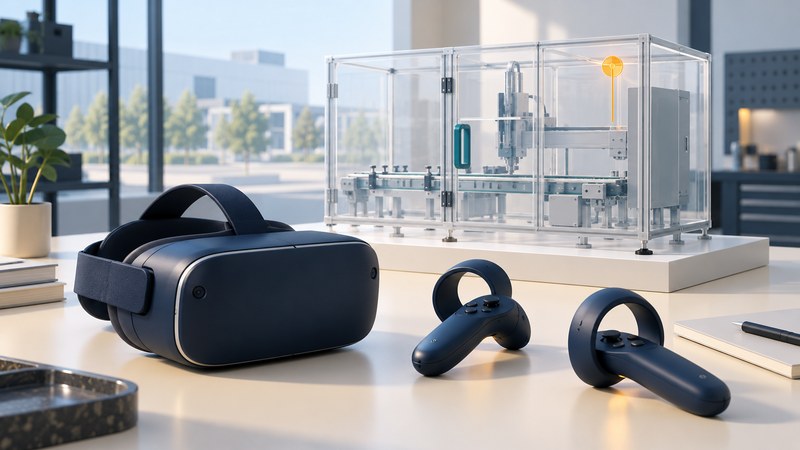
Immersive modeling lets a design team explore a three-dimensional product through a tracked viewpoint and spatial interaction. A useful session begins with a specific question—access to a latch, visibility of a control or the shape of an enclosure—and ends with feedback another designer can reproduce in the authoritative model.
Choose a task that benefits from space and scale
VR can help participants discuss spatial relationships and compare viewpoints. Choose a bounded task, such as reviewing a service access route, rather than asking people to wander through a complete factory model. Identify the users, viewing positions, relevant surrounding equipment and the design decision the session should inform.
Autodesk VRED's collaboration documentation describes sessions that can include desktop and headset participants. Confirm the capabilities of the actual software and license before planning who will join and how observations will be captured.
Prepare a trustworthy scene
On narrow screens, scroll the table horizontally. Keyboard users can focus it and use the arrow keys.
| Check | Evidence | Common consequence of omission |
|---|---|---|
| Identity | CAD part/assembly revision and export date | Feedback may refer to a superseded design. |
| Units and scale | Known reference dimensions and scene transform | A convincing view may have the wrong size. |
| Completeness | Required adjacent parts, tools and access obstacles | The task may appear easier than the real one. |
| Interaction | Navigation, object scaling and controller behavior | Participants may move or resize an object unintentionally. |
| Review state | Variant, visibility, section and exploded states | A comment may be impossible to reproduce. |
Compare a known dimension after import. Document any simplified geometry and ensure it preserves the features relevant to the task. Keep an untouched source export and a separate review scene. A visualization mesh or VR manipulation must pass through a defined reconciliation step before becoming an engineering design change.
Run a repeatable session
Brief participants on navigation, the task and how to flag a problem. Check the headset's fit, tracking and clear physical working area through the equipment's normal setup procedure. Provide a desktop participation route when appropriate. Avoid treating teleportation or controller reach as evidence of a person's unaided physical reach.
VRED's VR preferences include interaction, scaling and tracking settings. Record the settings that affect the review, especially object scaling or movement. Use a consistent starting view and task sequence when comparing design variants.
Capture observations as a task, location and consequence: “from the specified service position, the adjacent housing hides the latch.” Save the scene state, viewpoint, object identity and an image. Separate participant preference from a dimensional or accessibility requirement that needs a different assessment.
Resolve a scale error before interpreting reach
Even at correct scale, a VR reach observation leaves questions about body size, posture, load, required tools and physical contact. Use an appropriate physical mockup or specialist ergonomic assessment for decisions whose acceptance depends on those conditions. Treat VR as a way to identify and prioritize the next check.
Return decisions to the engineering model
For every issue, retain the model revision, scene version, affected component, saved view, participant task and proposed action. Assign an owner to confirm the geometry in CAD and choose the necessary follow-up. If freeform editing occurred in VR, identify the exported object, units and conversion route; compare the result with the original and review its suitability for downstream modeling.
Close the loop with a repeat view of the revised design and a record of remaining physical checks. The CAD visualization guide covers reproducible model comments, and the prototype planning guide helps turn an unresolved spatial question into a physical test.
Use the working record
Download the editable working record. It includes the task-specific fields, instructions, fictional example and source references needed to preserve the evidence behind a decision. Complete it with the people responsible for the actual process.