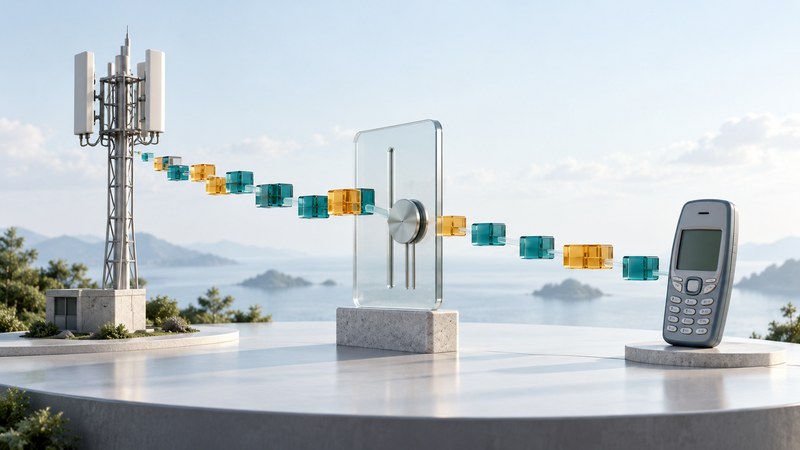
HSDPA—High Speed Downlink Packet Access—improved the download side of UMTS mobile data. Together with enhanced uplink, it helped turn 3G into a more useful platform for browsing, email attachments, laptop connectivity and media. Its central idea was to use shared radio resources more responsively as conditions changed.
A specification's peak rate describes a capability under particular assumptions. Your file-transfer time also depends on the device, signal conditions, other users, backhaul and the remote service. Understanding those layers is more useful than assigning one speed to every “3G” connection.
HSDPA, enhanced uplink and HSPA+
Scroll the table sideways to read all columns. Keyboard: focus the table, then use the arrow keys.
| Term | Focus | Interpretation |
|---|---|---|
| HSDPA | Downlink, from the network to the device. | Introduced in 3GPP Release 5. |
| Enhanced uplink / HSUPA | Uplink, from the device to the network. | Release 6 development; “HSUPA” is a widely used name for enhanced uplink. |
| HSPA | The high-speed packet-access family. | Used for the downlink and uplink developments together. |
| HSPA+ / Evolved HSPA | Further improvements across later releases. | A family of capabilities, rather than one universally available rate. |
The Release 5 HSDPA specification and Release 6 enhanced-uplink specification document the original developments. TR 25.999 on HSPA evolution discusses subsequent techniques such as higher-order modulation and multiple antennas. Later standards also developed multicarrier operation; support must be checked for the particular network and device.
How HSDPA coordinates faster packet delivery
Schedule shared resources
The base station decides which queued traffic to serve and with what resources. Scheduling near the radio allows decisions to respond quickly to changing conditions.
Adapt the transmission
The network chooses modulation and coding suited to reported channel quality. Favorable conditions permit more data; difficult conditions call for more robust choices.
Recover damaged blocks
Hybrid automatic repeat request, or HARQ, combines error-control coding with feedback and retransmissions. The receiver can use information from repeated transmissions to recover a block.
Coordinate the return path
Even a download needs uplink feedback. A weak or constrained return path can affect the exchange.
These are conceptual summaries of the mechanisms in 3GPP TS 25.308, HSDPA overall description. They explain why the rate can change during one transfer: the radio system is continuously sharing and adapting resources. A speed claim based only on modulation omits this larger process.
Translate throughput into file-transfer time
For a simple estimate, divide the payload size in megabits by sustained payload throughput in megabits per second. Here, 1 MB means 1,000,000 bytes, so a 4 MB file contains 32 megabits. A MiB is a different, binary unit.
Small interactive tasks can remain slow even when the transfer rate is high. If an imaginary application waits for four sequential responses and each round trip takes 150 milliseconds, those waits alone add 0.6 seconds. Real applications vary in request ordering, connection reuse and caching; this is a separate latency example, not a measurement of HSPA.
Read a performance claim in five steps
- Identify the quantity. Download rate, upload rate and latency answer different questions.
- Identify the equipment. Record the modem category, supported bands and software; a newer network feature requires corresponding device support.
- Identify the conditions. A laboratory demonstration, one field test and a busy-cell average are different forms of evidence.
- Identify the measurement boundary. Radio-layer capacity differs from application payload throughput. Check units and overhead assumptions.
- Repeat a comparable task. Record time, location, connection type and whether Wi-Fi was disabled. Keep unrelated downloads out of a simple comparison.
When a connection is slow, begin by separating weak or unstable radio reception from a heavily loaded cell or a slow service. Try another small, trusted destination and another time of day before attributing everything to the generation label. Large repeated tests can consume significant mobile data; use a file size appropriate to the plan.
What H and H+ can tell you
Some phones use H or H+ for HSPA-family access, but the display convention depends on the device and operator. Read the handset's own manual before mapping an icon to a precise capability. An icon can identify an access type while leaving the allocated rate, cell load and service support unknown.
HSPA develops the UMTS system. It is distinct from EDGE on GSM radio access and from LTE. When considering an old HSPA device today, use the model-and-operator compatibility process; a historical data capability does not establish that a compatible network is still operating locally.
Sources and further reading
Standards describe capabilities; current operator and regulator guidance determines local service availability. Sources reviewed October 12, 2026.