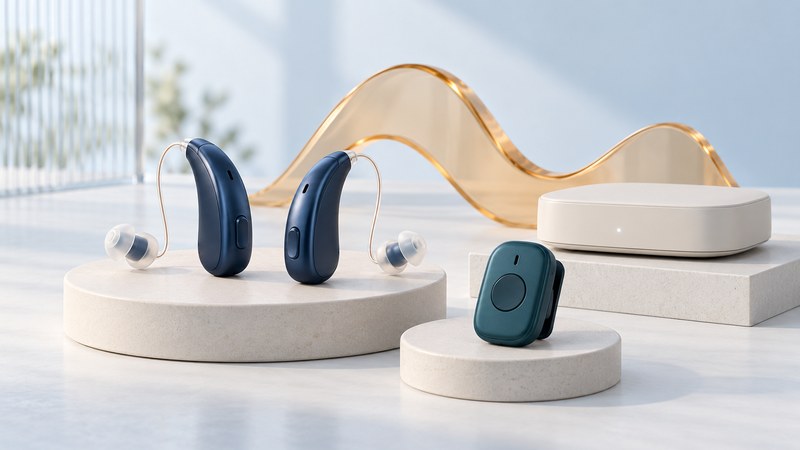
“Wireless hearing aid” can describe several connections: coordination between two aids, streamed sound from a device, a remote microphone or an assistive listening system. Begin with the listening situation you want to improve, then establish the supported path from sound source to your ears.
Hearing-aid choice and fitting depend on individual needs. The NIDCD hearing-aid overview explains styles, adjustment and questions for a hearing-care professional. This guide helps you prepare a functional trial and understand connectivity claims.
Separate the sound paths
| Connection | Purpose to discuss | Question for the exact model |
|---|---|---|
| Aid-to-aid coordination | Coordinating supported behavior between the left and right devices | Which settings or processing functions are shared? |
| Phone or other audio streaming | Receiving calls, media or another device's audio | Which source devices and functions are supported? |
| Remote microphone | Picking up the intended speaker closer to the sound source | Which microphone is compatible, and how is it used in this setting? |
| Television accessory | Sending TV sound through a supported connection | Which TV output, accessory and hearing-aid program are needed? |
| Venue listening system | Receiving sound from a room or public-address system | Does the venue provide a loop, receiver or another system that works with your equipment? |
Ask the supplier to demonstrate the exact function being described. A control app can adjust a hearing aid without carrying its audio. A television accessory can depend on a particular connector. For the detailed phone check, use Phone and Hearing Aid Compatibility.
Consider the setting as well as the device
A hearing aid's microphones pick up sound where the aid is worn. A remote microphone changes where the desired sound is captured. NIDCD's assistive-listening explanation describes systems intended to help bring wanted sound to a listener, including hearing loops, FM and infrared arrangements.
A hearing loop can feed a suitable telecoil or separate receiver. Other systems require their own receiving equipment. Contact a venue in advance to ask what it provides, how to obtain a receiver and whether staff can help you use it. Establish compatibility before assuming that a wireless label means every venue system will connect.
For a conversation across a table, discuss the number of speakers, background sound and microphone placement with the hearing-care provider. A solution that helps with one speaker may need a different routine when people take turns around a room.
Build a three-situation trial
- Choose priorities. For example: a conversation at home, a phone call and television with another person in the room. Use your actual priorities, not a generic feature list.
- Record the setup. Note the exact aids, software, accessory, selected program and sound source. Have the professional establish an appropriate fitting and listening level.
- Try the task. Ask what you could understand, what required repetition, and whether the controls were manageable. Include connecting, pausing and disconnecting.
- Change one thing. With appropriate guidance, compare a relevant setting or accessory while keeping the task similar.
- Arrange follow-up. Bring the observations back for adjustment and agree on a date to review unresolved problems.
A short note after each trial can include the setting, task, help needed and next question. This is a personal observation record, not a hearing test or a standardized product ranking.
Evaluate the daily routine
Try handling the aids and accessories, identifying left and right, using the controls and managing charging with your usual vision and dexterity. Ask about battery use during the listening functions you rely on, rather than comparing headline endurance figures from different conditions.
Confirm which functions continue when a phone is absent, where an accessory can be stored and what the supported cleaning and maintenance routine requires. Follow the device manual for moisture, cleaning and charging; the hearing professional or supplier should demonstrate any unfamiliar procedure.
Before purchase, obtain the written trial/return terms, warranty, service arrangements and responsibility for software updates. Keep a list of exact models and support contacts. When firmware, a phone or an accessory changes, repeat the small set of listening tasks that matter most.
Describe a problem by its sound path
When something fails, report the source, connection and destination: “TV accessory to both aids,” for example. Say whether it affects one ear, both ears, streamed sound or ordinary microphone listening. Record when it began and whether it follows a software or equipment change.
A connection indicator establishes that devices recognize each other; the real goal is useful, comfortable communication. Persistent discomfort, changing hearing or difficulty with the fitting calls for an appropriate hearing-care review, alongside any technical support request.
Explore the library
Assistive Technology: Practical Guides for Everyday Access
Source links appear beside the topics they support. Product instructions and service arrangements were reviewed on October 4, 2026. Check the linked documentation for your exact version, device and location.