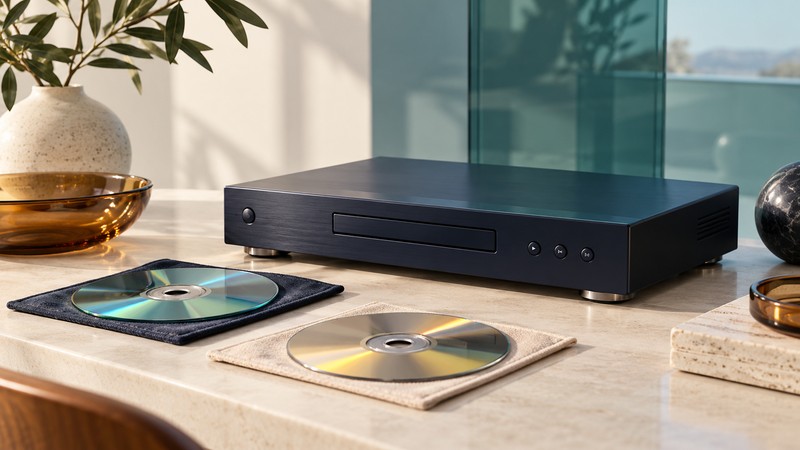
HD DVD is a discontinued high-definition optical-disc format. A disc that looks like a DVD can require different playback hardware, and a player’s ability to show a menu does not establish that an entire title remains readable. Identify the format and test the complete viewing setup.
Place the format in its historical context
On February 19, 2008, Toshiba announced that it would stop developing, manufacturing and marketing HD DVD players and recorders, with the business wind-down targeted for the end of March. That is the relevant endpoint for a page originally written during the format’s 2004 studio-support announcements.
HD DVD, conventional DVD and Blu-ray are distinct formats. Do not choose a player from the disc’s diameter, the words “HD” on a television, or a general DVD-playback claim. Obtain explicit HD DVD support for the exact hardware and software configuration. A used unit should be evaluated as an existing piece of equipment with a documented test result.
For a concrete example, the Toshiba HD-A1/HD-XA1 owner’s manual (PDF mirror) identifies supported disc types and explicitly excludes Blu-ray playback. Its compatibility notes also warn that some discs may fail. Use that manual only for those models; a different Toshiba player or combination player needs its own instructions.
Inventory the discs and the player
| Item | What to record |
|---|---|
| Disc identity | Title, edition, catalog number and printed format markings. |
| Disc construction | Single format, combination disc or another explicitly marked arrangement. |
| Player | Complete model, regional version, remote and displayed firmware version. |
| Viewing chain | Output connection, receiver if present, television input and selected signal. |
| Observed result | Menus, chapters, sustained playback, selected audio and subtitles, with test date. |
Check both the case and the disc label. A combination release may provide conventional DVD material as well as HD DVD material. Note which side or layer your test actually uses; DVD playback does not establish that the HD DVD content works. Follow the edition’s markings rather than assuming every red case contains the same construction.
Keep each disc associated with its original case and identify multiple discs individually. Photograph markings before creating a spreadsheet or handwritten catalog. Add uncertainty as a field: “format not confirmed” is more useful than assigning the wrong format because the packaging is incomplete.
Prove picture and sound together
Use the model manual to choose an output accepted by the display. The HD-A1/HD-XA1 documentation describes 720p/1080i high-definition viewing and HDMI, alongside analog connections with their own limits. It does not justify assuming every HD DVD player outputs every later television mode.
The same manual explains that disc protection can restrict component-video output and that audio-output settings must match the receiver. Inspect both the player’s settings and the receiving device’s reported signal. A soundtrack listed on the case does not establish the format arriving at the speakers.
- Start with a known compatible disc and the simplest documented player-to-display connection. Select the correct television input.
- Confirm a stable menu and moving picture, then note the output signal actually received.
- Select the intended audio and subtitle tracks. Listen to dialogue and check the available channels against your setup.
- Add a receiver or other intermediate device one at a time, repeating the same checks.
- If the chain fails, record the point of failure and return to the last working configuration.
Use the HDMI troubleshooting guide for input selection and connection isolation. Establish basic local disc playback before attempting historical online extras. An Ethernet socket or an old menu link does not establish that the associated service is available.
Document a useful playback test
Inspect a disc under ordinary light and follow the player manual’s handling and cleaning instructions. Avoid improvised resurfacing or chemicals. If it stalls, record the title, chapter and time, then compare another known working disc in the same setup. This helps distinguish a title-specific problem from a wider player or connection problem.
A brief spot check cannot prove an entire disc is readable. For an important title, observe a complete playback and check the specific extras you care about. Note freezes, repeated seeks, missing sound or failed navigation. Keep “not tested” separate from “passed”; neither a clean appearance nor successful startup is a full condition report.
Keep manuals, settings, the remote and the collection inventory together. A player failure can interrupt access even when the discs survive. Where convenient ongoing viewing matters, investigate another authorized edition of the title and confirm that it contains the version or extras you need. Do not treat a change of packaging or a file-copy attempt as format conversion.
Yenra’s 2005 HD DVD player prototype report remains dated historical coverage. The Digital Video library provides the current connection and preservation guides.