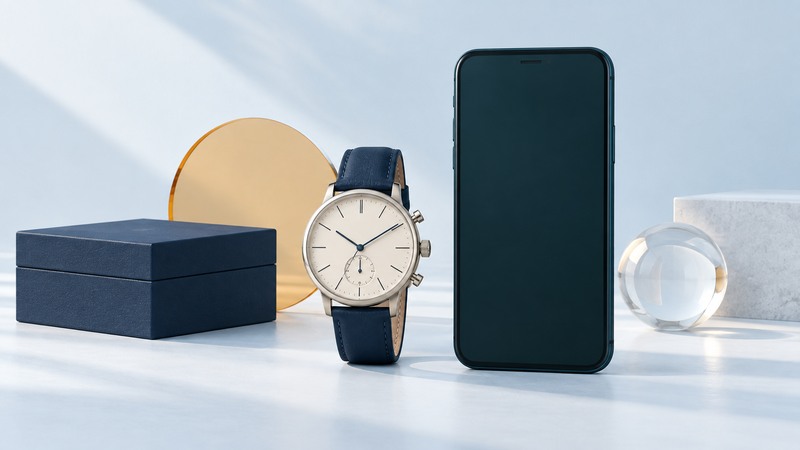
Fossil Q Neely and Q Jacqueline are legacy analog hybrid watches: traditional hands and a replaceable battery, with connected functions managed through a phone app. An existing owner or secondhand buyer should begin with the exact model and a real phone-and-watch test. A working dial and an old feature list answer only part of the ownership question.
Identify the model before following instructions
Photograph the caseback and copy the FTW model reference exactly. Record the model name, strap attachment width, and any service history. Distinguish the original analog hybrid family from Hybrid HR models with an electronic display and from touchscreen Wear OS watches. Charging, pairing, and reset instructions can differ substantially.
As a concrete reference, Fossil's Jacqueline FTW5046 page describes a 36 mm case, 14 mm interchangeable strap compatibility, and battery life of up to six months depending on use. Those specifications apply to that listed reference; use the documentation for your Neely or Jacqueline variant before ordering parts.
Write down what you actually need: time display, vibration for selected contacts, an alarm, activity records, or a particular button shortcut. This becomes your acceptance checklist. A useful watch for simple time display may still fail a buyer's essential notification requirement.
Check the current app and support situation
Checked September 15, 2026: Fossil discussed exiting smartwatches in its March 2024 earnings-call transcript. Its official analog-hybrid support page remains available. A surviving support page explains the product, but does not guarantee future app service or compatibility with every new phone.
The U.S. Fossil Smartwatches App Store listing is available and lists iOS 15.0 or later at this check. App availability, minimum OS, and successful pairing are separate questions. For Android, find the Fossil-published app in your phone's official store and check its current device eligibility; avoid treating an old Android minimum as today's promise.
Use Fossil's analog-hybrid support instructions as the starting point: the phone needs Bluetooth enabled, the watch needs power, and pairing is completed through the app. The page describes vibration notifications, configurable buttons, activity information, and alarms. Verify whichever of these you need with your own combination.
Before changing phones or deleting an existing installation, establish that you can obtain the app and sign in on the replacement. Preserve any activity information the current app lets you export and record settings you want to restore. Keep a functioning setup intact until you have a clear migration path.
Run a practical setup and acceptance check
- Record phone model, OS version, app version, watch reference, and test date. This makes later support requests reproducible.
- Install the official app and check that sign-in or account setup completes. Read requested permissions in relation to the functions you want.
- Confirm that the watch responds, then begin the app's add-device flow with the watch nearby. Follow its displayed button prompts for this model.
- Check that the displayed time agrees with the phone. If the hands are misaligned, use the model's supported calibration process rather than forcing a hand or substituting touchscreen-watch instructions.
- Configure one notification or alarm and one button action at a time. Trigger each deliberately and record the result.
- Repeat the notification check with the phone screen locked and the app in its normal background state. This reveals permission or battery-management issues that a foreground-only test can miss.
Separate power, connection, and permission problems
Scroll horizontally to see all columns.
| Observation | Check first | What to record |
|---|---|---|
| No response from the watch | Battery condition and the exact model's power check. | Last battery change and whether any button produces a response. |
| Watch responds but pairing fails | The in-app pairing flow, nearby Bluetooth, and any previous pairing ownership. | The step and exact error message, with phone/app versions. |
| Time sync works; alerts fail | Selected app/contact settings and phone notification/background permissions. | Which alert was triggered, whether the phone received it, and screen state. |
| Hands show the wrong position | The supported hand-calibration flow for this reference. | Whether the offset stays constant after calibration and another sync. |
Change one setting and repeat the same test. Resetting everything at once can erase useful evidence and complicate a working account connection. If official instructions call for removing an old pairing, follow that sequence and let the prior owner handle their own account.
Plan battery and physical care
These original analog hybrids use replacement batteries. Obtain the exact battery specification from the model documentation or Fossil support; the shape of the watch is insufficient to choose a cell. If that information is missing, give a watch-service professional the FTW reference and request the correct replacement and seal inspection.
Ask about the caseback gasket and appropriate water-resistance checking when the case is opened. Keep new and used button batteries away from children and pets; swallowing one is an emergency. See CPSC's button-battery guidance for urgent help information. Avoid improvised substitutions or charging a non-rechargeable cell.
Before buying, agree on a return window that permits your own functional check, inspect strap attachments and case damage, and ask about repair availability. Use the broader watch selection guide to compare the comfort and maintenance tradeoffs with a conventional watch.