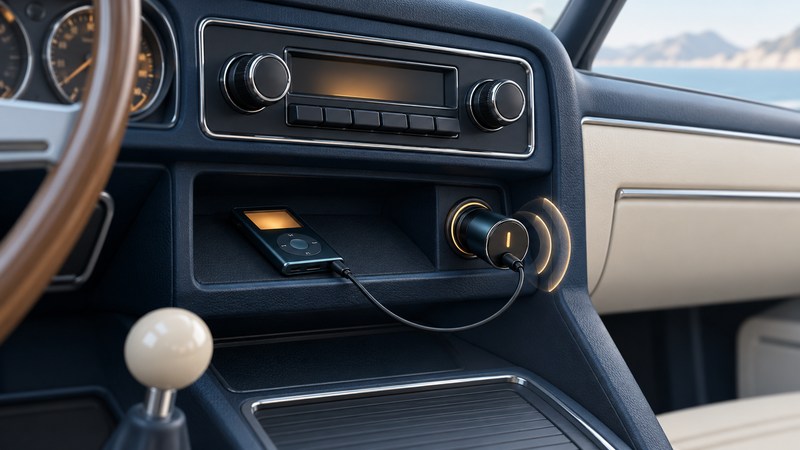
An FM transmitter lets a music player use a car radio as its speaker system. A successful setup needs two working connections: audio from the player to the transmitter, then a clear enough FM signal from the transmitter to the radio. Test those connections separately while parked.
Trace the music and power connections
The audio path is player → transmitter input → FM radio → car speakers. The transmitter's power supply is another connection. A lit display establishes that it has power; hearing a song establishes that audio has passed through the whole chain.
Identify the transmitter model and its input. Some accept a headphone cable, some receive Bluetooth audio, and others read supported files from storage. Check each port's purpose in its manual. For example, Belkin's F8Z880 documentation specifies a 3.5 mm audio input and a separate USB-A charging connection. It does not support Bluetooth. Plugging a player into that charging port alone therefore leaves the audio connection unfinished.
Before testing, gather a familiar downloaded track, the appropriate audio cable or pairing instructions, and the transmitter and vehicle manuals. Confirm the accessory socket's voltage and permitted use against the transmitter's requirements. Establish that the track plays on the source device first; this keeps a missing download from looking like a radio problem.
Set up while parked
- Prepare the car and source. Park safely, secure the player, and arrange cables clear of the controls. Make connections and choose the music before moving. Ford's audio-input guidance illustrates this stationary setup and secure-storage approach; use the manual for your own vehicle's controls and power behavior.
- Find a usable frequency locally. With the transmitter off, manually tune the car radio within the transmitter's supported range. Look for a channel without a strong program signal. A frequency that worked in another town may be occupied here.
- Match both displays. Power the transmitter and set it to that same frequency. If it offers an automatic scan, follow its instructions, then set the radio to the result. Save the pair as presets if both devices support them.
- Start the known track. Confirm the intended input or Bluetooth audio route. Begin with the car volume low, use the source level specified by the transmitter, and increase the listening volume gradually. For weak output, Belkin's tuning instructions call for checking frequency alignment and the source volume.
- Compare a quiet passage and a louder one. Listen for hiss between notes, a competing station, and breakup on loud peaks. Change one setting at a time so the result remains interpretable.
A parked check confirms operation at that location. If interference appears later along a route, wait until you can stop safely before retuning. There is no single frequency that this guide can promise will stay clear everywhere.
Use the symptom to choose the next check
| What you hear | Next check | What the result tells you |
|---|---|---|
| A broadcast station over the music | Choose a different local channel and match transmitter and radio again. | Improvement points to frequency competition. |
| Silence with the transmitter powered | Check that the track advances, the audio input is connected, and the radio frequency matches. | Power and audio routing can fail independently. |
| Very quiet music with prominent hiss | Check the source level against the transmitter manual before increasing the car volume further. | A weak input can make background noise more apparent. |
| Harshness on loud passages | Lower the source level and turn off optional boost or equalizer settings for comparison. | Improvement suggests an excessive level or processing setting. |
| Buzz that appears during charging | While parked, compare the same track with only the player's charging cable disconnected, if the player can run on battery. | A change implicates the charging arrangement; it does not identify a specific failed component. |
Write down the frequency, source level, charging state and result. A repeatable comparison is more useful than changing the frequency, cable and equalizer together. If reception remains poor across several suitable channels, test an available alternative connection.
Compare the connections the car already provides
A documented auxiliary input accepts analog audio directly and removes the FM link from the path. Factory Bluetooth audio or supported USB playback may offer useful track controls, but their operation depends on the specific vehicle and player. A USB charging socket alone establishes neither feature.
Compare the same passage at similar listening volume through the available connections. Choose the one that gives you dependable sound and controls you can set before the journey. Use the player-to-speaker connection guide for analog output basics, and the offline-library check to confirm the music remains available away from a network.
Explore Music Players
Browse music-player guides and earlier reporting, or follow the offline-library setup guide. Primary documentation is linked alongside the guidance. Sources and model details checked October 7, 2026.