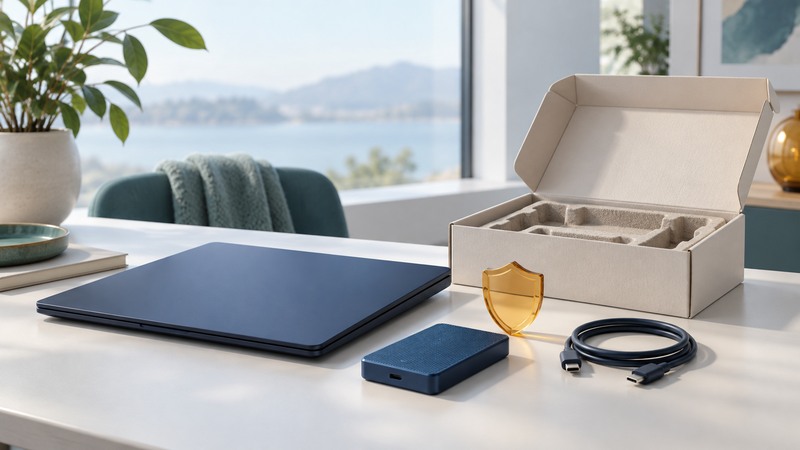
A surplus computer is ready to leave when you have a verified copy of the information you need, an erasure approach suited to its storage and data, and a recipient who has agreed to accept it. Start with the destination: a functioning machine that meets a recipient’s requirements may have years of useful service remaining.
This guide is for household owners and small organizations arranging a handoff. For an employer-owned device, involve the asset owner or IT team before removing accounts or data. Keep the computer under your control until the checks are complete.
Choose the destination before erasing
Record the model, processor, memory, storage, charger, condition and operating-system support. Ask a reuse organization which specifications it accepts, whether it takes machines without a drive, and who supplies a supported operating system. A power-on test alone leaves battery condition, account locks and usability unresolved.
On a narrow screen, scroll the table sideways. Keyboard users can focus it and use the arrow keys.
| Device situation | Likely route | Confirm before handoff |
|---|---|---|
| Working and accepted | Donation, resale or internal reuse | Minimum specifications, charger, licensing and account-release requirements. |
| Repairable but incomplete | Refurbisher with an agreed repair pathway | Whether that exact fault or missing component is accepted. |
| Failed or unsuitable for reuse | Electronics recycling | Accepted device types, fees, collection arrangements and data services. |
EPA explains the R2 and e-Stewards certification programs and links to recycler directories. Check the actual facility and relevant service in the directory; a collection-point logo by itself leaves the downstream destination unclear. Obtain a written receipt for organizational equipment.
Make the backup useful before you erase
- List the files and records that must survive: local documents, photos, email archives, application projects and recovery information.
- Copy them to the intended destination. Open representative files there and check that required project dependencies are included.
- Confirm access to essential accounts from another device, including your second authentication factor.
- Identify every storage device: internal drives, external drives, memory cards and removable media. Keep backup media out of the erasure workflow.
Write “backup checked” only after opening the copied material. A synchronization icon or a folder name alone cannot show that a complete, usable copy exists. Keep recovery keys private; the recipient does not need your passwords or personal encryption keys.
Match the erasure method to the data and device
Microsoft’s Windows reset instructions distinguish “Remove everything” with “Clean data” from a reset that keeps personal files. Microsoft explicitly describes this erasure as consumer-oriented and outside government and industry erasure standards. Follow the current instructions for the installed version, inspect the selected drive coverage, and allow the operation to finish.
For a Mac, use Apple’s preparation instructions for selling or giving away a Mac. The available erase workflow depends on the hardware and macOS version; account sign-out and Activation Lock also affect whether the next owner can use it. Finish at the appropriate setup screen rather than signing back into your personal account.
Organizations should base their decision on NIST SP 800-88 Revision 2, published September 2025, their data classification and a supported method for the specific media. Establish who performs sanitization, what evidence is retained and who accepts the result. SSDs, failed drives and embedded storage need media-specific treatment. If you cannot establish that the selected method succeeded, retain the device or use a qualified service with an agreed data-handling process.
Check completion and remove handoff obstacles
Record the device identifier, storage covered, method, date, result and responsible person. A setup screen shows that the operating system has reset; stronger data-assurance claims require evidence from the selected sanitization process. For managed devices, ask the organization to release management enrollment and asset restrictions through its own procedure.
For example, a fictional office has six retired laptops, but only five return successful sanitization records. It can prepare the five accepted devices for transfer while keeping the sixth under control for investigation. Recording six donations because six cases are boxed would conceal the unresolved storage issue.
Include agreed chargers and accessories, describe faults honestly, and keep the receiving receipt with the inventory. Remove memory cards and USB receivers unless deliberately included. Follow the receiver’s packing instructions.
Route damaged batteries through the appropriate service
EPA’s lithium-ion battery guidance says these batteries and devices containing them belong outside household trash and municipal recycling bins. For damage or swelling, contact the manufacturer or accepting specialist for handling instructions before transporting or shipping. Avoid improvised puncturing or disassembly.
Use the waste-management planning guide to record a recurring electronics collection route for your home or office.
Computer handoff record
Computer handoff record — plain-text download. Save a copy and fill it in with your own information. It includes instructions, example assumptions and source references.