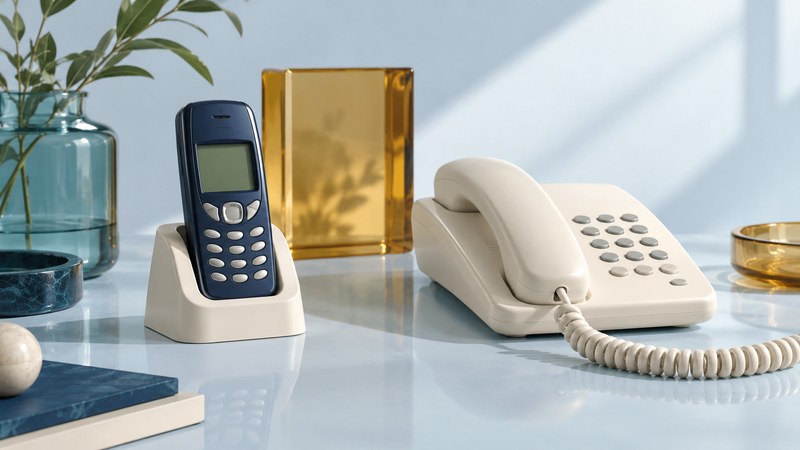
A cell-phone home-base cradle can perform several jobs: hold a handset, charge its battery, and, on supported equipment, connect cellular calls to a household telephone. Establish which jobs a particular product supports before interpreting a photograph of a phone in a dock.
The historical Merge cradle illustrates the distinction. Its appeal was using a familiar home telephone for calls carried by a mobile handset. Understanding that arrangement requires identifying the mobile radio, the dock's call interface, and the telephone attached to it.
What the Merge product description establishes
Cellular One from Dobson promoted Merge in 2004. A surviving Cidco Merge catalog printout, dated October 1, 2007, preserved in a federal docket, describes a Motorola handset dock that charged the phone and let home phones make and receive cellular calls. It also advertised a choice between landline and cellular calling when landline service was present, plus distinctive ringing and caller ID for incoming cellular calls.
This is evidence of the advertised design. A catalog description supplies neither a complete compatible-handset list nor a wiring procedure. The product's original manual, adapter identity, and exact handset version would be needed to assess an actual surviving unit.
The service relationship matters too: the mobile handset supplied the cellular connection. A household telephone provided another place to speak and dial. A charging cradle alone would satisfy only the power part of that arrangement.
Separate power, call control, and audio
| Function | What must work | Evidence to find |
|---|---|---|
| Mechanical fit and charging | The handset seats correctly and receives the specified power. | Exact adapter, connector, and power-supply documentation. |
| Call control | Answering, dialing, and hanging up reach the mobile handset. | Supported model and feature list; documented controls. |
| Two-way audio | Both participants can speak and hear through the selected phone. | A supported connection arrangement and an ordinary call trial. |
| Home-telephone behavior | Ringing, keypad tones, caller ID, and message handling meet the intended use. | Specific supported functions and limits for the connected equipment. |
Physical fit answers only the first part of the first row. A charging indicator says little about answering a call through another telephone. Likewise, hearing one direction of audio leaves the microphone path and disconnect behavior unresolved.
Think of a useful compatibility statement as a complete sentence: “This handset version, with this adapter and power supply, supports these call functions with this telephone arrangement.” A brand name or a connector that looks familiar omits most of that sentence.
Use the manual for the exact kind of base
A handset cradle, a Bluetooth telephone system, and a cellular home-phone base with its own radio have different dependencies. The AT&T WF720 user guide, for example, describes a separate cellular base and explicitly prohibits connecting that base to a home phone wall jack. It is a useful example of why a product's own connection instructions matter; it is not a Merge installation guide.
Do not improvise a connection between an unidentified dock and household telephone wiring. An instruction to connect a telephone to a designated device port does not authorize connecting that device to an existing line. Obtain the matching installation documentation before attaching equipment.
For a wider comparison of today's possible arrangements, see mobile and landline integration. That decision starts with the calls you want to receive, the equipment you already have, and the services available to you.
Assess a surviving cradle without guessing
- Build an identity record. Photograph the dock label, handset model, adapter marking, ports, and power-supply label. Record missing parts separately from known parts.
- Match the documentation. Look for the same model and revision, not simply a manual for another product in the same category. Identify which claims the document actually covers.
- Separate the service question. Ask the intended carrier whether the exact handset can use the required service now. A historical product sheet cannot establish current network support.
- Plan a limited function trial. Only after compatibility and setup are established, use a consenting contact for ordinary incoming and outgoing calls. Check ringing, both audio directions, keypad interaction with a benign menu, and release at both ends.
Example: charging succeeds, calls remain unproven
A collector has a dock, a matching-looking phone, and a lit charging indicator, but no adapter reference or manual. The evidence supports a charging observation. Record call bridging as unverified and seek the documentation before extending the setup. Buying another cable on appearance alone would add uncertainty rather than resolve it.
Keep emergency calling and power-outage behavior outside an informal trial; establish those requirements with the service provider and the equipment's documentation. A historical cradle can be an interesting design artifact even when present-day service or missing documentation prevents useful deployment.
Browse more home-phone and Telephone resources.