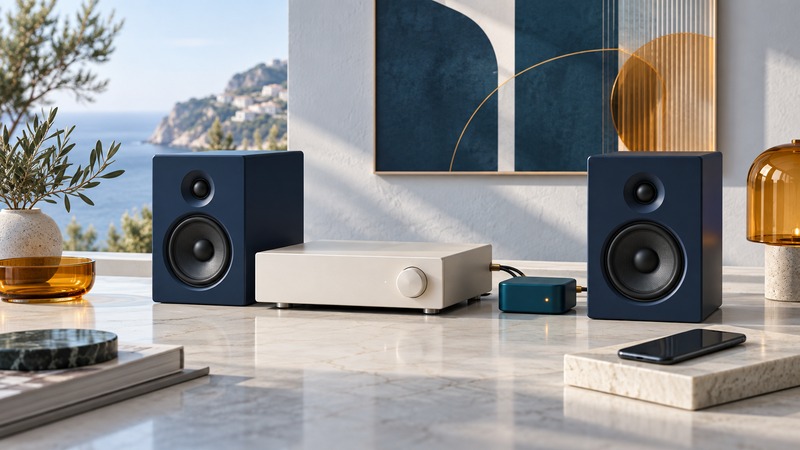
To play phone audio through an existing home stereo, choose a Bluetooth receiver with an output the stereo can accept. The usual path is phone → Bluetooth receiver → amplifier or powered speakers. Map that path before buying an adapter, because a matching connector tells only part of the story.
Identify the input and the direction of audio
Look at the stereo’s rear panel and its manual. Write down an available input labeled AUX, LINE IN, or another documented line-level source. RCA describes a connector shape: a pair can carry analog stereo, while a single RCA socket may serve another purpose. Read the label and supported signal format.
A receiver accepts Bluetooth audio and produces an output for the stereo. A transmitter takes audio from a wired source and sends it to wireless headphones or speakers. Some products have selectable modes. Choose receive mode for a phone feeding an old amplifier.
On a small screen, scroll the table sideways to read all columns.
| Existing equipment | Required path | Check first |
|---|---|---|
| Amplifier with analog line input | Bluetooth receiver with matching analog output | Input label, cable and receiver power |
| Powered speakers with AUX input | Receiver analog output to speaker input | Speaker input selection and volume |
| Amplifier with a digital input only | Receiver with a compatible digital output | Optical/coaxial format and supported audio |
| Passive speakers alone | Receiver plus a suitable amplifier | Speaker impedance and amplifier requirements |
| Only a phono input available | Find another supported input or suitable equipment | Phono is intended for a turntable signal; do not assume line-input compatibility |
Compare the complete receiver setup
Logitech’s Bluetooth Audio Adapter specifications provide a concrete example: Bluetooth is its audio input, and RCA and 3.5 mm are its outputs. It requires power and supports A2DP. That describes a receiver architecture; it does not make the product a speaker amplifier or establish compatibility with every digital input.
Compare four practical features: the correct output, the required power supply, how the receiver selects between saved phones, and its behavior after power returns. A receiver that automatically reconnects to a nearby tablet may be inconvenient in a shared room. Verify how to disconnect one source and accept another.
If the goal includes watching video, test lip synchronization with your source and receiver. If it includes transmitting to headphones, verify that distinct mode before buying. An advertised codec or Bluetooth version is only one part of the complete supported connection.
Connect and establish a baseline
- With equipment powered down as its manuals require, connect the receiver’s output to the chosen stereo input using the documented cable.
- Provide the receiver’s specified power supply. Keep its cable and body clear of ventilation openings.
- Turn on the stereo with volume low and select the input used in step one.
- Place the receiver in its documented pairing mode, select it on the phone, and confirm the phone routes media to it.
- Play a familiar downloaded track and raise volume gradually. Adjust the source and amplifier within their documented ranges.
- Check both channels, pause/resume, and an ordinary power-off/reconnect cycle.
The Logitech speaker-adapter troubleshooting guide explicitly calls for checking source routing, volume at both ends, and the stereo’s selected input. Those checks resolve different stages of the audio path.
Use the symptom to locate the next test
Paired but silent: confirm the phone’s output destination, then the amplifier input. Check a known-working wired source through the same input if a suitable one is available. Success there narrows the investigation toward the receiver and wireless source.
One channel missing: lower the volume and check that left and right connectors are fully seated. Test the cable and input with a known-working source before assuming radio trouble. Distorted sound: reduce source level and compare a second recording. Persistent distortion through a wired source calls for examining the downstream equipment.
Dropouts: try the phone nearby with an unobstructed path and disconnect another source that may be taking over. Compare at the intended listening position afterward. Record location and equipment together; a single successful close-range test says little about every room.
Keep a note of the input label, adapter power supply, working volume range, and reconnect procedure. That makes the system easier for another household member to use.
Keep a record and continue
Download the home stereo connection checklist (plain text). Use the blank result fields to record your own equipment and observations.
- Understand codecs, audio modes and troubleshooting
- Reuse an iPod speaker dock
- Send an iPod’s audio to Bluetooth headphones
- Explore all Bluetooth guides
Researched and updated September 13, 2026. The illustrations and worked example are conceptual; compatibility requires the exact equipment manuals.