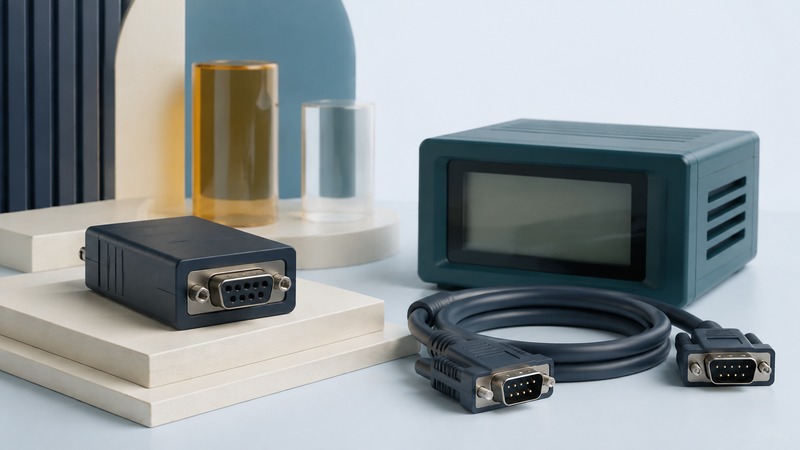
A Bluetooth serial adapter can replace part of a serial cable connection, but it cannot make incompatible electrical interfaces or software agree. Check three things separately: the equipment’s serial port, the wireless service, and the program receiving the data. Then test the path on a bench before connecting it to working equipment.
Start with RS-232, not the connector’s shape
RS-232 and a microcontroller’s logic-level UART are different electrical interfaces. A board advertised as a “Bluetooth UART module” may expose low-voltage logic pins rather than an RS-232 port. Connecting them directly can damage hardware. Texas Instruments’ MAX232E documentation illustrates the purpose of a line driver and receiver: translating between RS-232 signaling and TTL/CMOS levels. It is an example of the distinction, not a universal component recommendation.
Read both devices’ pinouts and voltage requirements. A nine-contact D-sub connector does not by itself establish RS-232, and a familiar connector can include vendor-specific power pins. Confirm transmit, receive, signal ground, any handshake lines, and the permitted power source. Do not assume that the serial connector powers the adapter.
DTE and DCE describe complementary serial interface roles. They help determine whether a straight-through or crossed connection is needed, but the actual pinouts remain decisive. A gender changer changes which connectors fit together; it does not necessarily cross transmit and receive. Avoid choosing a null-modem cable solely because two plugs have the same gender.
Classic SPP and BLE serial services are different paths
The Bluetooth Serial Port Profile specification defines emulated serial cable connections using RFCOMM. With a supported Classic SPP adapter and host, software may access a virtual serial port. Verify the host operating system, driver or application, and the adapter’s supported role before assuming a COM port will appear.
Bluetooth LE commonly exchanges application data through GATT services and characteristics. A service called “UART” can resemble a serial stream without being SPP. Nordic’s Nordic UART Service exercise uses a custom GATT service with write and notification characteristics. The client must understand that service, or use software that deliberately translates it into another interface.
A pair of adapters can sometimes form a self-contained wireless cable replacement. In that case, check the documented pairing roles, startup order, reconnection behavior, and how each end buffers data. The word “transparent” does not guarantee that all modem-control signals, break conditions, or timing assumptions of the original cable are preserved.
Keep a configuration record for both endpoints
On a small screen, scroll the table sideways to read all columns.
| Setting | What must agree or be supported | Common mistake |
|---|---|---|
| Electrical standard and wiring | RS-232 levels, connector pinout, TX/RX path, ground, and power. | Treating a logic-level UART board as an RS-232 adapter. |
| Baud and framing | The equipment-facing baud rate, data bits, parity, and stop bits. | Assuming the wireless link’s rate is the equipment’s baud rate. |
| Flow control | None, RTS/CTS, or a documented software method, consistently configured. | Selecting hardware flow control without the required wiring. |
| Application framing | Line endings, message length, binary/text encoding, and response rules. | Receiving bytes but waiting indefinitely for the wrong terminator. |
| Connection recovery | Pairing role, reconnect policy, buffer limits, and application timeout. | Assuming reconnecting proves every earlier message was delivered. |
For example, 9600, 8N1 means 9,600 serial bits per second, eight data bits, no parity, and one stop bit. With one start bit, each eight-bit data character occupies ten serial bit periods: the theoretical ceiling is 960 characters per second before other delays. This arithmetic does not predict the complete Bluetooth link’s throughput. Use the equipment’s documented settings, not this example as a default.
Use an isolated loopback to check returned data
A loopback joins an interface’s transmit output to its receive input so sent data returns to the sender. NI’s serial loopback guide specifies TX-to-RX and shows pins 2 and 3 for its documented nine-pin RS-232 connection. Verify your own connector’s numbering and pinout; do not apply those pin numbers to an arbitrary port.
- Disconnect the adapter from the instrument or machine. Check its manual, power arrangement, and approved loopback wiring.
- With power removed, fit an appropriate loopback plug between the documented TX and RX contacts. Leave power pins untouched.
- Power the adapter and establish its supported wireless connection. Open the correct serial port or service client, with local echo disabled.
- For a TX/RX-only test, select no flow control if the adapter supports it. Send a short known message and compare the returned bytes.
- Power down, remove the loopback, and repeat after reconnecting. The same automatic return should disappear; this helps distinguish a real loopback from software echo.
Invented test payload: BT-TEST-001 is eleven ASCII bytes. With an explicitly appended carriage return and line feed, it is thirteen bytes. Check the receive log or hexadecimal view rather than counting visible screen characters. This small test checks a data path, not all handshake behavior, timing, or the real equipment’s protocol.
Use the failure pattern to choose the next test
No returned data suggests checking port selection, connection state, TX/RX wiring, and flow control. Garbled characters suggest checking framing and baud settings on the physical serial side. A short exchange that works while a long transfer fails points toward buffering, pacing, or timeout behavior worth measuring.
After the isolated check succeeds, remove the loopback and use a documented, harmless read-only request with the real equipment. Do not send invented test strings into a machine that may interpret them as commands. Record missing, duplicate, or delayed responses during reconnection. Download the serial compatibility and bench-test checklist (plain text).
Related resources
- Choose and integrate an embedded Bluetooth module
- Keyboard and serial paths for barcode scanners
- Bluetooth pairing, permissions, and protection
- Explore all Bluetooth resources
Researched and updated September 5, 2026. Feature availability depends on the exact devices, software, and connection method.