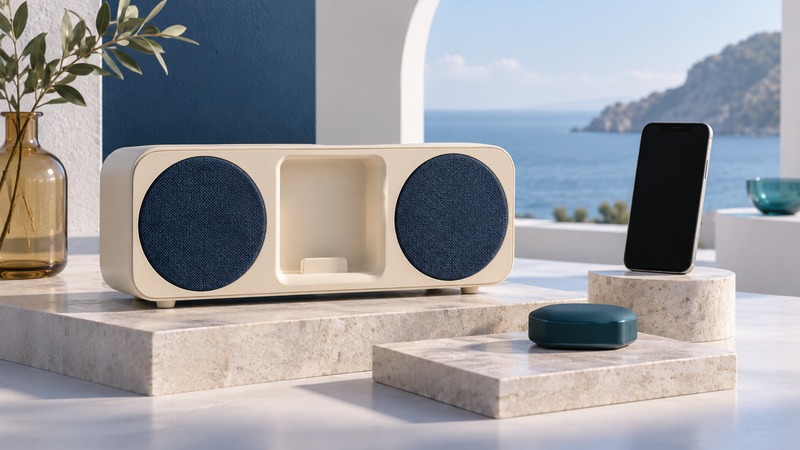
An old iPod speaker dock can remain useful when you find a supported way to feed it audio. A Bluetooth receiver accepts music from a phone and passes it into the dock. Start by identifying the dock and confirming it still plays sound, then choose between its dock connector and a documented auxiliary input.
Identify the dock and prove its basic operation
Photograph the model label and the input panel for your own records. Distinguish the model, revision, and connector: a product family may include 30-pin and Lightning versions with different inputs. Locate its manual and power-supply specification. Test a known compatible iPod, or a documented wired input, before adding wireless equipment.
Write the desired path as phone → Bluetooth receiver → dock audio input → built-in amplifier and speakers. This is different from using an iPod as the music source for wireless headphones. If that is your task, use the iPod Bluetooth headphone guide.
On a small screen, scroll the table sideways to read all columns.
| Route | Evidence required | Practical tradeoff |
|---|---|---|
| Receiver fitted to dock connector | Explicit support for the exact dock and revision | Neat installation; may depend on dock power and analog audio |
| Receiver connected to AUX input | Documented line input plus matching receiver output | Separate cable and power; easier to isolate the audio path |
| Keep a compatible iPod docked | Working player and supported connector | Original controls may remain useful |
| Dock with no verified supported input | Manufacturer documentation or specialist assessment | Resolve compatibility before purchasing an adapter |
Treat power and audio as separate requirements
A receiver can light up and pair while the dock receives no usable sound. The archived manufacturer-authored LAYEN i-SYNC instructions (PDF) describe an analog-output receiver and explain that a digital-only dock can power it without playing its audio. That is a useful example of the distinction, not a blanket compatibility list for current products.
Use the exact receiver’s documentation to check the dock model, power arrangement, supported audio path, and retained controls. An old compatibility list may mix revisions or become outdated. Obtain a specific answer for your combination when its status is unclear.
Read labels carefully when considering an alternative socket. AUDIO IN or AUX IN accepts a source; a headphone output sends sound outward. USB may provide power, service access, or a particular digital function. Its presence does not establish a general audio input.
Use a documented AUX input when it fits
Bose’s SoundDock Series II owner’s guide (PDF) documents a 3.5 mm AUDIO INPUT for another audio device. Its remote controls the system’s volume, while the connected device supplies playback controls. This is an example for Series II; use the matching manual for another SoundDock.
For that type of line-input route, connect a receiver’s analog output to the dock’s audio input and provide the receiver’s specified power. Select AUX as directed by the dock. Bose’s Series II source-switching instructions describe using the remote’s Play/Pause button to switch between AUX and a docked player.
Begin at a low listening level and adjust the source and dock as their manuals require. A separately powered receiver may be less tidy than a cradle adapter, but its power and audio connections are easier to inspect independently.
Test the whole path and interpret silence
- Prove that the dock plays through the intended input with a supported source.
- Connect and power the compatible receiver according to both manuals. Avoid forcing an accessory into the cradle.
- Pair one phone and select the receiver as its media destination.
- Select the dock input, play a known track, and adjust volume gradually.
- Check both speakers, the controls you need, and normal restart/reconnect behavior.
No receiver light: investigate the documented power path. Receiver paired, dock silent: check phone routing, volume, dock input, and whether the dock accepts that receiver’s signal. Wired AUX works, receiver AUX fails: test the receiver and its cable. Original iPod also fails: investigate the dock or its power supply.
Keep your compatibility evidence, input-selection method, and power-supply details together. If the dock has damaged connectors or an uncertain electrical fault, stop adding adapters and seek appropriate service. Product-specific repair work should follow manufacturer guidance.
Keep a record and continue
Download the speaker dock reuse checklist (plain text). Use the blank result fields to record your own equipment and observations.
- Connect receivers to home amplifiers and powered speakers
- Use an iPod with Bluetooth headphones
- Explore all Bluetooth guides
Researched and updated September 13, 2026. Archived accessory instructions illustrate compatibility issues; verify the exact revision before buying or connecting equipment.