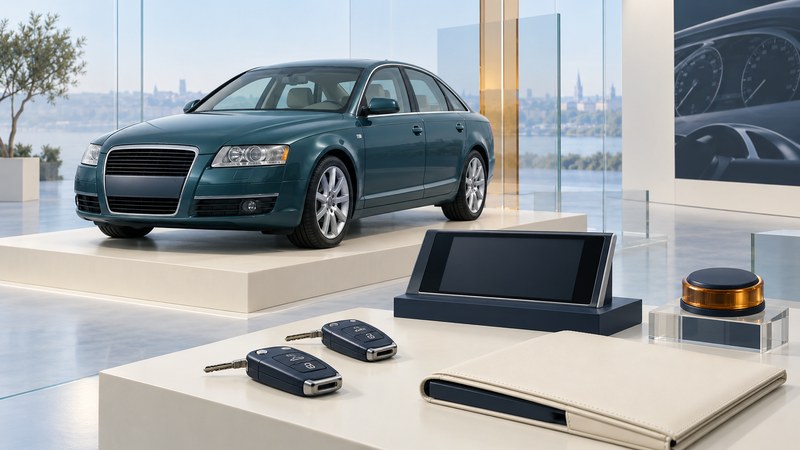
Establish which 2005 A6 you are assessing
Start a 2005 Audi A6 evaluation with its identity and service evidence, then work through the equipment you will use. This guide concerns the new-generation US sedan offered with the 3.2 FSI V6 or 4.2 V8. Other markets, older-generation cars registered in 2005 and later A6 engines need different documentation.
The archived Audi of America brochure (PDF) lists the 3.2 quattro and 4.2 quattro with six-speed Tiptronic automatic transmissions. It identifies FSI direct injection for the 3.2. Keep the 2005 4.2 V8 distinct from later 4.2 FSI versions when discussing service or parts.
Record the VIN, build date, engine and transmission identification, mileage and original market. Ask an Audi-qualified service provider to verify uncertain details against the vehicle records. Supply those details when requesting a maintenance assessment; the name “A6” alone covers too many configurations.
Build a fitted-equipment inventory
Separate standard specification, optional equipment and later alterations. The brochure describes MMI with a central display and controller, with navigation and Bose audio as options. A brochure establishes what was offered; the vehicle and its build record establish what you are inspecting. Photograph the controls and list any aftermarket additions with their installation invoices.
On a narrow screen, scroll the table sideways. Keyboard users can focus the table region and use the arrow keys.
| System | Demonstration to request | Evidence to retain |
|---|---|---|
| Keys and access | Use each supplied key for its intended locking and starting functions | Number of working keys, fitted access system and unresolved messages. |
| MMI and audio | Navigate relevant menus and test the available audio sources | Functions that respond, sources actually fitted and any blank display or interruption. |
| Climate and comfort | Demonstrate temperature controls, airflow and fitted seat adjustments | Which control or position was tested and any inconsistent response. |
| Lights and parking equipment | Use handbook procedures to demonstrate fitted lights, sensors and parking-brake function | Exact warning, control setting and function needing professional evaluation. |
Have the seller explain any unfamiliar control using the matching handbook. Keep brake-related testing and any uncertain warning with the technician, in a suitable controlled setting. Avoid clearing warnings or disconnecting equipment to make a demonstration appear successful.
Describe symptoms before guessing parts
Write what happened, under what conditions, and whether it repeated. “The display stayed blank after starting, while the radio remained audible” is more useful than naming a failed module without testing. Ask the workshop to identify the relevant system, capture diagnostic evidence and explain what further work is needed to establish a cause.
Audi’s 2005 A6 engines and transmissions training document (PDF) illustrates why configuration matters, and directs technicians to information that may supersede the training material. Its coverage includes equipment beyond one US car. Use current vehicle-specific service information for diagnosis and maintenance decisions.
Treat phone pairing, navigation and entertainment as separate demonstrations. Try the actual device or media you expect to use while parked. Record current functionality instead of assigning value from a launch-era feature description. If replacement electronics are planned, the infotainment compatibility guide helps define the required interfaces.
Connect equipment findings to the service scope
Arrange the invoices by date and mileage and ask the specialist to identify documented work, outstanding scheduled maintenance and modifications needing assessment. Include a condition review of the engine, transmission, suspension, brakes, tires and visible body/underbody areas within the agreed access. Electronic demonstrations complement that assessment.
Request a written report separating confirmed faults from symptoms that need further diagnosis. Ask for estimates with scope, parts and labor assumptions, exclusions and expected downtime. If a system cannot be tested during the visit, keep it explicitly unverified. Follow the inspection guide to agree access and authorization before the appointment.
For a US car, check NHTSA’s VIN recall lookup and ask Audi to resolve campaign history or older coverage gaps. Save the dated result and any completion evidence.
Use the findings to compare actual cars
Make the decision from the car’s verified condition, required work and usefulness to you. Keep a separate line for unresolved diagnostic cost; a discounted purchase price alone does not establish the scope of repair.
Save the working record
Download the worksheet (plain text). Record the evidence and unresolved questions, and keep it with the vehicle documents, manuals and inspection quotations.
Explore Autos: vehicle guides, technology and design · Cars: buying, maintenance and ownership