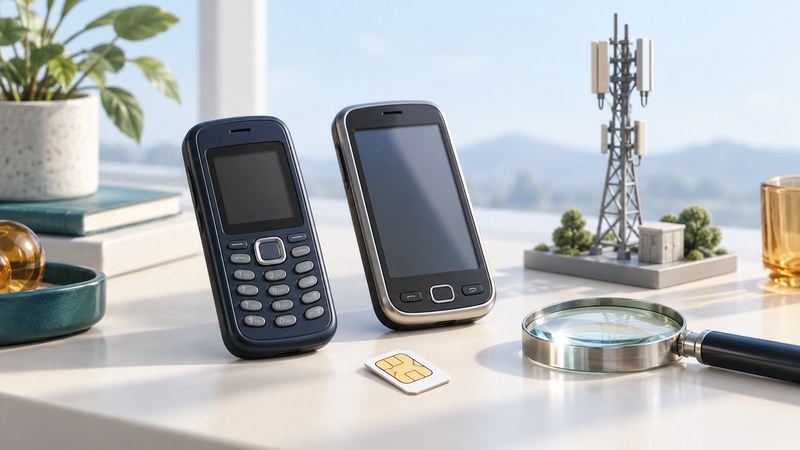
A 3G phone is a device with support for a third-generation cellular system, such as UMTS/WCDMA or CDMA2000. Whether an old handset is useful today depends on its exact hardware, software, the intended operator and the services you need. Start with that combination, rather than its age, shape or a generation label on a listing.
This guide separates three outcomes: supported cellular use, limited use such as offline playback or photography, and replacement for a required service. Availability must be checked for your country and operator at the time of use.
Identify the exact handset before checking a network
Record the model number and regional variant from the device settings, original documentation or accessible product label. A marketing name may cover several versions. Record the installed software version too, especially for devices that gained operator features through an update.
Use the matching manufacturer manual or specification to make separate lists for GSM/EDGE, UMTS/WCDMA, CDMA2000 and LTE/5G where present. Write the supported bands under each technology. A frequency number appearing somewhere in a specification does not establish support for every radio technology at that frequency.
Find the IMEI using the manufacturer's instructions and keep it private. Supply it only to the intended operator's official compatibility checker or support channel when needed; there is no reason to post it in a public discussion. For an older system using another equipment identifier, ask the operator what it requires.
Check radio, voice, account and applications separately
Scroll the table sideways to read all columns. Keyboard: focus the table, then use the arrow keys.
| Layer | Question | Best next check |
|---|---|---|
| Local network | Does the required radio generation operate where I will use it? | Current operator coverage and retirement information. |
| Hardware | Does this exact variant support the required modes and bands? | Manufacturer specification and operator device check. |
| Voice | Are normal calls and the operator's required voice technology supported? | Operator confirmation for the model/software, including VoLTE where required. |
| Account | Is the device accepted, unlocked if necessary, and provisioned on an appropriate SIM and plan? | Official compatibility and activation guidance. |
| Messages and data | Are the required messaging and data services supported? | Operator settings and service requirements. |
| Applications | Can the required app, browser or online service still run and connect? | Developer/manufacturer support for this OS version. |
| Travel | Will the intended visited network and roaming arrangement support the services? | Home operator guidance for the destination and exact device. |
For a concrete US example, T-Mobile's BYOD guide directs users to an IMEI check, identifies frequency and VoLTE requirements, and explains limitations for devices supplied by other carriers. Its rules apply to T-Mobile; use the equivalent official process for your own provider. An unlocked phone has had a carrier restriction removed, but still needs suitable hardware and service support.
A Wi-Fi connection is another access path. Carrier Wi-Fi Calling is an operator feature with its own device, account and location requirements; installing an internet-calling app is a separate choice. Neither should be assumed to reproduce every cellular or emergency-calling capability of a supported phone.
Choose an outcome from the evidence
- Operator confirms support for every required service: follow its activation instructions, then check normal operation.
- The radio works but a required service is unsupported: resolve that gap with the provider before relying on the device.
- The device or local radio network is unsupported: select a compatible replacement for cellular use, and assess the old phone separately for limited reuse.
- The checker cannot identify the variant: ask support with the model and software details. Treat an inconclusive result as a question to resolve.
Network retirement can affect more than devices sold as “3G.” Verizon's CDMA retirement documentation, for example, includes affected 4G devices without supported HD Voice. Australia's ACMA guidance explains that some older 4G and imported devices may have emergency-calling problems after 3G closure. These examples show why voice support deserves its own check.
Confirm emergency-service compatibility through the operator's official process. Do not make a test call to an emergency number. An ordinary successful call cannot by itself establish emergency-call compatibility; ACMA specifically cautions against emergency test calls.
Verify ordinary use after support is confirmed
- Follow the provider's setup guidance, including any supported software update and SIM or account provisioning.
- With Wi-Fi disabled briefly, make and receive an ordinary call to a consenting contact. Check audio both ways.
- Send and receive an ordinary text. Check picture/group messages separately if they are required.
- Open a small, trusted web page using mobile data. Restore Wi-Fi after the check if desired.
- Record the place, date, results and unresolved issues. Repeat only the checks relevant to the locations and services you actually need.
These observations complement the official compatibility assessment. They do not certify coverage everywhere, future support, roaming or emergency calls. If data works while calls fail, return to the voice and provisioning questions rather than assuming a stronger signal will solve it.
What can remain useful without cellular service?
Depending on the model, offline music playback, locally stored photographs, a camera, an alarm or a small collection of locally installed applications may continue to work. Try the actual task with cellular service unavailable; some features depend on activation, an online account, a map download or a retired server.
Wi-Fi hardware can remain useful where the operating system, security protocols and service still interoperate. Verify those dependencies before promising an old phone as a streaming player or internet terminal. For applications involving sensitive accounts, check whether the manufacturer and app developer still support the installed software.
Export wanted contacts and files before changing accounts or resetting a device. Check the exported copies on another device. For resale, donation or recycling, follow the manufacturer's model-specific account-removal and erasure instructions. A factory reset can erase the only accessible copy of a photo or an old application.
Keep a short record you can revisit
Download the phone compatibility worksheet. It records the exact model, operator, required services, evidence dates and outcome. Keep identifiers private. Recheck when the operator changes its network, the SIM or plan changes, software changes, or travel introduces a different network.
For the technology behind the labels, read UMTS, CDMA, EDGE and HSPA. Each explains a capability; the operator check determines whether that capability is usable for your situation now.
Sources and further reading
Standards describe capabilities; current operator and regulator guidance determines local service availability. Sources reviewed October 12, 2026.