Cable-provider telephone service depends on an activated voice service, suitable equipment in the home and an operating provider network. Knowing those boundaries helps you describe a fault, arrange backup power and avoid replacing the wrong device when internet access and telephone service behave differently.
This guide concerns provider-managed cable voice, with named US examples. A separate internet-calling app used over a cable broadband connection can have a different provider and support path. Use the service name and modem model on your own account when following instructions.
Identify the voice equipment
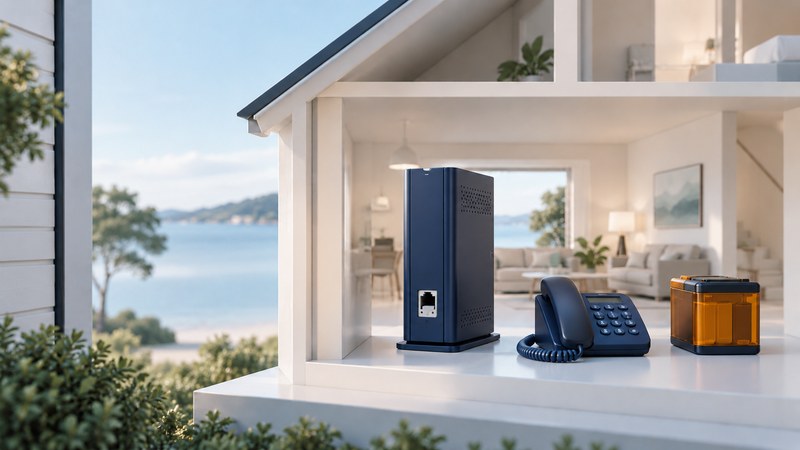
A voice-capable cable modem may include an embedded multimedia terminal adapter, often called an eMTA, which supplies the telephone interface. Other arrangements use separate or integrated gateways. Ask the provider which device and port serve each number and who owns provisioning and firmware updates.
Swipe horizontally, or focus the table and use the arrow keys.
| Item | Record | Why it helps |
|---|---|---|
| Voice account | Provider, service address and intended numbers | Separates telephone activation from internet service |
| Modem or adapter | Exact model, rental/ownership and designated voice port | Finds the applicable manual and approved replacement |
| Telephone | Corded handset or powered cordless base | Identifies another power dependency |
| Backup arrangement | Approved model, supported loads and maintenance instructions | Defines what remains powered and for how long under stated conditions |
| Special devices | Alarm or other equipment using the line, with its support contact | Prompts a compatibility check before service changes |
Keep account-security details separate from a card displayed by the phone. Do not connect a modem's telephone output to building wiring without the provider or a qualified installer confirming the installation and isolation from other services.
Trace every power dependency
A powered modem does not power a separate cordless base automatically. Likewise, household backup cannot keep failed equipment in the provider network operating. Document the handset, modem/adapter, any required intermediate equipment and the external network as separate dependencies.
Xfinity's voice backup guidance explicitly conditions service on network availability, calls for a telephone that does not depend on commercial power during an outage, and describes restrictions such as support for the primary number. Those details concern its specified equipment and service. Check the current instructions for your model rather than carrying a battery-duration claim to another installation.
Follow the manufacturer's testing, inspection and replacement process before an outage. Maintain an alternate way to call that suits the household's actual coverage and charging situation. Emergency calls can be affected by equipment, power and network failures; agree the provider's verification procedure without placing an unarranged emergency test call.
Describe the fault in separate observations
- Record when the problem began, whether power is present, and whether one or all phones are affected.
- Read the provider's outage status using an available connection. Save the incident reference if one exists.
- Observe the modem's named indicators and report them using the exact model's manual.
- Distinguish dial tone, outgoing completion, incoming ringing and audio in each direction.
- Use the provider's prescribed local handset test or restart procedure. Preserve special-device dependencies and avoid a factory reset unless support explicitly directs it.
- After recovery, test incoming and outgoing calls with an agreed partner and check any affected special equipment with its service owner.
Treat replacements as service changes
Before buying a replacement modem, verify support for the exact voice service as well as broadband. Ask about activation, telephone-port assignment, number availability and backup compatibility. Keep the old working arrangement available until the provider's change and acceptance process is complete.
Xfinity's alarm-system guidance calls for checking compatibility with the alarm provider and does not promise support for every system. Apply the same evidence-based approach to any device that relies on the line: ask its responsible supplier to test the intended service.
Use the cable-voice information card to prepare before a fault. For broader home-number transfer and continuity planning, read Residential VoIP.