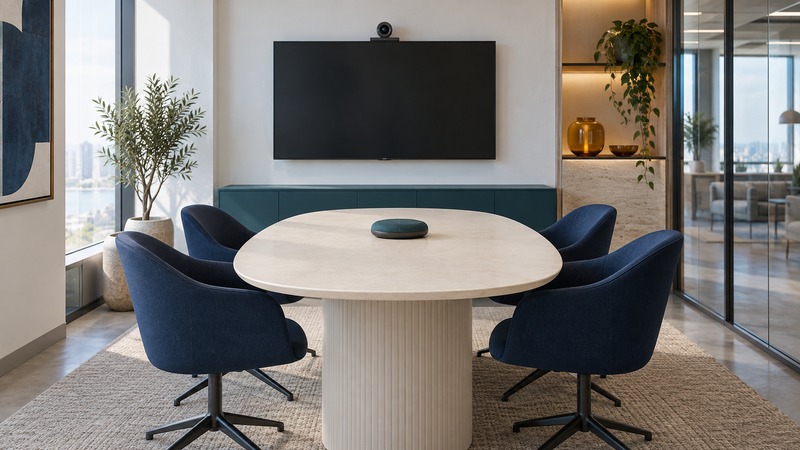
A useful meeting-room system lets people join promptly, understand every speaker, read shared material, and participate from either end of the call. Start with the room and its meetings, then test the complete setup before buying or deploying it widely.
Inventory the room and the meetings
Record room dimensions, seating positions, usual and maximum attendance, display locations, light sources, background noise, power, and network access. Identify the meeting services used by your organization and its customers. List whether meetings need whiteboards, shared video, captions, interpretation, or confidential discussion.
Microsoft's Teams Rooms planning guidance starts with room inventory, capability planning, device selection, site readiness, accounts, and ongoing operation. It also highlights echo and background noise. Use its product-specific requirements when deploying Teams Rooms; other platforms have their own supported hardware, accounts, and licenses.
Assign ownership for updates, room accounts, calendar booking, accessories, support, and staff orientation. Include that work in the cost comparison alongside equipment and any recurring service charges.
Compare two operating arrangements
On a small screen, scroll the table sideways to read all columns.
| Arrangement | Useful characteristics | Questions for a trial |
|---|---|---|
| Dedicated room system | A shared console and managed room configuration can provide a consistent starting point | Can ordinary staff join the intended services, share content, and recover a failed call? |
| Bring-your-own laptop | Participants use their own meeting client with shared room peripherals | Do supported laptops, cables, adapters, permissions, and audio selections behave consistently? |
A room appliance may also support a laptop mode, but that capability depends on the actual device and connection. Demonstrate the intended mode with the exact equipment. Check how camera, microphone, speakers, and sharing transfer between modes and how the room returns to its normal state.
Verify cross-platform meeting behavior directly. A join link that opens successfully may still offer different sharing, layout, caption, or control features. Base the decision on the meetings your team actually runs.
Make the far end part of the test
Ask a colleague outside the room to join from a normal remote setup. Have someone speak naturally from every seat, turn toward another person, and ask a follow-up while the remote colleague is speaking. Ask the remote listener to identify muffled speech, clipping, echo, or distracting noise.
Check microphone selection and coverage, speaker level, room noise, and the installed acoustic conditions before assuming the camera is the issue. Follow the equipment maker's supported placement guidance. Avoid adding several active microphone-and-speaker paths in the same room without a supported configuration, since the call may become difficult to hear.
Test with doors and ventilation in their normal operating state. Record the seat and condition where a problem occurs so changes can be compared on the next call.
Check framing, shared content, and participation
Seat people where they actually work and inspect the far-end view. Confirm that faces remain visible, lighting is usable, and any automatic framing behaves acceptably when people move or use a board. Then share the documents participants really use: a spreadsheet, a slide, a browser window, and video with sound if needed.
Read the shared material from the furthest seat and the remote screen. Adjust the document's presentation or the room arrangement when important detail is too small. A nominal camera or display resolution alone does not establish legibility.
The W3C accessible-events checklist addresses accessible materials, remote platforms, captions, and participant activities. Ask about access needs before the meeting and test the required features. Explain recording and transcription arrangements and apply the organization's access and retention rules.
Accept the room using a repeatable call
Use the room acceptance checklist to record equipment, meeting modes, results, and owners for unresolved items. Include a reboot and another meeting after the room has been idle, then retest critical functions after major updates.
Plan purchases with the IT budget guide. For participatory workshops, see Audience Response Systems.