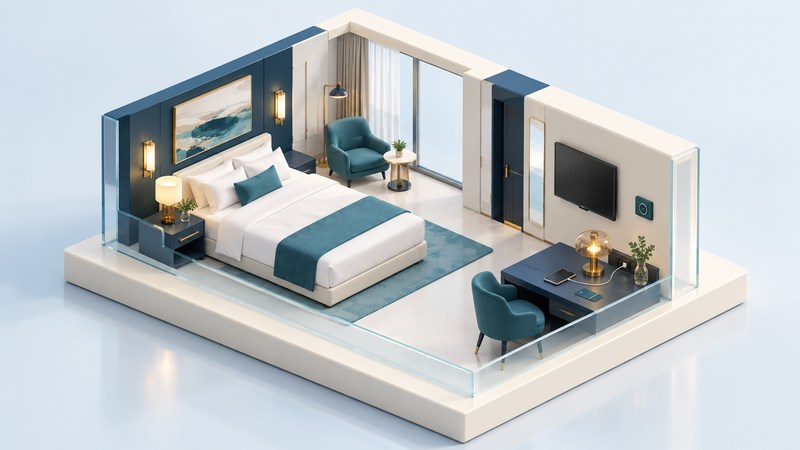
A smart hotel room works best when you can open the door, charge your devices, watch what you want and set the room comfortably without spending the first evening troubleshooting. Use this arrival-to-checkout routine to establish what works in your particular room.
Prepare before arrival
Hilton’s experimental Technology Room in 2005 brought entertainment and room controls together in a guestroom laboratory. Today, the useful question is which functions your booked hotel and room actually support. A brand’s app, a hotel’s television and your phone can each impose different requirements.
Install the hotel’s official app from its own website, sign in and attach the reservation while you have a reliable connection. Keep the confirmation available offline. Pack the charger and cables your devices require, plus the appropriate plug adapter for the destination. If room technology is essential for work or access, ask the property about that function before choosing a rate.
Make room access work for everyone
Hilton’s Digital Key instructions say to request the key through the Honors app, wait until the room is ready and the key arrives, then use the unlock button near an equipped lock. An identification stop at reception may still be required. A physical key remains available from the desk; request one if it makes your stay easier.
Test the door while someone remains inside, then test any lift or entrance you need. For companions, use the app’s supported sharing process. Hilton currently allows sharing with up to four companions who each use an Honors account and app; its sharing guide also explains how to revoke access. Send the invitation to the intended person instead of sharing your account password.
Keep enough phone charge for the return journey. If a key stops working after a room move or phone replacement, contact reception with the reservation holder present. Tell staff which door fails and whether the app shows a delivered key; that is more useful than repeatedly retrying every setting.
Connect to the room’s screen
Start with the television’s own welcome menu and the hotel’s instructions. For a compatible hotel AirPlay system, Apple describes scanning the TV’s on-screen QR code and following the connection prompts. Availability varies by hotel and region. Other casting systems have their own pairing process.
- Check that the on-screen room or device identifier matches your room.
- Complete the hotel Wi-Fi sign-in, then try one supported app and a short clip.
- If video works on your phone but fails on the TV, record the app name and error. Content restrictions or compatibility may be involved.
- Ask staff for the supported method before unplugging hotel equipment or changing hidden TV settings.
For network login problems, follow the hotel Wi-Fi troubleshooting guide. Downloaded entertainment on your own device makes a useful fallback when casting is unavailable.
Test comfort controls while help is available
On a narrow screen, scroll this table sideways. Keyboard users can focus it and use the arrow keys.
| Function | Try on arrival | Useful request if it fails |
|---|---|---|
| Lighting | Find the bedside and entrance switches; test the night setting. | Ask for the physical switch sequence or a staff demonstration. |
| Temperature | Set your preferred temperature and check that airflow starts. | Report the setting, room condition and any display message. |
| Curtains | Locate the open/close control and check privacy. | Request manual operation or assistance if the motor stalls. |
| Charging | Connect your own charger and confirm the device is charging. | Ask which outlets remain powered when you leave. |
If you need reachable switches, a tactile control, a conventional remote or a different alert method, describe the task you need to perform. Ask staff to demonstrate the available arrangement before unpacking fully. Room changes are easier to evaluate while your belongings are still together.
Leave with your accounts and equipment
Stop casting, sign out of any streaming account entered directly into the television, and check the screen for a guest reset option. If you cannot find it, ask staff to clear your session. Revoke unnecessary shared keys, complete checkout, and collect chargers from the desk, bedside and bathroom. Avoid photographing or posting working pairing codes.
Download the room technology checklist (plain text) for a reusable arrival and departure routine.
Related travel resources
- Aloft: check the features that matter to your stay
- Pack luggage and charging equipment for the journey
- Browse all travel guides
Researched and updated October 3, 2026. Check the linked official information for your dates, party and booking terms.