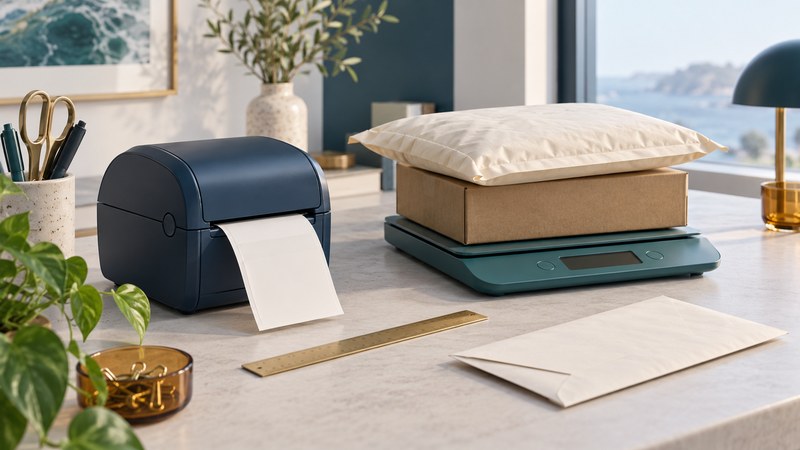
For Royal Mail postage today, start with the fully packed item: measure it, weigh it, choose the service, and arrange how the label and parcel will reach Royal Mail. Click & Drop provides the current online route. SmartStamp belongs to the earlier history of printing postage from an office computer.
This guide is for UK personal and small-office senders. It covers the preparation and checking process, with a domestic size example. International destinations, restricted contents and business-account products need the specific current rules shown by Royal Mail.
From desktop SmartStamp to current online postage
SmartStamp launched in January 2004 as a subscription service using desktop software, prepaid accounts and printed postage on envelopes or labels. The contemporary announcement from project partner Lockheed Martin describes that system. Those installation and account instructions are historical.
Royal Mail now identifies Click & Drop as its primary shipping solution. For an occasional item, follow its link to buy postage online. Regular senders can investigate an account for recurring addresses, orders and reporting. Start on the current official site instead of trying to reproduce a SmartStamp software setup.
The Click & Drop feature guide describes label creation, marketplace connections, address management and paperwork. Choose the simplest workflow that serves your volume. An occasional sender can prepare one item carefully; a seller importing orders should also verify each product's stored packed weight and dimensions.
Measure and weigh after packing
Pack the contents as they will travel, including protection, inserts and the envelope or box. Measure the outer length, width and greatest thickness, allowing for bulges. Weigh each completed item separately. A supplier's empty-box dimensions or the contents' net weight can produce the wrong result.
| Format | Maximum outer dimensions | Maximum weight |
|---|---|---|
| Letter | 240 × 165 × 5 mm | 100 g |
| Large Letter | 353 × 250 × 25 mm | 750 g |
| Small Parcel | 450 × 350 × 160 mm | 2 kg |
Source: Royal Mail's 1st and 2nd Class size specifications. The item must fit every applicable dimension and weight limit. These are format ceilings, not a price table; confirm the selected service, destination, contents and weight band in the current purchase flow.
For document mailings, the paper guide includes a way to estimate sheet mass. The final packed item still needs weighing.
Choose the service before paying
- Confirm the destination. Check the recipient's name, address and postcode against the order or their instructions. Include an appropriate return address.
- Enter the packed measurements. Select the matching format and weight. For international mail, follow the current destination, contents and customs questions.
- Compare the service details. Look at delivery aims or guarantees, tracking, signature options, compensation conditions and permitted contents. Choose features that match the task rather than a familiar service name alone.
- Choose printing and handover together. Establish whether you will print at home, use an eligible printing location or request a label with a supported collection option. Check that the chosen location accepts your service and format.
- Review the order. Recheck the address, service, weight, total charge and posting deadline, then retain the confirmation and reference.
Royal Mail's small-parcel guide describes printing and collection options. Available combinations differ; use the choices offered for your actual item. Keep current prices in the official purchase flow, where the destination and service can be taken into account.
Check the label before attaching it
Open the supplied label file and confirm that it belongs to the intended parcel. Follow the selected label format and printing instructions, then inspect the output for complete address text, barcode and edges. A clipped or faint print needs correcting before dispatch. Keep each label matched to its order while preparing several items.
For home printing, compare the PDF page size with the printer's paper or label size. Choose media compatible with the printer. For printing elsewhere, retain the supplied code and follow the selected location's instructions. A QR code provided for printing is part of that workflow; follow the service instructions about the label that must accompany the item.
Apply the correct label securely to a suitable visible surface and keep the barcode clear and flat. Check the address once more after labelling. Reprinting a damaged label for the same shipment is different from buying postage for another item; keep one valid shipment label with its matching parcel.
Plan the handover and the evidence
Use the drop-off or collection option specified for the purchase and meet its posting deadline. Decide beforehand what record you need: payment confirmation, posting evidence and delivery information serve different purposes. Buying a label establishes a purchase; it does not by itself show that the item was handed over.
Royal Mail's proof-of-postage guide explains that personal Click & Drop customers can enable a proof-of-postage document in label settings, while Online Business Account customers use manifest paperwork. Follow the handover and proof requirements for the service and retain the relevant receipt or confirmation with the order. Simply printing a form does not establish a physical handover.
For repeat sending, keep a small record with order reference, date, packed weight, format, service, handover method and evidence location. Store address records with appropriate access controls. This makes queries easier to trace without relying on memory.
Resolve a label problem before buying again
If a label appears to be missing, first check the order status and downloads folder. Save any on-screen error. Royal Mail's label troubleshooting guide recommends checking its service-status page, payment or account eligibility, package limits and PDF access. Those checks help distinguish an unsuccessful purchase from a successful purchase whose file has not opened.
If details are wrong or the posting deadline will be missed, use the current order help or contact Royal Mail for the appropriate correction, cancellation or refund route. Keep the original reference and avoid sending with a label whose details no longer match the item. Return to Office Supplies for related guides.