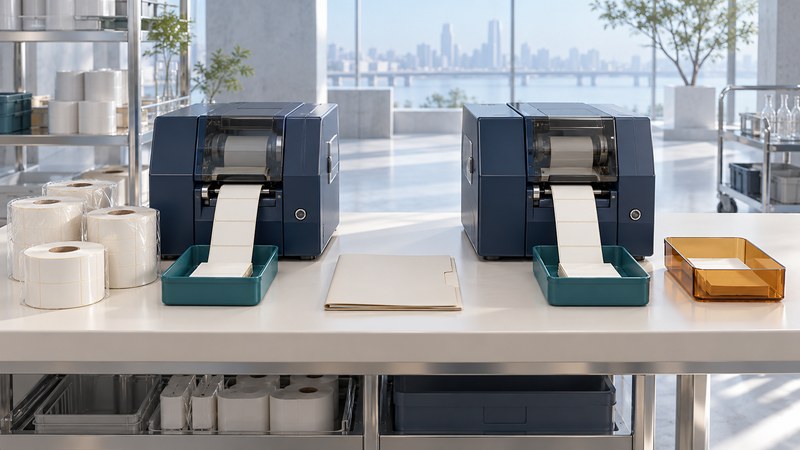
Moving RFID label printing into production requires a repeatable job definition and a way to account for every issued identity. A successful sample proves that one combination worked once. Production needs evidence across printers, media changes, restarts and ordinary operator recovery.
Treat the label as three linked outputs: the printed information, the encoded RFID identity and the record of the item receiving it. The release decision should verify that all three agree.
Define the controlled label job
Give each approved job a revision covering the template, data mapping, RFID encoding scheme, printer model/firmware, media/inlay construction, ribbon if used and application position. Keep an approved physical sample and a decoded expected-data sample. Identify who authorizes changes.
Printer setup is model-specific. Zebra’s ZT411/ZT421 RFID calibration guidance is one example of manufacturer-specific calibration instructions. Use the current manual for the actual model and media, and distinguish ordinary media sensing from RFID encoding calibration. Calibration helps establish settings; it does not verify the whole production workflow.
Test the label after it is applied to the real item. A label that reads well loose on a bench can behave differently against its packaging, contents or mounting surface. Save those product conditions with the approved job.
Qualify every production combination
On a small screen, scroll sideways to read all columns.
| Controlled element | Evidence to retain | Trigger to check again |
|---|---|---|
| Template and data mapping | Revision plus expected print and decoded fields | Layout, field source or encoding change. |
| Printer configuration | Model, firmware and exported settings | Replacement, reset or update. |
| Media construction | Supplier, inlay, dimensions and lot | Construction or supplier substitution. |
| Applied product | Placement and representative product variants | Packaging, contents or attachment change. |
| Output workflow | Accepted/rejected label handling and item association | New line, shift procedure or automation. |
Use representative jobs on each qualified combination. Include long identifiers, different products, normal pauses and a roll change. Record completed accepted labels per elapsed minute, rejected labels and operator intervention. Nominal print speed alone does not describe usable production throughput.
Allocate identities across devices
GS1 US’s serialization planning guide describes considerations for generating unique serialized identities. Establish one accountable allocation method for the relevant product scope: for example, a central service or controlled disjoint allocations to lines.
A printer reset must not restart a serial sequence that has already been used. Preserve issued, applied, rejected and uncertain states in the production record. For a reprint, establish whether the earlier physical label exists and how it will be controlled before allowing a second usable copy of the same item identity.
Separate calibration/test stock from saleable output. Ensure test identities and loose rejected tags cannot re-enter production unnoticed. Use your approved material-handling process to quarantine and dispose of rejected output.
Reconcile the job rather than its display counter
The accepted identity list should contain 500 distinct intended item identities, each associated with one item. Inspect the rejected and uncertain records too: numerical stock reconciliation cannot prove that the correct serial was attached to the correct product.
If the host loses a printer acknowledgment, stop automatic blind replay. Compare the issued identity, available physical output and recorded job state using the supported recovery process. Record the disposition before resuming.
Release a job that the next shift can repeat
- Load the controlled template, configuration and material combination.
- Run the agreed sample set and inspect printed data, decoded identity and applied-item performance.
- Exercise a roll change, pause, restart and one documented exception.
- Reconcile stock, accepted identities, rejected labels and item associations.
- Have a second operator reproduce the process from the work instruction.
Retain the result with its job revision and owners. Requalify the affected portion when changes occur, and investigate recurring voids or mismatches by job, printer and media lot. The goal is predictable accepted output with traceable exceptions.
Keep a working record
Download the editable smart label printer working record (plain text). Save a copy for each evaluation. It includes instructions, evidence fields and source links; record unresolved questions with their owner before signing off.
Related reading
- Encode and troubleshoot RFID labels
- Evaluate printer upgrades
- Choose the applied label construction
- All RFID guides
Researched and updated October 3, 2026. Recheck the relevant source documents when equipment, software or requirements change.