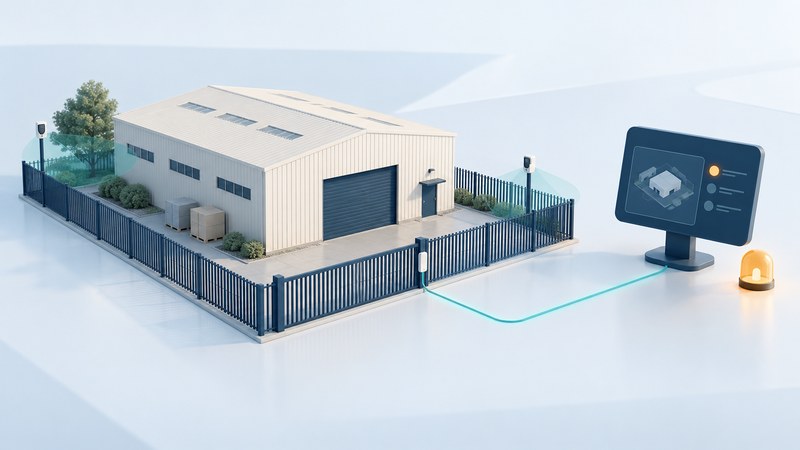
A perimeter sensor reports a condition that needs interpretation. A useful installation connects suitable coverage, reliable communications, event verification and a person who can act. Before comparing range claims, define the boundary, operating conditions and response that your facility actually needs.
Survey the site with the operator and installer
Describe each area by function: a staffed gate, delivery yard, fence boundary or building approach. Record operating hours, authorized activity, lighting, terrain, vegetation, weather exposure and available power and communications. Keep detailed layouts and weaknesses in a restricted project record.
The manufacturer's OPTEX sensor-selection guide (PDF) identifies environment, nuisance triggers, response and integration as selection inputs. It lists conditions such as rain, fog, snow, uneven ground, animals and vegetation. Use those as site-survey prompts; a product-family comparison is a starting point for an exact-model design.
| Approach | Useful question | Design or acceptance issue |
|---|---|---|
| Gate or door contact | Do we need to know whether this opening is closed? | Mechanical alignment, authorized opening periods and fault reporting |
| Photoelectric beam | Can a defined line be monitored between suitable mounting points? | Alignment, obstructions and the model's environmental limits |
| Passive infrared detector | Does the model's detection pattern fit this area? | Mounting, background conditions, movement and nuisance sources |
| Laser or other area sensing | Can configured zones represent the required boundary? | Site geometry, surfaces, weather and integration of zone events |
| Video-assisted verification | Can an operator interpret the alarm scene? | Lighting, usable view, timestamps and availability of the recording |
The table frames purchasing questions, not installation instructions. Ask the designer to explain why the proposed technology fits each zone and to supply the exact manual, mounting requirements and coverage limitations. Combining technologies is useful when their roles are clear; adding devices without assigning verification work can simply increase the event queue.
Define the alarm-to-response path
For each zone, specify the event label, destination, acknowledgment owner, verification method and escalation contact. Distinguish a detection event from a communications failure, tamper indication or power fault. The operator needs enough context to choose the appropriate action.
Agree on behavior outside staffed hours and during loss of the network, monitoring service or local power. Ask how faults become visible, which functions remain local, whether events queue for later delivery and how restored service is confirmed. Coordinate testing with the monitoring provider so an authorized acceptance exercise does not trigger an unintended dispatch.
Fictional example: a delivery-yard gate
A facility wants an alert when its gate remains open after scheduled deliveries. Its first draft calls for “motion detection at the gate.” The survey reveals frequent authorized vehicle movement. The team instead specifies the desired gate-state information, the permitted opening schedule and the supervisor's follow-up procedure; the installer then proposes suitable equipment and any complementary detection.
At acceptance, the team records a scheduled delivery, an agreed open-gate test and a supervised communication-fault test. Each result must reach the correct operator with the expected label. A sensor's local indicator alone would leave the response path untested.
Use repeatable acceptance checks
- Record the configuration: zone names, versions and approved settings, with access restricted to the project team.
- Demonstrate agreed events: have the installer run authorized tests using the manufacturer's procedure and relevant site conditions.
- Verify the operator view: check the location label, time, associated information and acknowledgment.
- Test approved failure scenarios: document the fault indication, responsible contact and recovery result.
- Record exceptions: identify the owner, proposed correction and retest evidence.
Choose acceptance criteria with the designer and operator before the work starts. Record the number and conditions of tests as well as their outcomes. A quiet afternoon demonstrates little about a site that has only been observed in dry daylight; plan follow-up checks for relevant seasonal or operating changes.
Investigate nuisance alarms without hiding problems
Keep an event log with zone, time, weather or activity, verification result and action taken. Separate confirmed authorized activity from sensor faults and events that could not be explained. Review whether repeat events correlate with vegetation growth, a moved object, changed lighting or a revised delivery pattern.
Have authorized maintainers review adjustments, document the reason and repeat the relevant acceptance checks. Indiscriminately reducing sensitivity or silencing a zone can remove the result the system was purchased to provide. Assign a repair owner and an interim response for a known fault.
Download the zone acceptance and nuisance-event record (editable text). Keep completed site details private.
Use the broader electronic security proposal guide to compare support, ownership and recurring service costs.