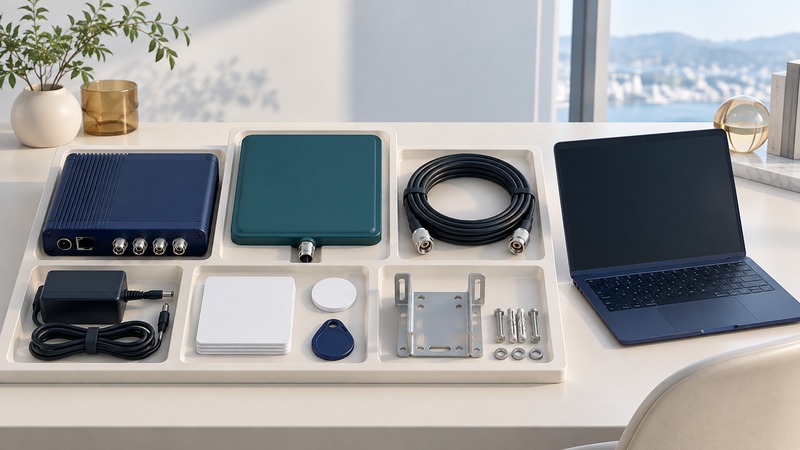
Buy RFID equipment as a working chain: a tag attached to the real object, a compatible radio path, a powered reader, supported software and an application that receives a useful result. A low price for one component tells little about the cost of completing that chain.
Begin with one task, one deployment region and representative objects. Specify whether you need identity reads, writing, sensor values or position information. This page provides a bill-of-materials method for equipment purchasing; site design and integration may require separate work.
Make compatibility explicit
Frequency family, air-interface protocol and regional radio configuration belong in the order. Record the supported tag chip/inlay and the reader functions you actually need. A connector that fits or a label that says RFID establishes only a small part of compatibility.
Use supplier documentation for exact part numbers. GS1 US’s solution-provider directory separates hardware, data encoding/labeling and data-management/application providers. These are useful sourcing categories. Establish which party is responsible for the complete demonstration, including gaps between suppliers.
On a small screen, scroll sideways to read all columns.
| Line item | Compatibility evidence | Common omission to resolve |
|---|---|---|
| Tags or labels | Protocol, regional performance, object material, attachment and environment. | Samples of the finished construction and encoded identifiers. |
| Reader | Exact model/region, ports, firmware, supported commands and SDK. | Power supply, licenses and support entitlement. |
| Antenna and RF path | Frequency, polarization, connector type, cable length/loss and approved configuration. | Correct connector variants, adapters and mounting. |
| Power and network | Supported input or PoE requirements, network connection and provisioning. | Injector/switch capacity, mains lead and network approval. |
| Software | Supported OS/runtime, API, data output, authentication and license terms. | Working example code, deployment rights and recurring fees. |
| Installation and support | Mounts, enclosure, environment rating and responsible installer. | Spares, configuration backup, returns and replacement lead time. |
Attach the BOM to the quote and ask the vendor to mark every supplied and customer-supplied item. Specify quantities and substitutes. A proposed substitute should carry its own compatibility evidence and acceptance requirement.
Order a pilot kit with an acceptance script
Define a small repeatable demonstration using your representative object and workflow. Include the physical arrangement, tag mounting, expected data, number of attempts and success criteria. Ask for a configuration export and setup instructions with the delivery. Keep the trial within the equipment’s approved regional configuration.
On receipt, match every part and revision to the packing list. Use the documented setup to establish a known-good read, then check the real object and application output. If writing is required, write controlled test data and verify it by reading it back. Keep production identities and permissions under the responsible owner’s process.
Compare the cost of a usable result
Use a common quantity, deployment period and service expectation. Add consumable tags, failed-label allowance if applicable, installation, integration, training, support, replacements and recurring software charges. Separate a one-time pilot from a production rollout. Record quote date, currency, tax and shipping treatment so later comparisons retain their meaning.
Clarify return conditions before ordering, especially for programmed tags, custom media, opened kits and installed software. Ask what evidence support needs for an intermittent failure. A vendor able to reproduce your small test case is easier to work with than one receiving only “sometimes misses tags.”
Keep a reproducible purchasing record
Retain the approved BOM, received serials, firmware, tag samples, configuration, setup instructions and acceptance results together. Give each unresolved issue an owner: reader vendor, media supplier, installer or application team. A functioning hardware demonstration and a functioning data integration should both have an acceptance record.
Recheck compatibility when substituting tags, changing region or upgrading firmware and software. The saved kit configuration becomes a reference for diagnosing later faults and ordering replacements. It also makes the next purchase faster because the team can explain exactly which part of the chain needs to change.
Keep a working record
Download the editable working record (plain text). It includes purpose, instructions, evidence fields and this guide's source links. Save a separate copy for each evaluation and record unresolved issues with their owner.
Related reading
Researched and updated September 20, 2026. Recheck source documents when equipment, software or applicable requirements change.