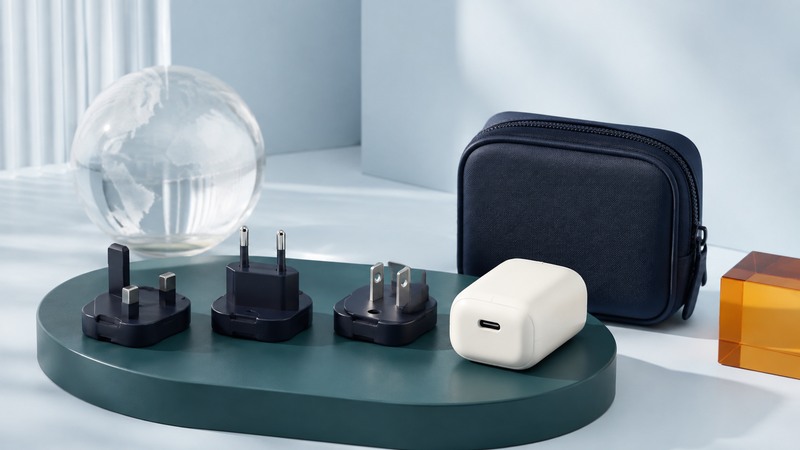
A travel plug adapter changes the physical connection. To power a device abroad, also match its input voltage, frequency, grounding requirements and load to the destination supply and the adapter’s instructions.
Bring the exact device or power-supply input label into the decision. A familiar USB connector, a socket that accepts the plug or a package labeled “universal” answers only part of the compatibility question.
Check the destination and the device together
- Identify the destination’s socket types, nominal voltage and frequency. Confirm unusual accommodation or ship arrangements with the operator.
- Read the input label on the equipment or its mains power supply. The USB or low-voltage output rating describes a different side of the device.
- Check whether the appliance requires an earth connection or is double-insulated. Use an adapter that preserves the required protection.
- Confirm the adapter’s voltage, current and power limits and any exclusions for heaters, motors or high-power appliances.
- Read the manufacturer’s instructions for both products before connecting them.
Electrical Safety First’s adapter guidance explains voltage, frequency, earthing and power-rating checks. Its regulatory references concern the UK; use applicable product requirements in the market where you buy and use the accessory.
Practice with three fictional input labels
On a narrow screen, scroll the table sideways. Keyboard users can focus the table region and use the arrow keys.
| Device input label | Interpretation | Decision |
|---|---|---|
| 100–240 V AC, 50/60 Hz | Both supply voltage and frequency fall within the stated range | Check physical plug, grounding and adapter ratings; voltage conversion is generally unnecessary for this input. |
| 120 V AC, 60 Hz only | The destination supply is outside the label | Do not connect through a simple adapter. Use a manufacturer-approved solution or a suitable local appliance. |
| 115/230 V selector | The device requires an explicit setting | Consult its manual and set it correctly while disconnected; verify frequency and all other requirements. |
Apply this method to the actual label and manufacturer documentation. If a label is unreadable or ambiguous, get the manufacturer’s specification. A converter changes voltage within its stated capability; it usually leaves the supply frequency unchanged. Motor-driven appliances and timing devices can therefore require additional compatibility checks. Electrical Safety First’s overseas-use guide discusses these distinctions.
Preserve grounding and respect ratings
A three-contact appliance may depend on protective earth. An adapter with a receiving hole for the ground pin can still lack a functioning earth path. Verify the accessory’s stated grounding design and the destination socket. Double-insulated equipment is commonly marked with one square inside another; read the manufacturer’s classification instead of inferring it from the number of visible pins alone.
Respect the lowest applicable limit across the adapter, socket arrangement and appliance instructions. A current rating must be interpreted at the stated voltage and for the supported load. Do not convert an adapter’s printed amps into a blanket permission for any appliance of the same calculated wattage. Avoid stacking adapters or defeating shutters, fuses or earth contacts. The public scope of IEC 60884-2-5:2017 identifies particular adapter requirements, including a warning against inserting one adapter into another; the relevant certification and local requirements still need checking for the product.
Treat USB charging as a separate compatibility check
A USB charger contains a power supply, while a passive mains adapter changes only the connection. Read the charger’s AC input label and then check its USB output capability for the phone, laptop or camera. Check available charging power as well as connector shape.
For example, a fictional laptop normally using a 65 W USB-C supply may charge slowly or fail to sustain a demanding workload on an 18 W port. Check the laptop’s accepted charging profiles, the charger’s single-port and shared-port ratings, and the cable specification. Keep the charger maker’s instructions available if multiple devices divide the advertised total power. The USB-IF Power Delivery overview explains negotiated power and compatibility between supported devices.
When practical, carry the equipment maker’s supported charger with the correct regional mains accessory. Keep high-power hair appliances and other difficult loads out of a small electronics adapter plan unless their makers explicitly support that combination.
Make a packing record you can reuse
Write one row per destination and device: supply, input range, plug/earth requirement, selected accessory and the document confirming compatibility. Include a backup charging method for essential communication. Buy from a reputable seller and inspect for loose pins, cracks, overheating or damage; discontinue use of a damaged accessory.
The downloadable checklist is a plain-text record you can fill in on a phone or laptop. Review it again when either the destination or equipment changes. For travel-independent power at home, UPS selection explains why voltage compatibility and battery runtime are separate checks.
Destination and device power checklist
Destination and device power checklist — plain-text download. Save a copy and fill it in with your own information. The file includes instructions, assumptions and references so it can be used independently.