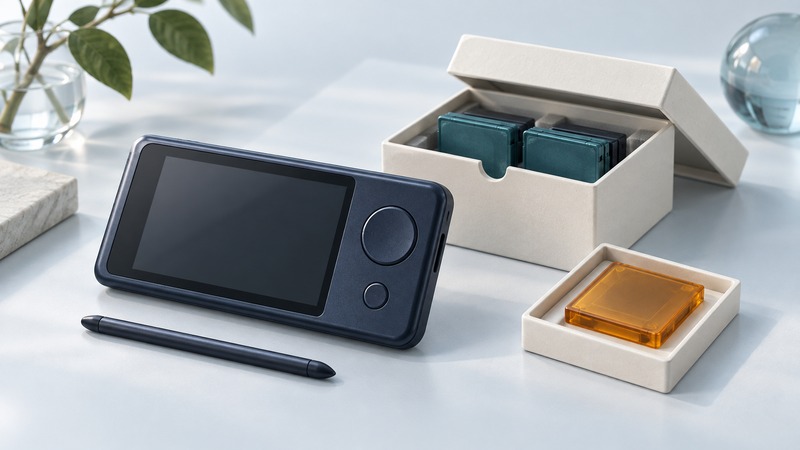
The Archos Pocket Media Assistant combined entertainment and personal computing in a handheld Linux device. A surviving PMA400 can be interesting hardware, but its most valuable contents may be recordings, photographs, documents or personal records that have outlasted the device's original software ecosystem.
Separate two goals: understanding the handheld and preserving the files. Successful playback on the old screen is useful evidence; a documented, verified copy that remains accessible elsewhere is the durable result.
See the handheld as a small computer
The original Archos PMA400 user guide, preserved by Manuzoid, describes video and music recording/playback, photos, personal information management, network applications and third-party software. Its Qtopia interface sat on Linux, bringing application-oriented computing to a portable media product.
The same manual distinguishes a USB host connection for compatible peripherals from a USB device connection that exposes the PMA400 to a computer as storage. That distinction matters during file preservation: identify the correct port and procedure from the manual for the exact unit.
This was a different balance from today's app-centered phones: local media, physical connections and a dedicated playback device shaped the experience. Its historical interest lies in that combination, rather than in treating every advertised function as a usable present-day service.
Decide whether ordinary file copying is appropriate
Record the device model, visible condition, what you want to preserve and whether the files already exist elsewhere. Locate the correct manual and power accessories before attempting a transfer. If the hardware or storage is unstable, repeatedly trying to boot or scan it can make recovery harder; use the Linux Data Recovery guide to plan around the condition of the media.
The workflow here assumes a functioning device that exposes readable files. It is not a disk-repair, battery-restoration or firmware-flashing procedure. If the computer asks to initialize, format or repair the device during connection, stop and reassess before approving a write.
Prepare a maintained host with enough separate storage for the source files and a working copy. Keep the handheld offline and avoid entering current account credentials into its old browser or mail software. File preservation ordinarily does not require making the historical network services work.
Copy first and record what happened
- Follow the model's documented storage-connection procedure. Confirm the source device and destination folder before starting.
- Copy accessible folders while preserving names and structure. Record errors, skipped files and timestamps that look implausible.
- Keep an initial copy unchanged. Make another copy for playback experiments, tagging or conversion.
- Record file counts, sizes and checksums where the source is stable enough to read reliably. Treat unreadable files as unresolved items.
- Close applications using the device and use the host's safe-eject procedure before disconnecting.
The Library of Congress personal digital-records guidance recommends organizing important files and keeping copies in separate places. Give your collection enough context to be understood: device, approximate recording dates, folder meaning, rights or privacy restrictions, and what was done during transfer.
A checksum identifies a particular sequence of bytes. Matching source and destination hashes supports a successful byte copy. A hash calculated only after copying establishes a baseline for later checks, but cannot prove that the earlier transfer was complete. Avoid extra full-device reads when the source is failing; prioritize recovery planning instead.
Identify the file format before converting it
A filename extension is a starting clue. A media container holds one or more streams, while a codec describes how a stream is encoded. Two files ending in .avi can need different decoders. Keep the original file while investigating a playback failure.
On a maintained computer with FFmpeg installed, ffprobe can inspect a copied media file without transcoding it. This example uses a placeholder filename that you replace with a file in the working copy:
ffprobe -v error -show_format -show_streams -of json "copied-recording.avi"Record the reported container, audio and video codecs, duration and dimensions. Review errors as well as metadata. Successful probing reads structural information; it does not prove that every frame or sample decodes correctly. Play representative sections, and check the whole file when its value warrants that effort.
For a compatibility copy, choose a format supported by the intended playback software and verify sound, picture, duration and synchronization. Preserve the source separately. Transcoding creates a new derivative and may change quality or metadata; a new file that opens is only the first check.
Keep an honest preservation result
Check contacts, calendar entries and other application data separately from media. A folder copy can preserve bytes while leaving their structure dependent on an old application. Keep the original data and document any export that produces a more accessible representation; inspect fields and dates after import.
Finish with two usable copies in separate locations, an inventory and a short note about unresolved files. Recheck readability when moving storage or changing playback software. The device then becomes one part of a documented collection, rather than its only access point.
Keep a working record
Download the pocket media preservation record (plain text). Save a copy and fill in the evidence for your own task.