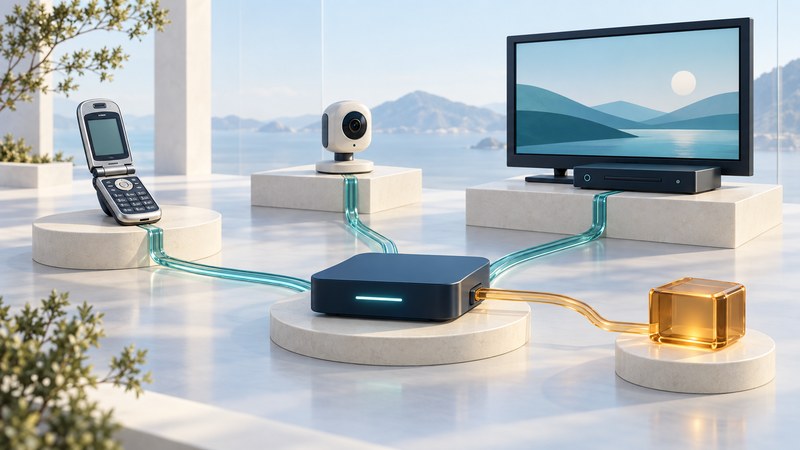
A connected television, camera or phone works through a chain of hardware, network protocols, applications and services. Panasonic’s multimedia vision around ITU Telecom World 2003 is a useful starting point for understanding that chain—and for deciding which functions of an older device remain usable.
For owners, collectors and readers of technology history, the practical outcome is a dependency map: what the device can do locally, what requires another compatible device, and what relies on an external provider.
Read the 2003 vision in its period
ITU’s event announcement places Telecom World 2003 in Geneva on October 12–18. Yenra’s original coverage described Panasonic’s business, mobile and home-networking exhibits, including IPv6 communications, networked office devices and television information services.
The enduring idea was a shared communications infrastructure across everyday equipment. Each application still needed its own endpoints, software and operating conditions. An exhibition announcement is evidence of what was presented or proposed at that time; present usability needs model-specific documentation and a current check.
Panasonic’s 2003 T navi manual for the Japanese TH-32LX20 and TH-26LX20 televisions provides a concrete example of television information services with connection and setup requirements. Use it as historical documentation for those models. A surviving manual establishes how a feature was designed, while service availability must be checked separately.
Separate the network from the application
On a narrow screen, focus this table and use the arrow keys, or swipe, to scroll.
| Layer | What must work | Example question |
|---|---|---|
| Physical connection | A supported local wired or wireless connection | Does the device connect through the interface its manual specifies? |
| IP communication | Addressing and a permitted route to the endpoint | Do both sides support the required IP version and network scope? |
| Discovery and naming | A way to locate the intended device or service | Is discovery local, manually configured or supplied by a remote directory? |
| Application and content | Compatible protocols, formats and authorization | Can this player interpret this server’s response and media format? |
| External service | An available provider, account and supported client | Does the provider still support this model, region and feature? |
The IPv6 specification, RFC 8200, defines the network-layer packet format and expanded 128-bit addressing. Those capabilities let implementations carry traffic across compatible networks. Playback formats, device-control commands and account access belong to additional layers that must also agree.
ENUM, discussed in the original office-communications coverage, maps telephone-number information into application identifiers using DNS. RFC 6116 documents that mapping. A discovered identifier still needs a reachable destination and a compatible application. That is a helpful general distinction between locating a service and successfully using it.
Build a map for one real feature
- Name the task precisely: for example, play one locally stored video on a television, view a camera on a local screen, or open a television information service.
- Identify the devices: record exact models, region, firmware and manuals. Separate a built-in function from an optional accessory.
- Draw the path in words: source → server or service → network → player → display/audio. For each arrow, name the documented protocol or connection.
- Mark external dependencies: include accounts, activation, naming, catalog services, content authorization and software downloads. A local source can still depend on a remote sign-in.
- Test one representative item: record the format, result and error message. Use supported controls to test which functions remain available when an external dependency is absent.
- Choose a next step: retain a working local function, add a supported external player, preserve accessible files or retire a service-dependent feature.
Keep the original media and settings before making changes. For older devices, use an isolated test network appropriate to their support status. Review router rules and the exact manual before granting access. RFC 6092’s residential IPv6 security guidance treats filtering unsolicited inbound traffic as an explicit router function; address availability alone supplies no access policy.
Worked example: a working screen with an unavailable portal
The same method applies to a camera whose local view works while remote viewing fails, or to a phone that displays saved photos while its original network service is unavailable. Each result belongs to the specific path tested.
Preserve useful function and an understandable record
Save the device identity, manual, settings notes and the files you can legitimately export. Record which checks succeeded, the date and the software involved. Avoid storing passwords in the worksheet; name the account or credential location without copying secrets.
For a replacement, compare the task you need and its dependencies: local playback, supported formats, update support, export options and behavior during a service interruption. This keeps the 2003 vision useful as a systems lesson while giving an owner a practical decision about their actual equipment.
Keep a working record
Download the editable text worksheet. Save a copy and complete it for one source, interface or feature. It includes instructions, units where relevant, source references and space to record unresolved evidence.