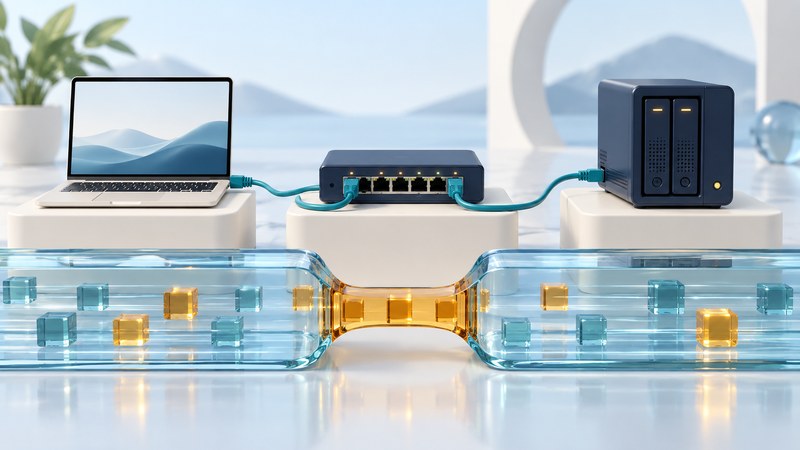
A multi-gigabit upgrade pays off when a useful workload is limited by the network and the complete path can support a higher rate. Start with the transfer you want to improve, then inspect ports, cables, routing, storage and software before buying equipment.
Draw the actual transfer path
For a local backup, draw computer → Ethernet adapter → switch → storage server → disks. The Internet plan may play no part in that transfer. For a cloud upload, add the router, access connection, provider route and remote service. A device's fastest advertised port matters only when that port is actually in use.
Record the supported and negotiated rates at both ends of each cable. Include USB or Thunderbolt adapter limits, switch uplinks and the router's WAN and LAN ports. A switch with many fast access ports can still concentrate traffic onto a slower uplink. Its total switching capacity and a single transfer's path are separate constraints.
Multi-gigabit copper Ethernet commonly refers to intermediate rates such as 2.5 and 5 Gb/s, alongside 1 and 10 Gb/s. Cisco's multigigabit overview describes using higher rates with existing copper infrastructure. Confirm the exact supported rates on both devices; a port marked 10G does not by itself establish every intermediate rate.
Translate link rates into useful expectations
| Nominal rate | Decimal MB/s equivalent | How to use it |
|---|---|---|
| 1 Gb/s | 125 MB/s | A raw ceiling, above application file throughput |
| 2.5 Gb/s | 312.5 MB/s | Check storage and adapter capacity too |
| 5 Gb/s | 625 MB/s | Verify every port and cable in the path |
| 10 Gb/s | 1,250 MB/s | Endpoint processing and storage may dominate |
The conversion divides bits per second by eight; these decimal units differ from binary MiB/s. Framing, protocol overhead, acknowledgments and application behavior reduce useful transfer rates. A negotiated link rate is a physical-link result, not a promise about a file copy.
Check the installed channel
Read the equipment's cabling requirements for the desired rate and distance. Include patch leads, connectors, patch panels and the permanent run. Cable category printed on one lead does not certify the whole channel. For new 10GBASE-T installations, a properly designed Cat6A channel is a common choice; verify the applicable distance and installation requirements.
Existing cable may support an intermediate rate even when the highest rate is unreliable. Use device counters and a qualified cabling test where appropriate. Replacing a damaged patch lead is a different decision from replacing permanent wiring. For optical or direct-attach links, match the port type, transceiver or cable compatibility, fiber type and reach to the actual equipment documentation.
Separate network and storage tests
- Save the current configuration and record the negotiated rates.
- Use two capable wired endpoints on a network you administer. Pause unrelated heavy traffic for a baseline.
- Measure network throughput in both directions, then repeat a representative file transfer.
- Watch CPU, storage activity, retransmissions and interface errors while testing.
- Change one limiting component and repeat the same workload.
For an administered test network, ESnet's iperf3 documentation describes a server and client test. On the test server, run iperf3 -s. On the client, replace SERVER_LAN_IP with that server's actual LAN address:
iperf3 -c SERVER_LAN_IP -t 20
iperf3 -c SERVER_LAN_IP -t 20 -R
Permit the test only on the intended private network, then stop the server and remove temporary firewall permissions. Keep software versions and output with the record. These commands generate load; schedule them away from work that needs steady service. Begin with default MTU and supported settings before experimenting with advanced tuning.
Download the network path and measurement worksheet. If the limiting path is the access service, use the Internet-plan guide; for a new fiber installation, see the acceptance checks.
Explore the Internet library
Internet: Connections, Networks and Online Life brings together connection choices, network explanations, travel connectivity and Internet history.