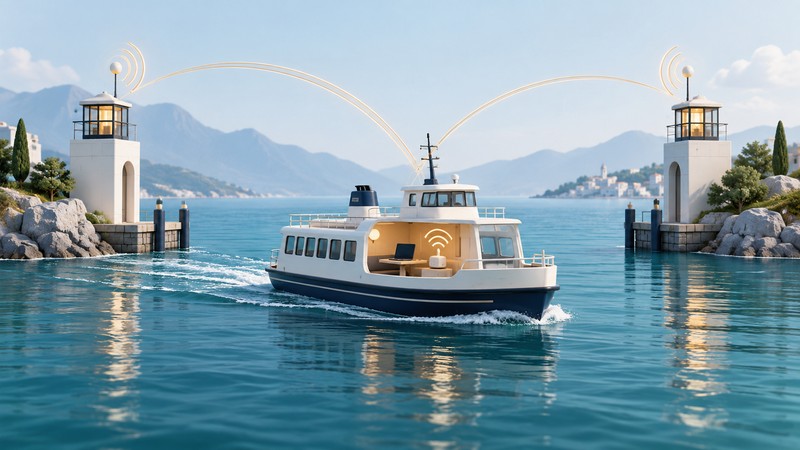
Internet on a moving vessel has two parts: the Wi-Fi connection inside the boat and the upstream link that carries traffic ashore or through a satellite service. A device can remain connected to the onboard network while internet access changes or disappears.
For passengers and trip planners, the useful questions are whether the assigned vessel offers service, what access is included and which tasks can tolerate an interruption. Operators need a separate engineered design and route trial; this guide is not installation or navigation guidance.
Trace the connection beyond the cabin
The passenger's phone or laptop connects to an onboard access point. The vessel's gateway then uses whatever upstream service the operator has installed and activated. Depending on that design, it may use shore radio links, cellular networks, satellite service or a combination.
Movement changes the geometry of a shore link. Vessel structure and the passenger's location also affect the local Wi-Fi connection. Shared capacity and changing upstream conditions mean that an internet task can struggle even when the nearby access point remains reachable.
On a narrow screen, scroll sideways. Keyboard: focus the table and use the arrow keys.
| Observation | What it tells you | What to check next |
|---|---|---|
| Wi-Fi name is visible | An access point is advertising nearby. | Confirm it is the operator's passenger network. |
| Device shows connected | The device joined the local network. | Complete any portal and load an ordinary site. |
| Portal loads but sites fail | A local service may be reachable. | Ask about upstream service status or access entitlement. |
| Internet works at the terminal | The path works at that place and time. | Prepare for conditions during the crossing. |
| A task stops mid-crossing | The end-to-end session was interrupted. | Check the destination result before resubmitting. |
Confirm the service for the actual sailing
Check the operator's passenger information and current notices close to departure. Ask whether access is available on the assigned vessel and route, whether the terminal uses a separate service, and whether a ticket, account or purchase is required. Vessel substitutions can change amenities.
Washington State Ferries illustrates why dated information matters. Its December 2025 Wi-Fi pilot report proposed a limited trial at Bremerton and aboard M/V Chimacum. A plan identifies intended testing, rather than confirming availability for every sailing.
At the September 12, 2026 check, WSF's first-time rider page says it offers no public Wi-Fi, while an August 13 community-meeting announcement mentions expanded onboard Wi-Fi. Those pages do not resolve service for an individual departure. Confirm with WSF before relying on it, and use the current ferry information hub for route and vessel updates.
Choose tasks that can survive the crossing
- Download before boarding. Save documents, permitted tickets and other trip information in the form the operator accepts. Verify that offline copies actually open.
- Complete time-critical transfers ashore. Leave enough time to check the receiving system's confirmation.
- Prepare offline work. Know whether edits save locally, how pending uploads appear and how conflicts are handled.
- Budget battery and data. A phone hotspot needs its own coverage and plan. Confirm roaming terms for the route if relevant.
- Resume deliberately. After a disconnection, check the remote result before repeating a submission or payment.
Fictional crossing: a commuter downloads a report before boarding, edits a local copy during the trip and uploads after arrival. The report is accepted only after the destination shows the correct version. The plan remains useful even if the onboard network is unavailable throughout the crossing.
Evaluate a service over the route
For an operator's passenger-service trial, record the vessel, route segment, passenger load, local Wi-Fi quality and upstream state separately. Test new sign-ins as well as existing sessions through departure, travel and arrival. Include reconnection time and completion of ordinary tasks.
Keep passenger access separate from operational systems through the approved design and its verification process. Any physical installation, antenna arrangement or changes to vessel systems require the operator's qualified engineering process. For the passenger, a confirmed offline fallback remains the most useful preparation for a variable connection.
For stationary shore access, use the marina Wi-Fi guide. For voyage packages and onboard calling, see cruise ship internet. The offline-work guide explains pending records and recovery.