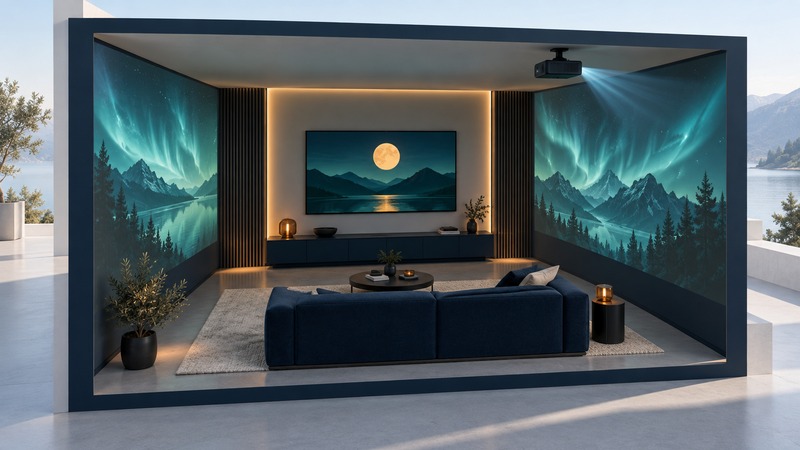
LG’s Cinema House brought a television demonstration into a temporary living-room setting, then expanded the experience onto the surrounding walls. The 2017–2018 roadshow is a useful example of how display technology, sound, content, and event production can work together—and why a memorable demonstration deserves a closer look at what each part actually did.
A traveling home-entertainment demonstration
LG announced the Cinema House on October 12, 2017, presenting OLED 4K television alongside Dolby Vision HDR and Dolby Atmos audio. Its original roadshow announcement identified the LG SIGNATURE OLED W-series, marketed as Wallpaper TV, and featured clips from Netflix’s Okja, The Defenders, and Stranger Things 2.
The event placed recognizable entertainment inside a carefully prepared viewing environment. The selection of content and the room’s presentation were part of the demonstration itself. LG’s release is a record of what the company promoted in 2017; its superlatives are marketing claims rather than comparative test results.
Participant Igloo Vision’s case study dates the touring experience to 2017 and 2018, beginning in New York and reaching other US cities, including Los Angeles and Chicago. This was a historical roadshow, with an event-specific installation and program.
The room added a second layer
Igloo describes a 20-by-20-foot structure made from two shipping containers, with six visitors seated on a couch. The room dimmed for a television reel, followed by an immersive 360-degree presentation extending imagery onto the walls through Igloo Shared VR.
That sequence matters when interpreting the event. The TV supplied the image within its screen; the surrounding experience used an additional display environment. The impression of a story filling the room came from the combined installation. Purchasing the television alone would not reproduce that wall-spanning presentation.
Igloo’s account helps explain the production because it comes from a participant. It does not establish how the television ranked against alternatives or how viewers would experience it in an ordinary home. Those questions require different evidence and conditions.
Four technologies with different jobs
OLED describes how a display produces light. 4K describes image resolution. Dolby Vision concerns HDR picture presentation, while Dolby Atmos concerns sound. Keeping those roles separate makes both the event and a modern showroom easier to understand.
Scroll horizontally to read every column.
| Part | What it does | A useful viewing question |
|---|---|---|
| OLED display | Produces light at the pixels, with control over dark and bright areas. | How does the picture look with room reflections and from the seats you use? |
| 4K UHD resolution | Provides a 3840 × 2160 pixel image in the W7 television specification. | What is the source resolution, and how does detail look at your viewing distance? |
| Dolby Vision HDR | Uses picture metadata to help adapt mastered content to a compatible display. | Is the selected program actually playing in the intended HDR format? |
| Dolby Atmos audio | Uses sound and spatial information that compatible playback equipment renders for its setup. | Which speakers or sound system are producing the effect you hear? |
| Immersive event environment | Extends the presentation beyond the television through a separate room installation. | Which effects depend on equipment beyond the product being demonstrated? |
LG’s 77-inch W7T specification sheet documents the OLED panel and UHD resolution for that Australian model. It is useful technical context for the W7 family, not proof of the exact size or regional unit used at every roadshow stop.
Dolby’s explanation of Vision describes dynamic metadata mapping the picture to display capabilities. Its Atmos home-theater paper explains spatial metadata and rendering for the available speakers. These are different processing tasks. A resolution figure alone says little about either HDR handling or sound reproduction.
Turn a showroom impression into useful observations
A demonstration can help you decide what you enjoy. To use it for a buying decision, ask for the conditions that made the experience possible. Start with a short set of questions:
- Identify the complete setup. Record the exact display, audio equipment, source device, and any external effects. Ask which items are included in the quoted purchase.
- Identify the content. Ask for the title, source, resolution, and active picture and sound formats. Request a familiar scene as well as the prepared reel.
- Try your likely conditions. Sit at a realistic distance, look from an off-center seat, and examine the screen with room lighting closer to yours.
- Listen for ordinary use. Alongside dramatic effects, try quiet dialogue at a comfortable volume. Ask where the sound is coming from.
- Write the observation and its limit. “I could follow dialogue from the side seat” is a useful observation. It still needs the equipment, volume, and room conditions attached.
Check the complete playback path
Dolby’s home-entertainment setup guide asks readers to check support across equipment, player, distribution service, and content. Apply that principle to the exact models and services you intend to use. A logo on one device is only one part of the playback path.
Use the Home Theater guide for room planning, connections, and sound setup. The enduring lesson of Cinema House is to separate the screen, the source, the sound system, and the room. That makes a demonstration more informative and a home setup easier to plan.