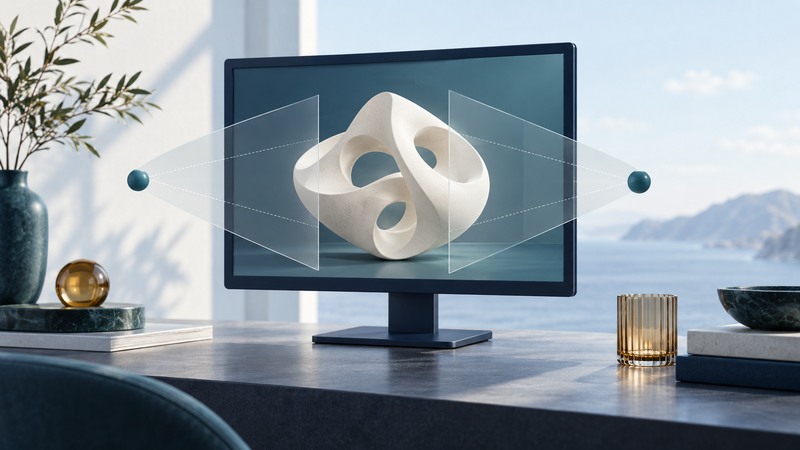
Choose a glasses-free 3D monitor by testing the intended content from the intended viewing positions. A striking demonstration establishes what one display can show under those conditions. Your decision also depends on audience size, content preparation, readability, and how the installation works when the 3D effect is unavailable.
Identify how this model delivers different views
Glasses-free 3D displays direct different images toward the eyes to create a depth impression. Implementations differ. Sony’s ELF-SR1 description explains an eye-position sensor, rendering for each eye, and an optical layer over an LCD. That makes tracking and the viewer’s position relevant to a demonstration.
Looking Glass describes its light-field approach as producing multiple views simultaneously for multiple viewers without eye tracking. These are examples of different approaches, not evidence that every model supports the same audience or viewing space. Check the exact display’s documentation and test its specified viewing area.
The SynthaGram 204 belongs to the early-2000s history of glasses-free desktop LCD displays and their proposed retail and trade-show uses. Contemporary product choices need contemporary model and software evidence; historical price and resolution claims provide little help with a present installation.
Bring content that represents the actual job
Choose one task: recognize a product shape, inspect a spatial relationship, or understand a short exhibit. Bring a representative model or scene, including any labels that people need to read. Ask the supplier to explain preparation steps, supported formats, required software, and the computer or playback system used.
Keep a 2D version of the same content for comparison. Record conversion time and manual adjustments. If a demonstration uses specially prepared media, ask to repeat it with your material before making assumptions about the daily publishing workflow.
On narrow screens, scroll horizontally. Keyboard users can focus the table region and use the arrow keys.
| Test | Observe | Decision it informs |
|---|---|---|
| One intended viewer | Clarity and depth while moving naturally | Suitability for an individual workstation |
| The intended group | What each person sees from their actual position | Suitability for a counter or exhibit |
| Fine details and labels | Readable content at the expected distance | Whether the task can be completed |
| Typical room lighting | Reflections, visibility and position constraints | Installation placement |
| 2D fallback | Access to the same essential explanation | Continuity when 3D cannot be used |
Separate the display panel’s stated resolution from observed detail in the 3D view. Record what participants can actually identify. A model’s specifications and a task demonstration provide complementary evidence.
Run the demonstration from the audience’s position
- Document the setup. Record model, software, content version, lighting, viewing distance and any tracking or calibration step.
- Try the normal approach. Have a viewer sit or walk up as they would during use. Record how much instruction is required.
- Test the task. Ask a concrete question about the model. Note the answer and any unreadable labels or confusing depth.
- Change position. Stay within the documented range and examine how the view changes. For a group installation, repeat with the intended number of people.
- Compare the fallback. Confirm that essential information remains understandable in 2D and provide an alternate viewing option when needed.
Let participants stop if viewing is uncomfortable. Record usability feedback individually so one enthusiastic observer does not stand in for the whole audience.
Interpret a fictional exhibit test
Include preparation and operation in the choice
Compare content preparation effort, required hardware, installation space, operator training, support, and the cost of keeping the fallback available. Confirm current software compatibility and product support with the supplier for the exact model.
Use the display demonstration worksheet to preserve the conditions and observations. A useful acceptance record states which content worked, for which audience, from which positions, and what remains unresolved.