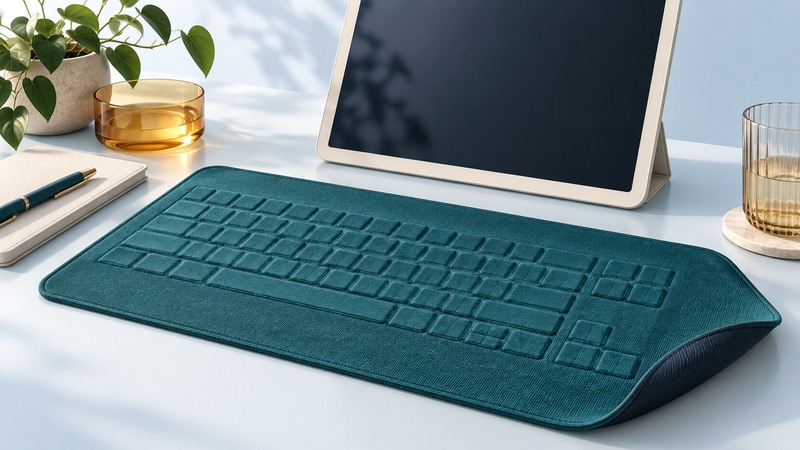
A fabric keyboard places input sensing in a flexible surface. Its value depends on the task: portability, integration into a cover or garment, and ease of packing may matter alongside typing speed and feedback. Evaluate the actual sensing assembly, controller and connection as one device, using the surfaces and gestures the user will encounter.
Use ElekTex as a historical example
The Museum of Modern Art collection record for the 2000 ElekTex keyboard credits Sam Hecht, David Sandbach and Chris Chapman and identifies Electrotextiles, later ElekSen, as manufacturer. The museum describes a pressure-formed construction using ElekTex, foam and silicone rubber, with infrared transmission. That record documents a particular design; it should not be generalized to every later fabric keyboard.
A later manufacturer filing for the ElekTex ETP01200 user manual provides a separate product reference. Model-specific documentation is the place to establish connection, setup and handling instructions. Similar fabric surfaces can belong to products with different electronics and host requirements.
Understand what a textile sensor must distinguish
The textile sensing construction described in US6714117B2 uses conductive layers and an intermediate structure whose electrical behavior changes under pressure. Such a construction provides a way to detect contact through a flexible assembly. A patent describes proposed implementations. Establish a commercial product’s construction from its own documentation.
A keyboard controller must turn sensor information into deliberate key events. It has to distinguish a press from a resting hand, a fold, vibration or repeated pressure. The printed key outline helps a person aim, but it does not prove the sensing boundary or the handling of simultaneous presses. Evaluate the finished keyboard with its intended software.
On narrow screens, focus the table and use the arrow keys or swipe to see every column.
| Test | What to observe | Why it affects the task |
|---|---|---|
| Single keys and repeated letters | Missed, doubled or adjacent key events | Basic accuracy may change with pressure and technique. |
| Modifiers and shortcuts | Shift, Ctrl and required multi-key combinations | Text entry and application commands have different demands. |
| Supporting surface | Firm desk, intended lap support or fitted cover | Flex and uneven support can change the input experience. |
| Resting and carrying | Palm contact, movement and packed state | Unwanted input can occur outside deliberate typing. |
| Connection recovery | Wake, reconnect and return to the intended application | A portable workflow includes transitions as well as steady use. |
Measure a representative task
Choose a short task that resembles the intended use: entering a note, filling a form, controlling a presentation or executing shortcuts. Use the same text and application when comparing devices. Record completion time, corrections, missed presses, duplicated characters and accidental input. Note the supporting surface and whether the user watched the keys.
Ask how the user knows a key registered. A fabric surface may provide little mechanical travel; visible or audible feedback can change the experience, where the product supports it. Test in the actual setting, including lighting, sound restrictions and any need to work without looking down. Comfort during a two-minute demonstration does not establish comfort over a long session.
For controls integrated into clothing or a cover, include movements that occur naturally during use. Record unintended activations and whether a lock or disable function is available. A product may be well suited to occasional commands even if extended text entry is less comfortable.
Match handling and care to the exact product
Distinguish flexible from foldable, and foldable from washable. Conductive traces, cable exits, connectors and the controller may impose limits even when the visible surface looks like ordinary cloth. Use the manufacturer’s instructions for allowed folds, storage, cleaning, moisture and power disconnection. An undocumented wash cycle is an experiment, not routine care.
Inspect edges, creases and connector strain before and after the handling routine the product permits. Repeat the same key test and record changes. For a used historical item, identify missing controllers, receivers or cables before assuming the textile alone is a usable keyboard. Preserve its manual and record the host configuration that was actually tested.
Choose on evidence from the intended task: sufficient accuracy, usable feedback, supported connection, manageable packing and documented care. This approach also works for textile buttons and touch controls, where reliable intentional input may matter more than typing speed.