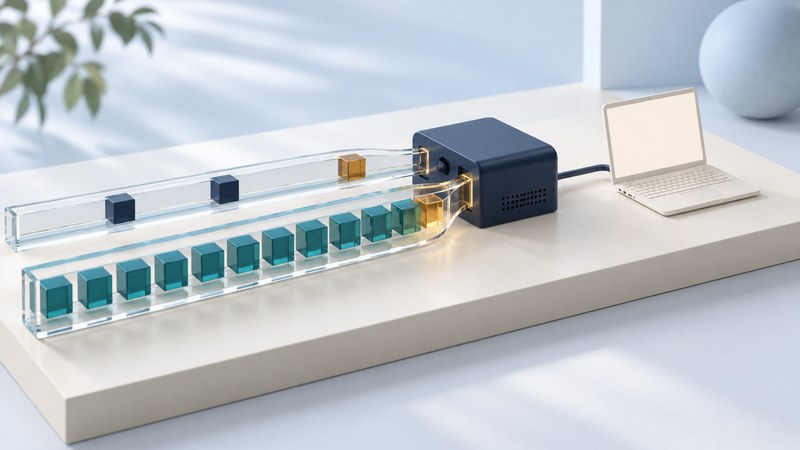
IPv6 is the Internet Protocol version with 128-bit addresses. It lets networks use a much larger address space and can operate alongside IPv4. To use it successfully, the device, local network, provider path and destination must all support the required connection.
Read an address and its scope
IPv6 writes hexadecimal groups separated by colons. A double colon compresses a run of zero groups and can appear once in an address. A prefix length after a slash identifies how many leading bits belong to the prefix. In documentation, 2001:db8:1200:1::25/64 is an illustrative address in a /64 prefix; it is not a public destination to test.
RFC 8200 defines IPv6, while RFC 4291 describes its address architecture and RFC 3849 reserves 2001:db8::/32 for documentation.
A link-local address, commonly beginning with fe80:, supports communication on the local link. Its presence alone establishes little about Internet service. Global addresses, a usable route and appropriate DNS answers are additional pieces. A device can have several IPv6 addresses with different purposes and lifetimes, including privacy-oriented temporary addresses.
Follow a dual-stack connection
With dual stack, a host can use both IPv4 and IPv6. DNS may offer an A record, an AAAA record or both. Applications can choose between available paths, so a working website can mask a problem on one protocol. Similarly, an AAAA record is a destination address record, not a measurement of your own route to that address.
On a typical home network, the router learns service information from the provider and supplies local configuration information, including router advertisements. The exact use of automatic addressing, DHCPv6 and prefix delegation depends on the provider and equipment. IPv6 Neighbor Discovery defines the router-advertisement mechanism. Follow the provider's settings for your router model instead of copying an unrelated network's prefix or tunnel configuration.
Check three layers separately
- Configuration: inspect the active interface for IPv6 addresses, gateway information and DNS configuration. Note whether you are using Ethernet, Wi-Fi or a VPN.
- Name information: query a known dual-stack destination for AAAA records. Save the name and timestamp; record an error as an observation.
- Reachability: use a provider-supported IPv6 test or an application test explicitly forced to IPv6. Compare with IPv4 on the same device and connection.
Windows PowerShell provides these read-only inspection commands:
Get-NetIPConfiguration
Resolve-DnsName -Name example.com -Type AAAA
See Microsoft's documentation for Get-NetIPConfiguration and Resolve-DnsName. The second command tests a DNS answer; it does not send an IPv6 web request. Where a genuine curl executable is installed, curl -6 -I https://example.com/ attempts an IPv6 HTTPS request. On Windows, use curl.exe to avoid a PowerShell alias. curl's manual documents the IPv6 and header-only options.
Make the evidence useful
If IPv6 works on one device but fails on another, compare interface configuration, VPN behavior and local software. If every device lacks a usable IPv6 path, check provider support and router provisioning. A failed ping can also reflect filtering; use more than one observation before drawing conclusions.
Keep IPv6 firewall policy deliberate. A globally scoped address does not imply that unsolicited inbound connections should be permitted. Preserve supported security defaults, and ask the provider or network administrator to diagnose problems before applying broad workarounds. Microsoft's Windows IPv6 configuration guidance explains why disabling IPv6 can affect Windows components.
Record the device, interface, router model, provider, time and exact error, omitting credentials and redacting addresses when sharing publicly. The DNS guide explains the naming step; the connection guide helps separate local performance from provider issues.
Explore the Internet library
Internet: Connections, Networks and Online Life brings together connection choices, network explanations, travel connectivity and Internet history.