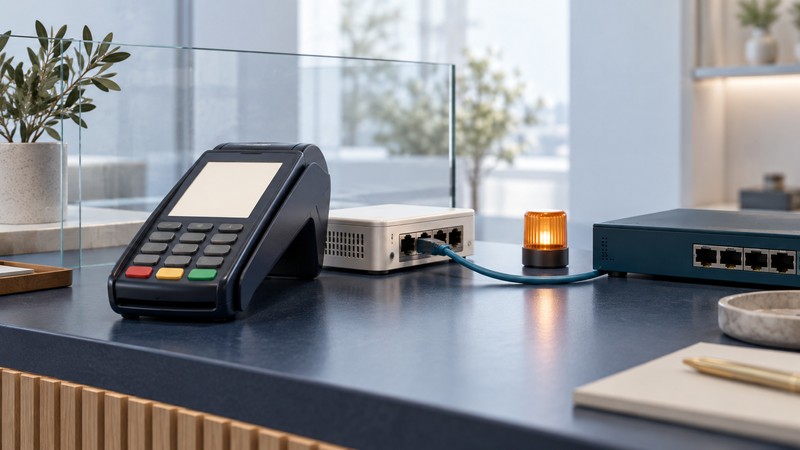
A legacy payment gateway can carry terminal traffic over an IP network, but a working network connection is only one requirement. Before buying a converter or keeping an older terminal in service, establish processor compatibility, support status, security responsibilities and a recovery plan.
This guide is for merchants evaluating an existing arrangement with their payment provider. It is a decision and testing checklist, not a wiring diagram or authorization to change a payment system's configuration.
Map the equipment and its roles
Write down the terminal manufacturer and model, application and firmware versions, gateway model, communications service and acquiring or processing provider. Use the provider's documentation to identify the route from terminal to payment service. Keep sensitive credentials and card data out of the inventory you share.
“Gateway” can refer to a physical communications converter or a hosted payment service. Ask the supplier which function the proposed product performs. A connector adapter, network switch or generic router does not establish that the terminal's payment protocol and application are supported.
Scroll sideways for all columns. Keyboard users can focus the table and use the arrow keys.
| Area | Written confirmation to request | Decision affected |
|---|---|---|
| Compatibility | Exact terminal, application, gateway and connection combination supported. | Whether the proposed arrangement can transact at all. |
| Lifecycle | Support dates, updates and replacement path. | How long the solution remains maintainable. |
| Security | Applicable configuration, data flows and compliance responsibilities. | Who must implement and verify each control. |
| Operations | Monitoring, help desk, settlement and outage handling. | Whether staff can detect and resolve failures. |
| Cost | Equipment, setup, connectivity, support and exit charges. | Whether conversion or replacement is the better fit. |
Retain the dated response and the person or team responsible. If the provider cannot confirm support for the exact combination, request a supported alternative before committing money or altering the working setup.
Review the complete payment environment
PCI SSC's payment-terminal guidance explains that terminals are part of the cardholder data environment and that applicable controls depend on the device and its configuration. A device listing and a merchant's complete compliance responsibilities are distinct. Ask the organization managing your compliance program which evidence is required for this installation.
An older brochure's encryption terminology is insufficient evidence of current security. PCI SSC's cryptography guidance states that SSL and early TLS are not considered strong cryptography under PCI DSS. Have the provider establish the currently supported protocols and configuration for the entire route.
Use the PCI products and solutions listings to identify the relevant device or solution category. Match versions and scope, and have the acquirer confirm whether the listing meets its program requirements. A network enclosure with a reassuring label does not answer those questions.
Record who manages updates, remote support, network access and device inspections. Escalate unexplained changes, damaged seals or unfamiliar attachments using the provider's procedure. Changes to a payment network should follow an approved plan with a recovery route.
Compare the remaining supported life
Price both options over the same period and service scope. Include setup, rental or purchase, connectivity, support, replacement, technician visits and any early-termination charges. Keep payment-processing fees separate unless the proposal changes them.
Fictional two-year comparison
Option A costs $250 for a converter, $150 for installation and $20 per month for the required connection and support. Its two-year cost is $250 + $150 + 24 × $20 = $880. Option B costs $500 for a supported replacement terminal, $100 for setup and $10 per month, totaling $840 over the same period.
Option B is $40 less in this invented example. Taxes, transaction fees and downtime costs are excluded, and both options are assumed supported for the full two years. If Option A loses support after six months, its apparent two-year comparison is unusable: add the required replacement and overlap costs or reject that planning horizon.
Also compare functions: contactless acceptance, receipts, accessibility, staff training, refund workflows and reconciliation. Treat claimed faster authorization as something to test with the actual provider and connection, rather than a promise about the whole checkout experience.
Test with the provider before relying on the change
Arrange a controlled provider-approved test, with staff roles, an agreed maintenance window and a rollback decision point. Use a test environment or transactions explicitly approved for this purpose. Do not record full card numbers, security codes or PINs in troubleshooting notes.
- Confirm connectivity and the expected terminal/application versions.
- Test the supported sale, decline, cancellation and refund paths.
- Check receipt details and transaction references against the provider's records.
- Confirm batch close or the provider's equivalent process, payout and reconciliation.
- Test the documented outage and recovery procedure with provider assistance.
A terminal showing “approved” establishes only part of a transaction's life. Verify how the transaction appears in settlement and in the bank deposit; payment processing and reconciliation explains those stages.
If a timeout leaves transaction status uncertain, follow the provider's lookup or recovery procedure before attempting it again. Unplanned retries can create duplicate charges. Offline acceptance should only be used when the provider explicitly supports it and staff understand its limits and risks.
Download the equipment, provider-confirmation and acceptance-test record. Keep it with support contacts and the rollback plan so the next shift can act on evidence.