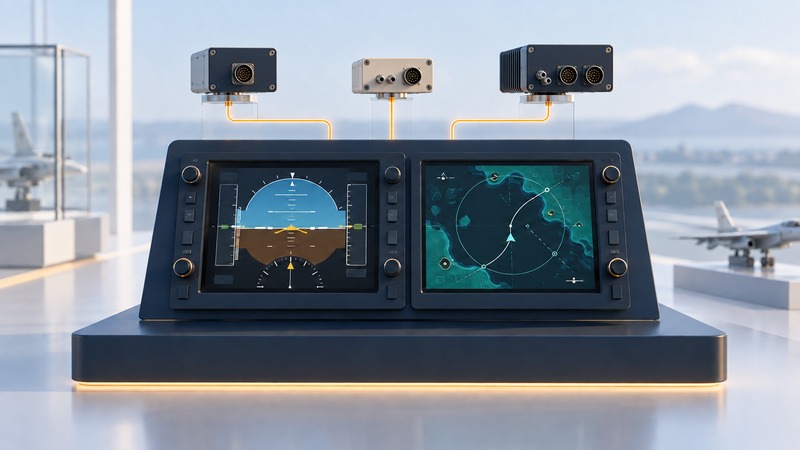
Integrated avionics bring flight information, navigation and other aircraft functions into a coordinated system. Understanding the display is only the first step: the more useful question is where each item of information comes from and which other functions share that source. This is a conceptual guide for learners and interested readers. Aircraft operation and training must use the documents and instruction appropriate to the installed system.
On a narrow screen, scroll tables sideways. Keyboard users can focus a table and use the arrow keys.
Read the panel as a set of connected functions
The FAA’s Pilot’s Handbook chapter on flight instruments explains electronic flight displays and their sources. A primary flight display groups key flight indications. A multifunction display can present maps and other information, depending on the installation. Sensors, computers, data connections and electrical supplies support what appears on the screens.
| Function | Typical contribution | Question for the actual aircraft |
|---|---|---|
| Primary flight display (PFD) | Attitude and other primary flight indications | Which sources supply each indication? |
| Multifunction display (MFD) | Maps, systems or other selectable information | Which installed functions and data feeds are available? |
| Attitude and heading reference system (AHRS) | Attitude and heading information | Which displays share this source? |
| Air-data computer | Information derived from air pressure and related inputs | What feeds it, and what depends on its output? |
| Navigation and guidance | Position, route and guidance information | Which source and mode are selected? |
These are functional descriptions. Manufacturers can combine functions in one unit or distribute them across several. Identify equipment from the installation documentation rather than assuming the number of boxes from the number of screens.
Distinguish more displays from independent information
A fictional two-screen system
Imagine that two screens both show heading from one shared source. Agreement between the screens tells you they present the same source consistently. To understand independent cross-checking, you would need to identify a separately derived reference and its own dependencies in the actual installation.
Make a study diagram with four columns: information, source, display and other users. Add power or network dependencies only when the aircraft documentation establishes them. A blank entry is a question for an instructor or qualified maintainer. Keep the diagram explicitly marked as a learning aid.
This approach also helps explain why a screen change can affect workload. Information may move, become unavailable or be presented differently. Learn the aircraft’s documented indications and responses during appropriate instruction. Do not improvise resets, circuit-breaker actions or generic failure procedures from a conceptual article.
Match the manuals to the installation
The FAA’s chapter on flight manuals and other documents distinguishes aircraft-specific approved information from general owner material. Start with the applicable flight manual or pilot’s operating handbook, supplements, limitations and equipment information. Then obtain the avionics manufacturer’s guide for the correct system and software version.
Before a lesson, record the aircraft model and identification, installed avionics, software version where applicable, manual revision and relevant supplements. Ask the instructor to confirm that the learning materials match. A familiar product name can cover several generations and installation variants.
For navigation databases, distinguish the database identity and validity from the software version. Record which source establishes the permitted use for the intended operation. For optional weather, traffic or connectivity functions, confirm that the equipment, service and subscription are actually present before building a plan around them.
Build a focused learning session
Choose one task, such as interpreting a displayed navigation source, and agree on an observable learning outcome with the instructor. Ask to explain the source and mode in words, then use the approved trainer or aircraft training environment to demonstrate understanding. Add workload gradually under supervision.
Debrief the difference between pressing a control and confirming the intended result. Useful notes identify what appeared, what it meant and where the manual explains it. Keep uncertain behavior on a question list instead of converting it into a remembered rule.
For a buyer comparing avionics, the same method exposes hidden costs: installation compatibility, approvals, training, database services and ongoing support. Request a quote tied to the actual aircraft and intended use. A clear comparison includes the complete supported system and the ability to use it competently.