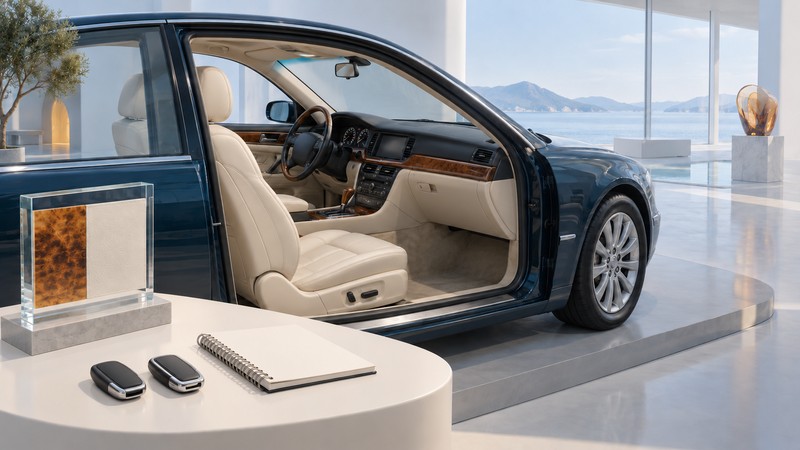
A useful cabin check for a 2006 Infiniti M35 or M45 asks three questions: what equipment was specified, what is installed now, and which functions work with the keys, media and devices you intend to use. Record each answer separately.
This is a parked-function guide for the US-market 2006 M, focused on controls and cabin technology. Bring every supplied key, the matching manuals and a short list of functions that matter to you. Use the separate Infiniti M ownership guide for the broader vehicle assessment.
Start with the equipment record
The Infiniti launch specification sheet, copyright 2005, lists Intelligent Key with push-button ignition, dual-zone climate control, Bluetooth and a seven-inch information display. Its package table separately identifies navigation, upgraded audio and rear-seat features. The display’s presence alone leaves the exact system configuration to establish.
Write down the model, market, VIN and any audio or navigation changes. Compare the original package record with the installed equipment. Keep a retrofitted receiver, adapter or display on a separate line with its own instructions and installation record. The operating method may have changed along with the hardware.
Work through one function at a time
On a narrow screen, scroll the table sideways. Keyboard users can focus the table region and use the arrow keys.
| Area | Demonstration to request | Result worth saving |
|---|---|---|
| Keys and access | Have the owner demonstrate each supplied key and its intended functions using the handbook. | Key identifier; lock, unlock and start result; warnings or intermittent behavior. |
| Screen and controls | Identify the fitted system and try the ordinary menus and physical controls. | Which inputs respond; blank areas, delays or resets; conditions observed. |
| Audio and phone | Try the required source and your intended phone with permission. | Phone model, connection method, calling result and audio-source result separately. |
| Climate and seats | Demonstrate the fitted climate and seat functions under the owner manual. | Requested setting, observed response and anything requiring further diagnosis. |
| Navigation, if fitted | Check map display, position and database/version information while parked. | Media/version shown, location result and any disc or screen message. |
Choose an appropriate parked location and follow the vehicle’s instructions for the required ignition state. If the engine must run, use an open-air location. Keep people clear of powered seat movement. Ask before changing paired devices, stored positions or other personal settings; record the result without erasing the owner’s information.
Make the outcome specific: “call connected and both parties heard speech with this phone” is more useful than “Bluetooth works.” Record music playback through its actual source separately. A phone-call result establishes that function for the tested device and configuration.
Turn incomplete results into useful follow-up
Use four result labels: demonstrated, fitted but not demonstrated, not fitted, and unresolved. Add the conditions and the next action to any incomplete result. A failed demonstration might require a compatible device, correct media, an operating explanation or repair; keep those possibilities open until evidence distinguishes them.
For a purchase, prioritize the functions you need every day. Obtain a written assessment or repair estimate for unresolved essentials before assigning them a value. Preserve the cabin record alongside the mechanical inspection and vehicle history so a successful screen demonstration does not stand in for the whole assessment.
Keep a record you can repeat
Download the Infiniti M cabin-function record. Repeat an unresolved item after the requested explanation or repair, using the same device and conditions where practical.
Explore Autos: vehicle guides, technology and design · Cars: buying, maintenance and ownership