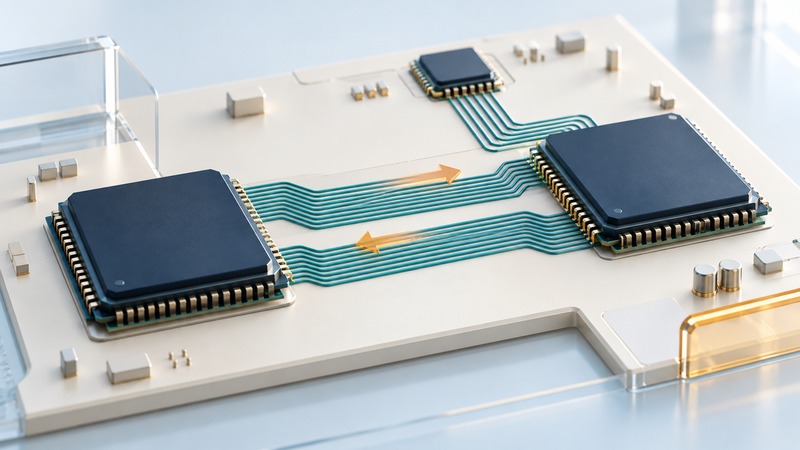
HyperTransport is a chip-to-chip interconnect used in older processor and I/O architectures. To interpret a specification, identify the endpoints, link generation, transfer rate and width in each direction. Then follow the path a particular transaction takes through the system.
This is a reference for reading legacy hardware documentation, not a compatibility guide for current processors. Keep the processor, chipset, motherboard and document revision together; the settings supported by one component do not establish those of an entire platform.
Identify what the link connects
Start with a block diagram. A link between processor nodes can carry traffic associated with shared coherent memory; a link to an I/O component can serve a different role. Cache coherence concerns keeping relevant cached data consistent across participants. It is a protocol/system property, separate from the physical link’s width or rate.
AMD’s Hammer-family BIOS and Kernel Developer’s Guide documents coherent and noncoherent link types and platform-specific configuration. Use the diagram and terminology for the actual processor family. Similar-looking interfaces and matching rate figures alone do not establish interchangeable devices.
- Name both endpoints and identify any intermediate bridge or processor node.
- Mark the local memory controller and the I/O device relevant to the question.
- Trace whether a transaction stays local, crosses a processor link or reaches an I/O bridge.
- Record each link’s supported and configured width/rate; keep direction labels explicit.
This path view explains why a machine can have a large aggregate interconnect figure while one peripheral or remote-memory workload sees a smaller limit. Other links, memory behavior and software access patterns remain part of the result.
Separate clock, transfers, bits and bytes
On a narrow screen, scroll the table horizontally. Keyboard users can focus the table region and use the arrow keys.
| Item | Meaning | Common comparison error |
|---|---|---|
| MHz or GHz clock | Clock cycles per second. | Treating a double-data-rate clock as the already doubled transfer rate, or doubling it twice. |
| MT/s or GT/s | Millions or billions of transfer events per second on each data bit path. | Calling the figure bytes per second without multiplying by width. |
| Link width in bits | Data bits transferred in parallel in the specified direction. | Using the width of another direction or confusing it with CPU word size. |
| GB/s per direction | Decimal billions of raw bytes per second for one direction. | Comparing it with a summed bidirectional number. |
| Payload throughput | Useful delivered data per second for a defined workload. | Assuming all raw link capacity is application payload. |
If the document supplies a transfer rate in GT/s, use it directly. For width w bits and rate r GT/s, raw bandwidth per direction is r × w ÷ 8 GB/s. If a document instead gives a clock for a double-data-rate link, convert to transfers according to that interface definition first. Label decimal GB/s distinctly from binary GiB/s.
Calculate a documented example
The AMD SR5650 Databook, revision 2.20 (2012) specifies HyperTransport 3.0 support, 8- and 16-bit widths and link rates up to 5.2 GT/s for that component. It also states that width is independently controlled in each direction. Those limits are specific to the documented chipset.
On a narrow screen, scroll the table horizontally. Keyboard users can focus the table region and use the arrow keys.
| Rate | Width in one direction | Raw capacity in that direction |
|---|---|---|
| 2.0 GT/s | 8 bits | 2.0 × 8 ÷ 8 = 2.0 GB/s |
| 2.0 GT/s | 16 bits | 2.0 × 16 ÷ 8 = 4.0 GB/s |
| 5.2 GT/s | 16 bits | 5.2 × 16 ÷ 8 = 10.4 GB/s |
Record the configured operating point as well as the maximum capability. Firmware, endpoints and platform design can constrain operation. Read-only system reports and the board/processor documentation are preferable starting points to changing firmware settings merely to chase a theoretical number.
Connect raw capacity to a workload
Packets, commands, flow control and traffic in the opposite direction consume resources around a useful transfer. Small transactions can behave differently from sustained large transfers. Latency also matters: a dependent sequence of operations may wait for responses even while much of the nominal bandwidth is unused.
For a storage or network device, also check that device, its downstream interface and memory copies. For a multiprocessor system, record processor affinity and where the memory is allocated. AMD’s Family 10h and 12h software optimization guide discusses system topology and noncoherent I/O placement for those processor families.
Make a useful legacy-system record
- Capture processor, chipset, motherboard, firmware and relevant operating-system versions.
- Link the exact primary documents and revisions used to interpret the platform.
- Draw the relevant endpoints and path, labeling coherent/noncoherent roles from those documents.
- Write configured rate and width per direction, then show raw-bandwidth arithmetic with units.
- Define the workload, payload boundary and measured result. Distinguish a device limit, path limit and latency-sensitive result.
- Keep unresolved configuration questions explicit and use the platform’s support/service documentation before any changes.
A clear comparison might read: “This documented link configuration provides 4.0 GB/s raw in the measured direction; this workload delivers a lower payload rate under the recorded conditions.” That statement is more useful than a single unscoped maximum-bandwidth figure.
Keep a working record
Download the hypertransport worksheet (editable text). Save a copy, fill in the fields for your situation and record exceptions as well as successful checks. The worksheet includes its purpose, source links and any example assumptions.