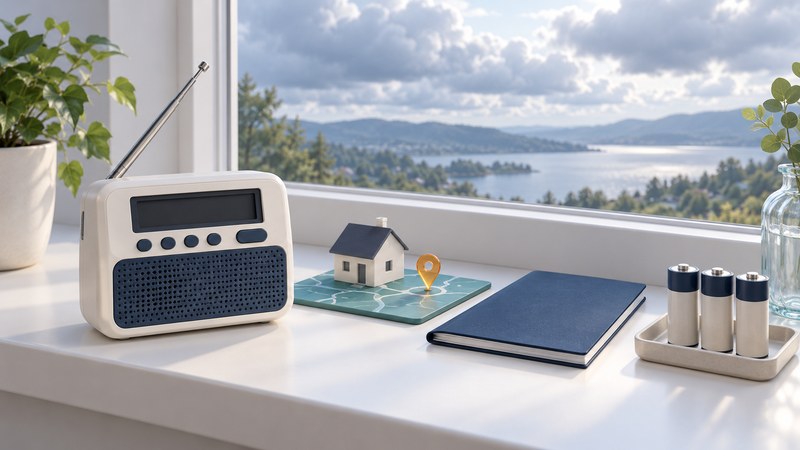
A weather alert radio is most useful when it receives a transmitter serving your location, has the correct alert settings, and remains ready when household power fails. Set it up on a quiet day and verify how your particular model reports a test.
This guide covers NOAA Weather Radio in the United States. Keep the receiver's exact model manual beside you: button sequences, battery types and alert behavior differ. A weather-listening feature on a scanner and a dedicated standby alert function deserve separate checks.
Choose features that fit the household
The National Weather Service receiver guide describes SAME location filtering, an alert function, battery backup and optional external notification devices. SAME selects alerts for chosen geographic areas. It does not make forecasts more accurate or judge whether a warning is a “false alarm.”
- Standby alerts: confirm that the radio can wait quietly and activate for alerts in the mode you intend to use.
- Location selection: look for SAME programming and enough stored areas for the locations you need.
- Backup power: follow the model's battery and power instructions, including replacement or charging requirements.
- Accessible notification: if an audible alarm is insufficient, check documented compatibility with a strobe, bed shaker or other suitable alert device.
For an older hazard monitor, including a Midland 74-200, locate the matching manual and establish that it receives and alerts correctly before relying on it. Follow the exact model's power specifications and settings rather than transferring instructions from a newer radio.
Find two separate things: a transmitter and a location code
Use the NWS county coverage listings to find your state and county or independent city. Record the listed transmitter call sign, frequency, coverage notes and SAME code. A transmitter may serve multiple counties or be located across a state line. A listed coverage area still requires a reception check in your room.
The frequency tunes the broadcast; the six-digit SAME code selects the geographic alerts. They are different settings. Copy a code exactly, including any leading zero. Follow NWS SAME programming guidance and the receiver manual; a louder station that does not carry alerts for your area is the wrong choice.
Some locations use partial-county codes. Consult the NWS partial-county receiver guidance and local maps before narrowing your selection. Keeping a whole-county code means you continue to receive alerts for the county's partitions carried by that station. Choose the area deliberately, and revisit it when you move or take the radio elsewhere.
Set up the receiver, then verify the complete path
- Install the specified power and antenna arrangement. Put the radio where alerts can reach the people who need them. Follow its manual for batteries and normal AC operation.
- Listen to the serving station. Tune the listed frequency and check that routine speech is consistently intelligible. Compare a few indoor positions. NWS reception guidance notes that moving a few feet, using a higher position or moving away from other electronics can help.
- Enter and review location codes. Check each stored area against the official listing. Record why you included neighboring areas. Review any event-blocking settings deliberately so desired warnings remain enabled.
- Enable the intended alert mode. Confirm the standby indicator and any external alert-device connection using the manual. Playing the weather audio alone does not establish that standby alerts are enabled.
- Use the built-in test as instructed. It can check local sound or accessory behavior; it does not by itself prove successful reception and decoding of a broadcast alert.
- Check a scheduled broadcast test. Find your local NWS office's schedule and compare the receiver's displayed or audible response with its manual. Record the date and result. Severe weather can postpone tests; see NWS test and outage reporting guidance.
- Confirm readiness on backup power. Follow the model's procedure to check battery operation. Restore normal power afterward and confirm the final alert settings.
A routine weekly test may produce a message or indicator without the same audible response as an actual warning; check your model's documented behavior before judging a silent test as a failure. Midland explains silent weekly-test reception on its desktop radios; the NWS test guidance explains scheduling and postponements.
Troubleshoot the missing part of the setup
| What you notice | What to check next |
|---|---|
| No routine broadcast | Confirm power, frequency and antenna. Compare a nearby indoor location and consult the NWS outage page. |
| Clear speech but a missed test | Confirm the local test occurred, then review alert mode, location codes, event settings and the manual's expected test indication. |
| Alerts for a broader area than expected | Review all stored codes and any “all areas” setting. A retained whole-county code can still include all its partitions. |
| Works on AC but fails on backup | Use the manual to check battery type, condition, installation and the model's backup behavior. |
| Poor reception at the intended location | Try placement changes supported by NWS guidance; ask the local office about coverage and use only antenna arrangements supported by the receiver. |
The NWS transmitter outage and degraded-service page helps distinguish a known station problem from a receiver problem. If considering another station, confirm it also serves your location. Keep another way to receive official warnings while resolving a fault.
Leave a setup record with the radio
Download the weather-radio setup record (plain text). Fill it in with the manual, station listing and actual test observations. It is useful when another household member needs to check the radio or restore settings.
Recheck after moving the radio, changing batteries or settings, an extended outage, or an NWS coverage/code change. Retain the local test schedule and a second official warning source. When an alert arrives, listen to the full message and follow the official instructions for the affected place and hazard.
Continue with your listening plan
- Find local scanner systems — Build a source-backed listening plan before programming.
- Choose and set up a Uniden scanner — Match the exact model to the system you want to receive.