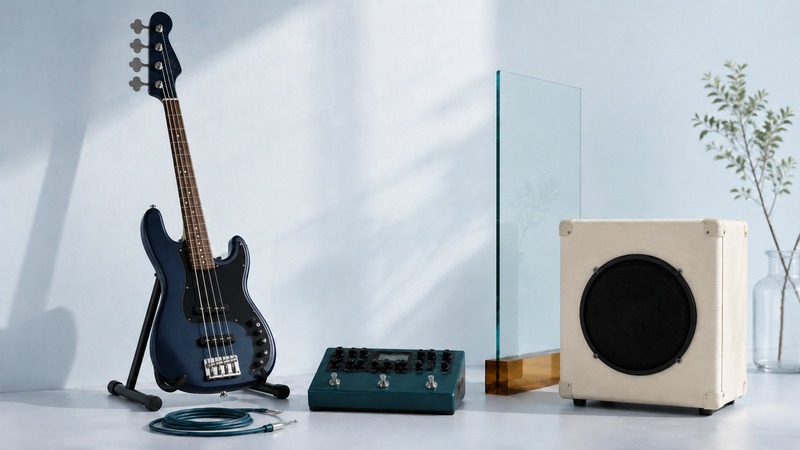
A modeled bass, an amplifier plug-in, and a cabinet impulse response change different parts of a guitar signal. Knowing which part you are replacing makes it much easier to build a useful preset and send it to the right destination.
Four terms that do different jobs
Instrument modeling changes characteristics associated with the instrument itself, such as a modeled pickup or instrument voice. It does not replace the player's touch, string behavior, or physical setup. Line 6's Helix family overview describes integration with Variax instrument models and alternate tunings. That kind of instrument control is separate from choosing an amplifier model downstream.
Amplifier modeling aims to reproduce an amplifier's response, including how gain and controls affect the signal. A cabinet impulse response, or IR, describes a measured filtering response associated with a speaker cabinet and microphone setup. A conventional cabinet IR by itself does not supply the changing overdrive behavior of an amplifier. Line 6's cabinet and IR documentation distinguishes these blocks and explains why the playback destination matters.
Profiling or capture measures an existing rig to create a playable representation of that setup. What is included depends on the capture: it may contain an amplifier alone or an amplifier, cabinet, and microphone chain. Kemper's explanation of profiling also describes systems that combine captured behavior with modeled controls. Do not assume every capture is an unchangeable snapshot, or that every file includes a cabinet. Read its description before adding another one.
On a small screen, scroll the table sideways to read all columns.
| Term | What it represents | What to check |
|---|---|---|
| Instrument modeling | Characteristics of the instrument or pickup sound, before the amp chain. | Does the required instrument or pickup system support it? |
| Amplifier modeling | An amplifier’s response, including gain and tone behavior. | Is a cabinet stage included or separate? |
| Cabinet impulse response (IR) | A measured linear response of a cabinet, microphone, and related capture path. | It does not by itself recreate all nonlinear amp distortion. |
| Profiling or capture | A measured response of a particular amp setup, with the capture scope varying by system. | Does this capture include a cabinet, and how do its controls behave? |
These tools overlap in real products. A preset may already contain an amp and cab even when its name emphasizes only the amp. Open the blocks and trace the route. Adding another cabinet simulation can make the sound unnecessarily dark; removing all cabinet treatment from a distorted direct tone can make it harsh. Bass players may deliberately blend a clean direct signal with a processed one, so an unfiltered bass path is not automatically a mistake.
Worked setup: record a guitar without a microphone
This is an illustrative setup. Connect a guitar to an audio interface input designed for instruments. In the DAW, place an amplifier plug-in followed by one cabinet model or IR, unless the plug-in already includes the cabinet. Route the result to wired headphones or studio monitors through the interface. Start with a clean preset, conservative levels, and no additional effects.
Record a dry input track while listening through the processing, if the DAW supports that configuration. Keeping the unprocessed performance lets you revise the tone later. A file that already contains distortion cannot simply be turned back into the original clean recording. Name tracks and exports clearly so you know whether they contain the dry input, the processed sound, or a blend.
If the instrument feels late, use the interface manufacturer's appropriate driver and reduce the audio buffer until you find a stable compromise. Disable unnecessary high-latency effects while playing. Ableton's explanation of latency shows why buffer size and sample rate are only part of the total delay. For an illustrative calculation, 128 samples ÷ 48,000 samples per second is about 2.67 milliseconds for one buffer; it is not a measurement of the complete input-to-output path.
Direct monitoring can let you hear an input without the DAW round trip, but the direct sound will not include the DAW's amp plug-in. If both the dry direct path and the processed software path play together unintentionally, the tone may sound doubled or phasey. Choose the monitoring method deliberately. A hardware modeler with its own headphone output offers another way to hear the processed tone without relying on computer monitoring.
Live sound: make a separate decision for each output
For a mixer feeding a PA, the usual electric-guitar starting point is a complete modeled amp-and-cab sound. For a real guitar speaker cabinet driven by a suitable power amplifier, the physical cabinet already supplies its strong tonal filtering. Line 6's cab documentation advises avoiding a redundant cabinet block in that route.
If you send one output to the PA and another to a stage guitar cabinet, create separate output paths when your device supports them: cabinet treatment to the PA, the appropriate cab-free feed to the power amp. Keep the branching point clear and test both outputs independently. A preset that works through headphones may not send the same processing to every jack.
Match output level to the receiving input. An amplifier's front input, an effects return, and a mixer's line input are different destinations. Follow the manuals for both devices. A passive cabinet cannot be driven by an ordinary line output. Never connect a powered amplifier's speaker output directly to an audio interface or ordinary modeler input. Recording a real amp through a load box requires equipment rated for that amplifier and the manufacturer's specified load connection. The Two notes Torpedo Captor manual (PDF) illustrates the separate amplifier input and line output, along with load and power requirements.
Keep the live preset manageable. Begin in mono if the sound system is mono, check the actual output rather than only the headphone jack, and level-match the clean and driven sounds before rehearsal. Save a simple fallback preset with only the processing needed to finish a set. Back up the preset files and note any external IRs required to reproduce them.
Compare tones at similar loudness
Record a short phrase containing soft notes, hard attacks, sustained notes, and pauses. Use that same performance to compare presets where possible. Adjust output levels so a louder preset does not win simply by being louder. Listen both alone and with the backing track: a huge solo sound can occupy too much space in a band arrangement.
If a direct guitar tone is brittle, confirm that cabinet processing is present before reaching for more distortion. If it is muffled, look for two cabinet stages or an unexpectedly severe filter. If notes vanish too quickly, relax the noise gate before changing pickups. If only the PA sounds wrong, check its route, output level, and mono compatibility instead of rebuilding the entire preset.
The practical limit is the whole chain: instrument, player, model, monitoring system, and room. A convincing recording through a modeled cabinet is not the same listening experience as standing beside a loud physical cabinet. Judge the tool against the sound and response you need for the recording or performance, and change one stage at a time.
Related resources
- Arrange, record, and export a first track
- Choose a suitable listening and monitoring connection
- Explore all music resources
Researched and updated September 6, 2026. Sources are linked beside the relevant information. Product examples illustrate specific workflows; they are not rankings.