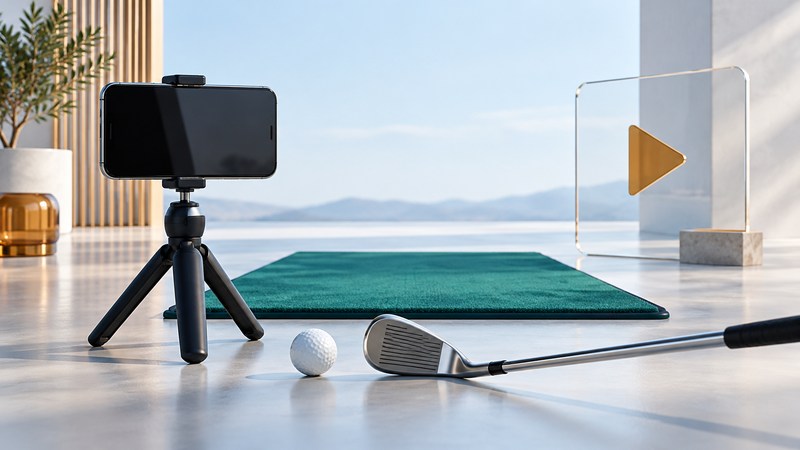
Choose a golf video to answer one question you can test. A useful lesson explains who the advice is for, what to try and how to judge the result. Your own recordings then help you remember what happened and give a coach evidence to work with.
Choose a lesson with a defined purpose
Write a question before searching: “How can I control the pace of long putts?” or “Why do my short chips sometimes stay short of the green?” Choose a video that addresses that situation, identifies its instructor and explains the setup. A demonstration should show enough context to reproduce the task in a suitable practice area.
Swipe the table, or focus it and use the arrow keys to see every column.
| Look for | Why it matters |
|---|---|
| Identifiable instructor and relevant experience | You can check who is giving the advice and what they teach |
| A stated player problem | You can decide whether the advice matches your situation |
| Clear setup and demonstration | You can understand the club, target and intended movement |
| An observable result | You can test progress beyond whether the motion looks different |
| Boundaries and alternatives | You can recognize when a drill needs adaptation or a coach’s help |
Watch for advice that depends on a particular ball flight, club or player tendency. A drill intended to reduce one error may be unsuitable for a player with the opposite pattern. If the explanation is unclear, keep it as a question for a coach rather than layering it onto several other swing changes.
Record clips that can be compared
Ask your coach for the camera views and placement they want. Common views are face-on, looking toward the front of the player, and down-the-line, looking along the direction of play from behind. Keep the camera position, height, lens and framing consistent when comparing sessions; a changed viewpoint can make the same motion look different.
- Use a stable mount in an approved practice area, clear of people, clubs and ball paths. Confirm recording is allowed and respect other players’ privacy.
- Frame the whole player and the club’s movement with room around the edges. Make a test recording to check that the club is visible throughout.
- Use adequate light and a recording mode your device supports. Avoid changing zoom or moving the camera during the swing.
- Record several ordinary attempts, keeping both good and poor results. Note the club, target and the shot’s actual outcome.
- Label clips with the date, view and task. Share the original clip through the coach’s preferred method so the detail remains usable.
In PGA coach Brendon Elliott’s discussion of learning from your own swing, filming is a way to understand the movement you bring to the game. A professional’s appearance on camera is context, not a template every player must copy.
Use one video idea in a small practice session
Choose an observable outcome before starting, such as whether the ball starts through a target gate or finishes in a chosen distance zone. Record the conditions and number of attempts. Compare the same task later, while recognizing that a small sample can vary naturally.
If you cannot reproduce the setup, reduce the complexity or ask the instructor for clarification. Stop an activity that causes pain and seek appropriate professional advice. Repeated difficulty with contact or direction is a useful reason to work with a coach who can see more than a single view.
Separate what the clip shows from what you infer
A clip can show visible positions and timing from its camera angle. It may omit the ball’s full flight, contact quality or measured club data. Avoid assigning exact three-dimensional angles or diagnosing a cause from an unclear frame. Record the shot result alongside the video and describe observations plainly: “The ball started left of the target” is more useful than an unverified technical label.
When using drawing tools or automated analysis, preserve the original recording. Check whether overlays follow the intended points and whether a comparison uses the same view. Ask what evidence supports a suggested change and how to check its effect.
Finish by writing one takeaway, one practice task and one question for the next lesson. That gives the video a role in your learning instead of leaving a folder full of disconnected tips.